Organisation auswählen
Salesforce: Approval Work Items Tab Not Visible After Winter '27 Release
Veröffentlichungsdatum: Oct 12, 2026
Beschreibung
Before the Winter '27 release of Salesforce, the Approval Work Item object had no Create, Read, Edit, or Delete checkboxes under Object Settings in profiles and permission sets. All users therefore had default access to the Approval Work Items tab.
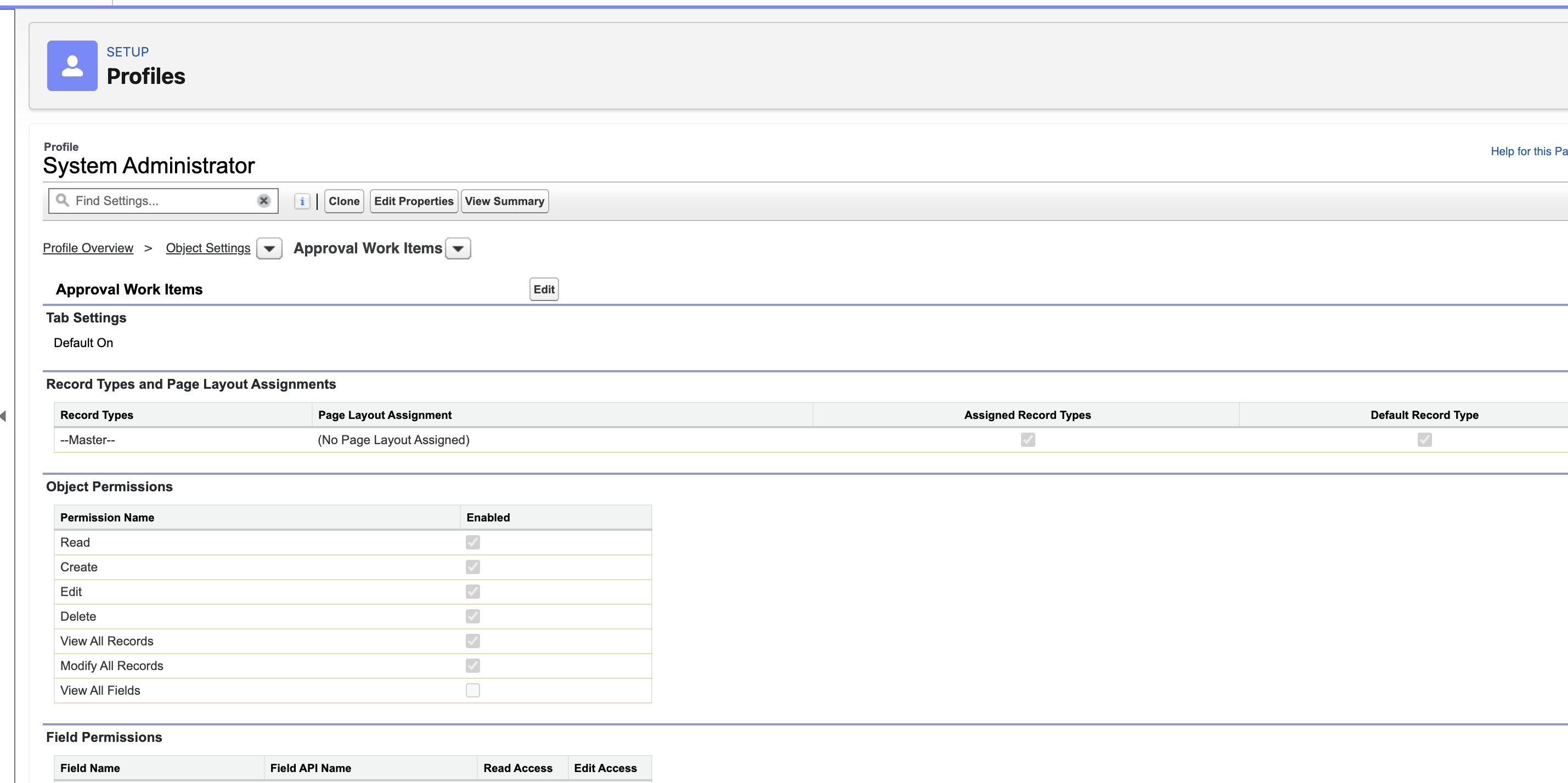
With Winter '27, the object has its own object-level permissions:
- Read
- Create
- Edit
- Delete
- View All Records
- Modify All Records
- View All Fields
Access to the object and its tab is now controlled like any other standard object. Users without at least Read access can't see the tab. Users with View All Records or Modify All Records, such as System Administrators, are not affected.
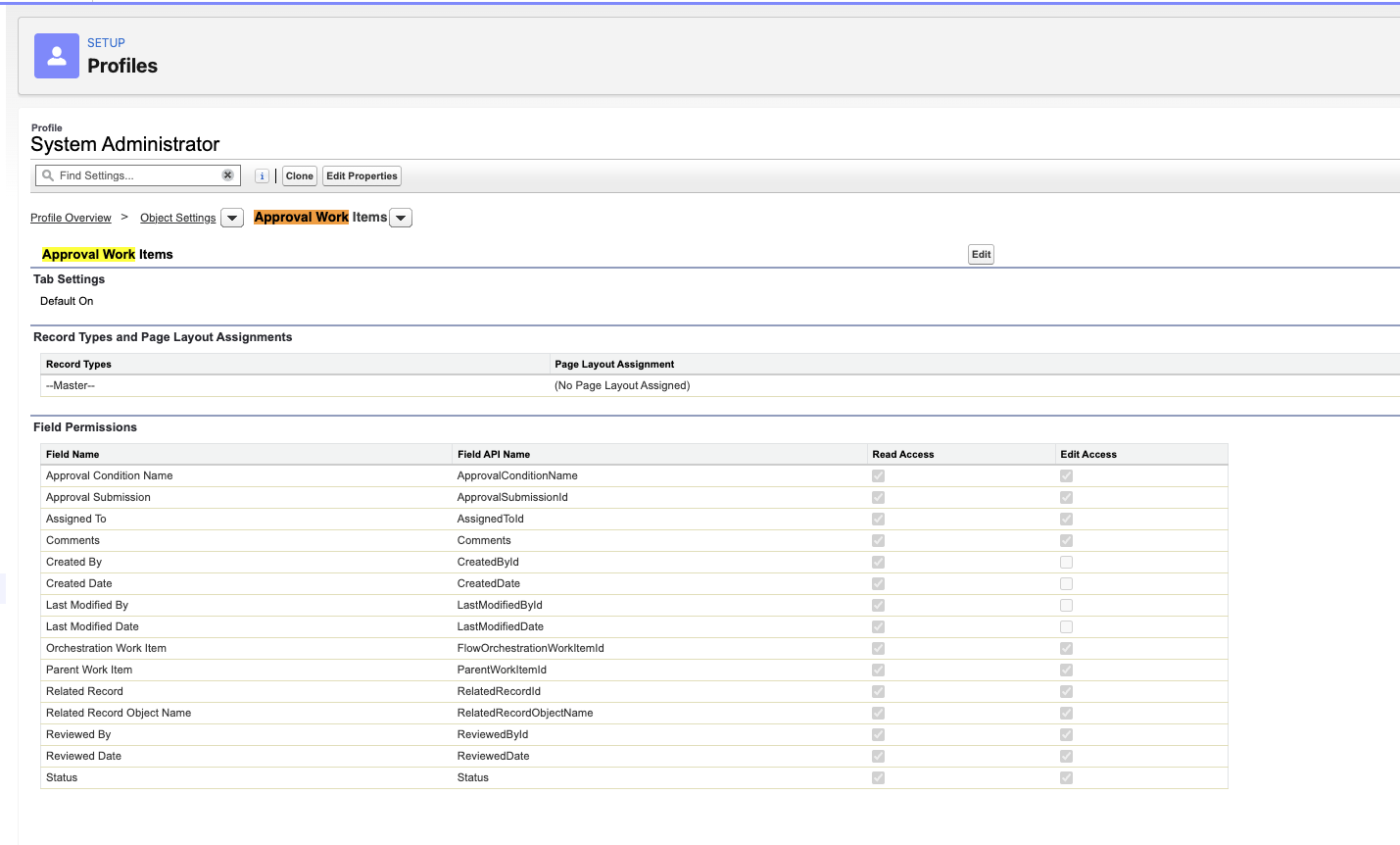
Before Winter '27, the object permissions Read, Create, Edit, Delete, View All Records, Modify All Records, and View All Fields are not available under Object Settings for the "Approval Work Items" object.
After Winter '27, these object permissions are available under Object Settings for the "Approval Work Items" object.
Lösung
Grant Read access on the Approval Work Item object to the affected users. Use either a profile or a permission set.
Option 1: Permission Set (recommended)
- In Setup, enter Permission Sets in Quick Find and select it.
- Open an existing permission set, or click New to create one.
- Under Apps, click Object Settings.
- Select Approval Work Items.
- Click Edit.
- Under Object Permissions, select Read. Select other permissions only if the users need them.
- Click Save.
- Click Manage Assignments > Add Assignments, select the affected users, and click Assign.
Option 2: Profile
- In Setup, enter Profiles in Quick Find and select it.
- Open the affected profile.
- Click Object Settings, then select Approval Work Items.
- Click Edit.
- Select Read under Object Permissions.
- Click Save.
Verify
- Ask an affected user to refresh the browser or log out and back in.
- Confirm the Approval Work Items tab is visible.
- If the tab doesn't appear in the navigation, check that it is added to the user's app, or personalize the navigation bar.
Zusätzliche Ressourcen
Nummer des Knowledge-Artikels
005461270
Konnten Sie Ihr Problem mithilfe dieses Artikels lösen?
Geben Sie uns Feedback, damit wir uns verbessern können.
