We use three kinds of cookies on our websites: required, functional, and advertising. You can choose whether functional and advertising cookies apply. Click on the different cookie categories to find out more about each category and to change the default settings.
Privacy Statement
Required cookies are necessary for basic website functionality. Some examples include: session cookies needed to transmit the website, authentication cookies, and security cookies.
Functional cookies enhance functions, performance, and services on the website. Some examples include: cookies used to analyze site traffic, cookies used for market research, and cookies used to display advertising that is not directed to a particular individual.
Advertising cookies track activity across websites in order to understand a viewer’s interests, and direct them specific marketing. Some examples include: cookies used for remarketing, or interest-based advertising.
Salesforce is introducing an upcoming change to limit the lifetime, or time-to-live (TTL), of idle OAuth refresh tokens to 30 days. With this limit, a refresh token expires if it hasn't been used for 30 days. When a refresh token expires, an app can no longer use it to get new access tokens and must request a new access token.
When Salesforce enforces this change, refresh tokens that have been idle for 30 days immediately expire, which can log out users. Also, Salesforce revokes all existing access tokens. Review how these changes apply to your integrations.
This article explains why refresh tokens now expire after 30 days of inactivity, when Salesforce enforces the Limit Idle Refresh Token Time-to-Live (TTL) to 30 Days setting, and how to prepare your connected apps and external client apps.
Review this change if you:
This change applies to external client apps and connected apps, including apps that are installed in subscriber orgs. Salesforce enforces this change in all orgs, including production orgs, sandboxes, scratch orgs, and Developer Edition orgs.
Note: Salesforce already enforces this limit for these external client apps and connected apps:
If a threat actor gets a refresh token, the actor can use it to get new access tokens and access Salesforce data. By expiring idle refresh tokens, Salesforce reduces the time in which a stolen or leaked token can be used.
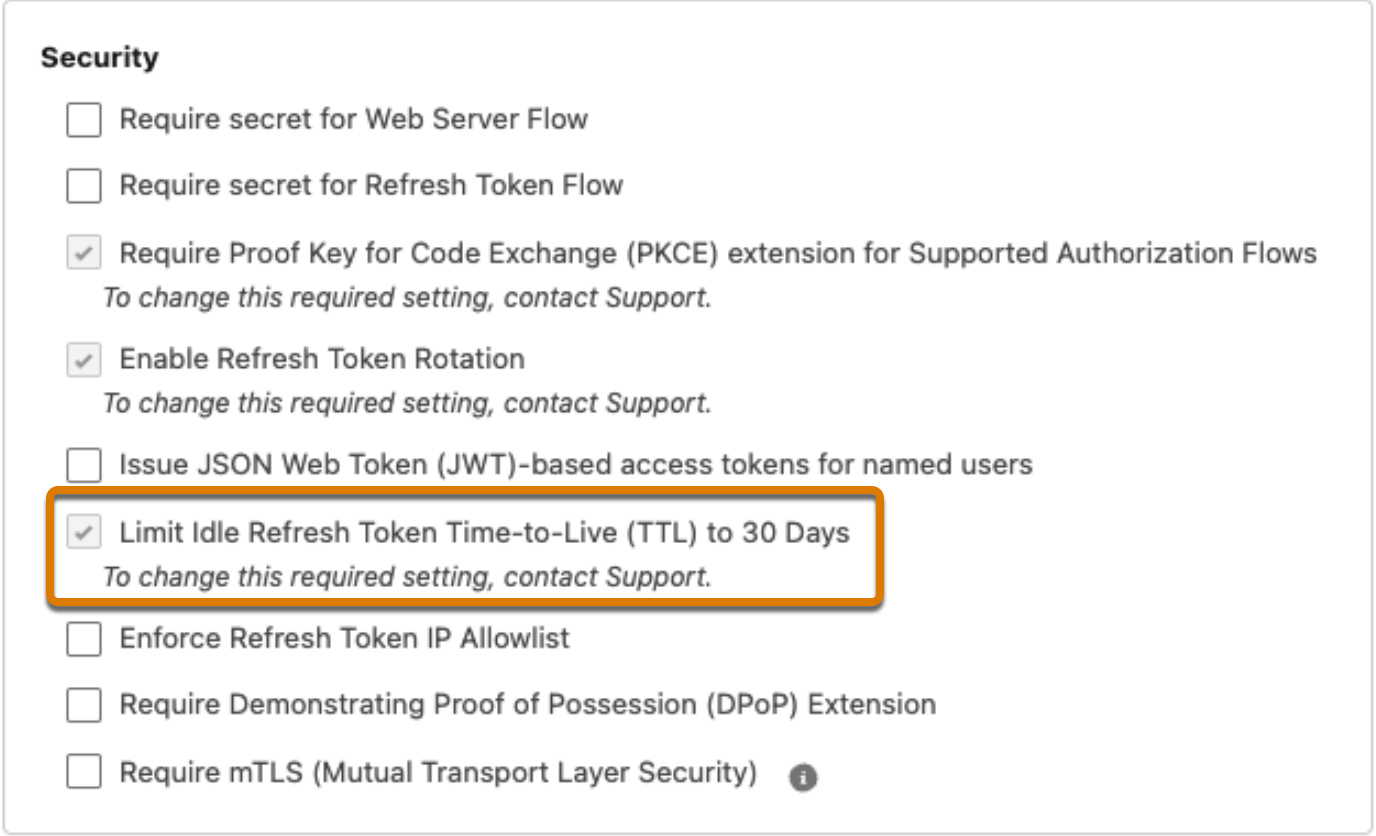
To enforce this control, Salesforce turns on the Limit Idle Refresh Token Time-to-Live (TTL) to 30 Days OAuth setting for connected apps and external client apps. After enforcement, you can no longer contact Salesforce Customer Support to change this setting.
With the limit enabled, your app's refresh token policies change. For some policies, Salesforce doesn't automatically update the UI and metadata to reflect the new behavior. You can update your app to fix any inconsistencies.
When Salesforce enforces this control, there are three impacts:
| Integration | What Happens? | Action Required |
|---|---|---|
| Background integrations that use refresh tokens | Salesforce revokes the current access token. If your app has a valid, stored refresh token, the integration can get a new access token automatically. If the refresh token has been idle for more than 30 days, Salesforce returns an invalid_grant error with the description "expired access/refresh token". The app must request a new access token and refresh token. | Make sure that the integration uses stored refresh tokens to request new access tokens upon revocation. If refresh tokens expire, the integration must reauthorize the app. |
| Interactive end-user apps that use refresh tokens | Salesforce revokes the current access token. If your app has a valid, stored refresh token, the integration can obtain a new access token automatically. If the refresh token has been idle for more than 30 days, the user must log in again. | The end user must log in again. |
| Flows that don't use refresh tokens | Salesforce revokes the current access token. | None. Your integration performs the initial flow again to get a new access token. |
Audit and test your integrations to understand how they will behave after enforcement.
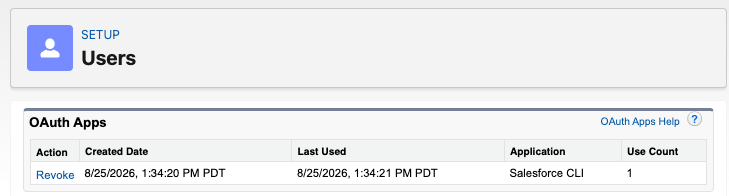
Test how your apps handle access token revocation. Note: These steps only cover access token revocation. They don't necessarily show you what happens if a refresh token expires due to inactivity.
Use the Login History to review refresh token usage and see when refresh tokens were last used.
If a refresh token expires due to inactivity, Salesforce returns an invalid_grant error with the error description "expired access/refresh token". In this case, the integration must perform the OAuth flow again to get a new access token. For minimal disruption, make sure that your background integrations handle this error by automatically re-running the OAuth flow.
For unattended integrations that store a refresh token obtained through the web server flow:
With the limit enabled, your app's refresh token policies change. For some policies, Salesforce doesn't automatically update the UI and metadata to reflect the new behavior. To fix any inconsistencies, update your app policies. See the instructions for external client apps and for connected apps.
005461275