Seleziona un'organizzazione
Revenue Cloud Order Related List Error on Android Tablets
Data pubblicazione: Oct 12, 2026
Descrizione
Symptoms on Android Tablets
In the Salesforce mobile app on an Android tablet, a Revenue Cloud Order record page may show an error where a related list should appear. Typical related lists on this page include Quote History and Quote Line Items. The error text is:
"We can't display this information because the record has no parent or you don't have access. Ask your admin for help."
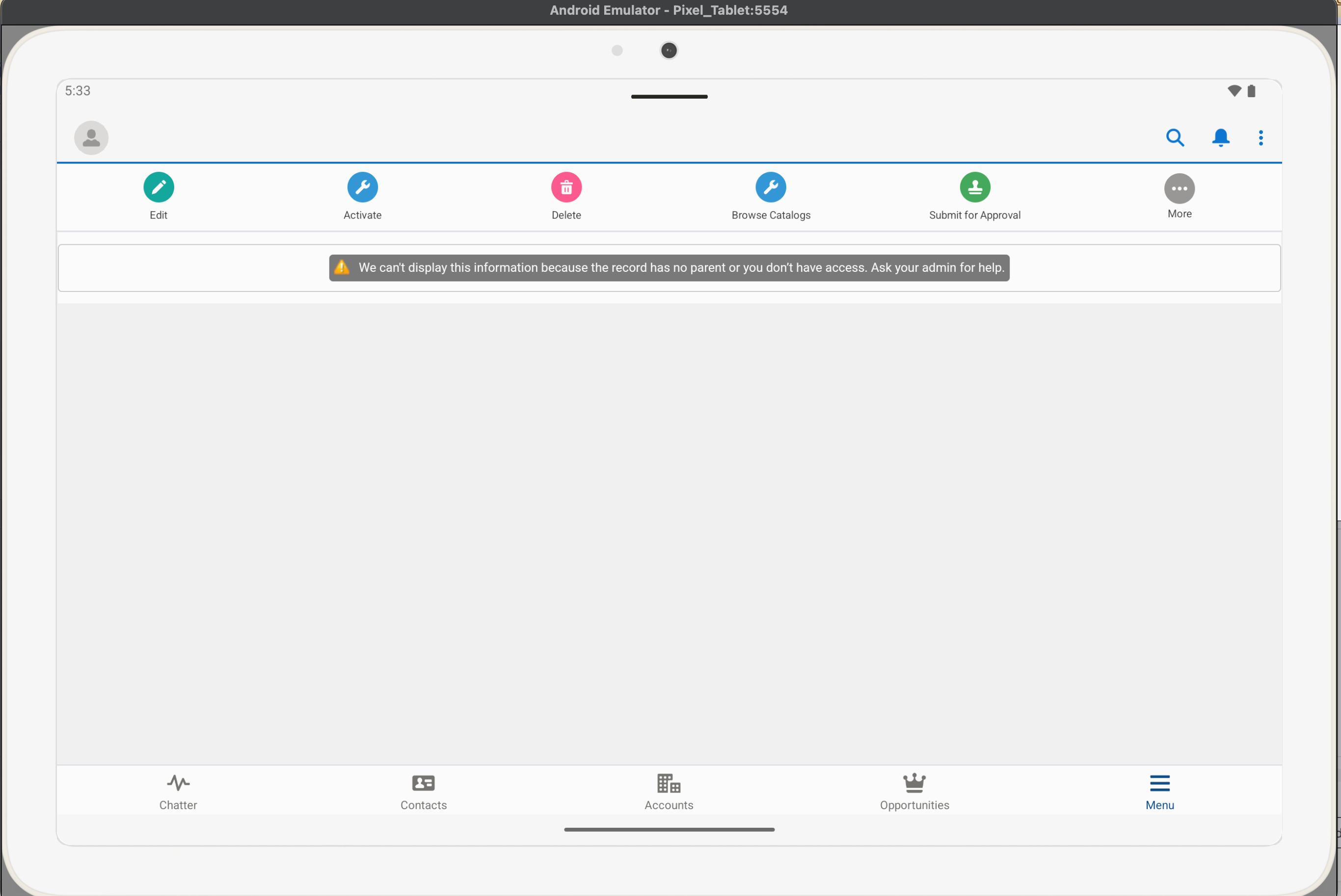
The following behavior is typical:
- The error appears only on Android tablets.
- The same Order record page displays correctly on desktop and on iPad.
- The error can also appear in the Lightning App Builder preview while an admin edits the page.
Cause: Related List – Single Component Needs the Lookup Field
The error is not a permissions problem. Record access and data are unchanged, and the records are intact.
On Android tablets, the Related List – Single Lightning component cannot identify the parent record when the required lookup field is missing from the Order record page configuration. The component then shows the generic "no parent or you don't have access" message instead of the related records. Desktop and iPad render the same page without the error.
Risoluzione
These steps add the missing lookup field to the Order record page configuration so the Related List – Single component can identify its parent record and display related records on Android tablets.
- Open Setup, go to Object Manager, and select the Order object. The Order object settings open.
- Open the page layout assigned to the affected profile and confirm that the lookup field the related list depends on is present. This field links the Order to the parent record whose related records are listed. Add the field to the layout if it is missing, then save. The layout now includes the lookup field.
- Open the Order Lightning record page in Lightning App Builder. From an Order record, click the gear icon and select Edit Page. The page opens in edit mode.
- Select the Related List – Single component for Quote History, then confirm that the same lookup field is present on the page. Add it through a Fields or Highlights Panel component if it is not. The page now contains the field.
- Click Save, and activate the page if prompted, keeping the existing assignment (org default, app, or profile). The updated page is available to users.
- Reopen the Order record in the Salesforce mobile app on the Android tablet, and open the Lightning App Builder preview as well. Quote History and Quote Line Items display records with no error banner.
Numero articolo Knowledge
005461565
Questo articolo ha risolto il problema?
Facci sapere, così possiamo migliorare!
