조직 선택
Slack 계약 고객이 Salesforce 도움말 사이트에 로그인하는 방법
게시 일자: Oct 27, 2026
상세 설명
Slack 을 이용 중이신 고객님이 Salesforce 도움말 사이트에 로그인하는 방법을 아래에서 안내해 드립니다.
솔루션
※가능한 최대한의 도움을 드릴 수 있도록, 긴급히 일본어 문서를 번역하여 제공해드리고 있습니다. 스크린샷에 일본어가 포함되어 있는 점 부디 양해 부탁드립니다.
아울러, 번역으로 인해, 실제 메뉴 이름과 본문서의 메뉴 이름에 차이가 존재할 가능성이 있는 점도 미리 말씀드립니다.
Salesforce 도움말 사이트에 로그인하는 방법
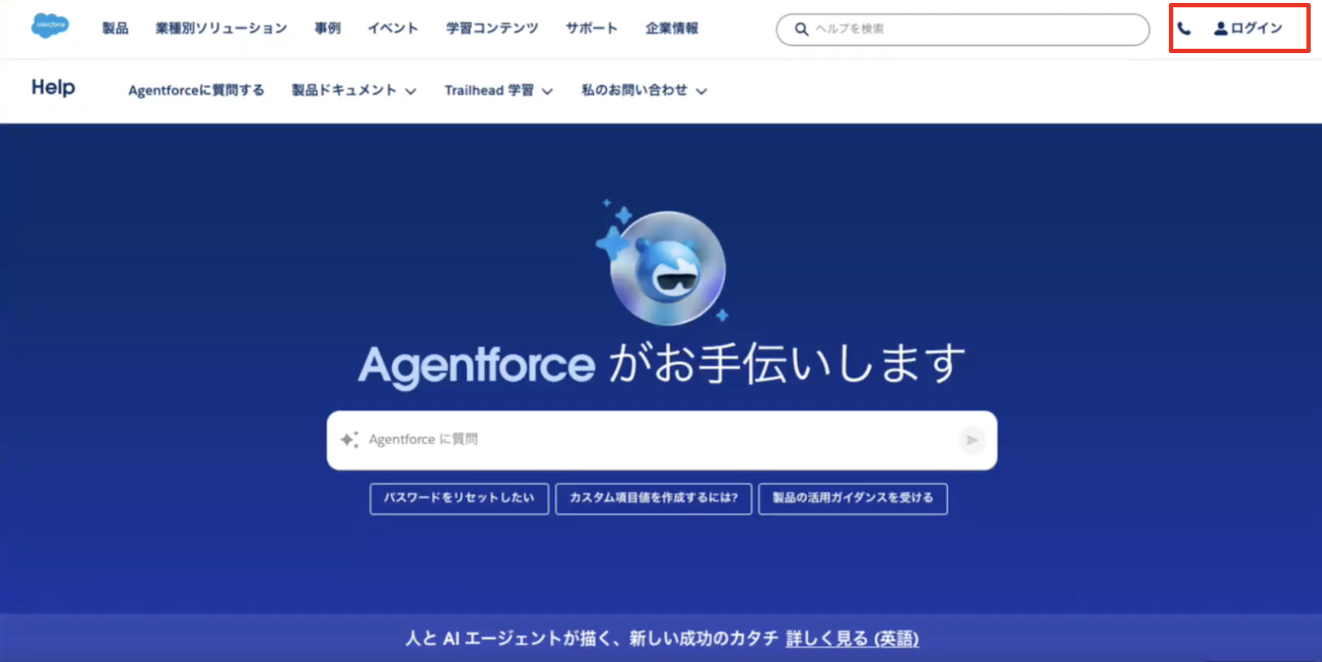
1. Salesforce 도움말 사이트에 접속하고, 화면 우측 상단의 [로그인] 을 클릭합니다.
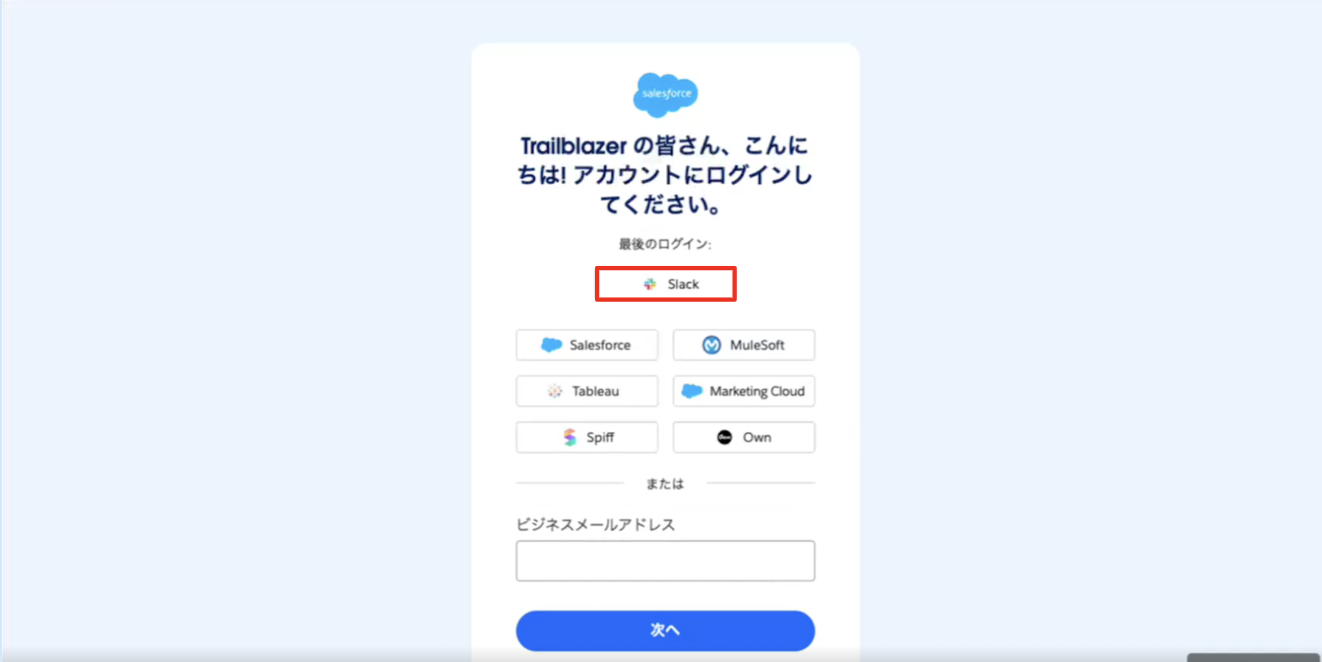
2. 계정 로그인 화면에서 [Slack]을 클릭합니다.
※로그인 화면의 선택지에 Slack이 표시되어 있지 않은 경우 [추가 옵션 보기] 를 클릭해 주세요.
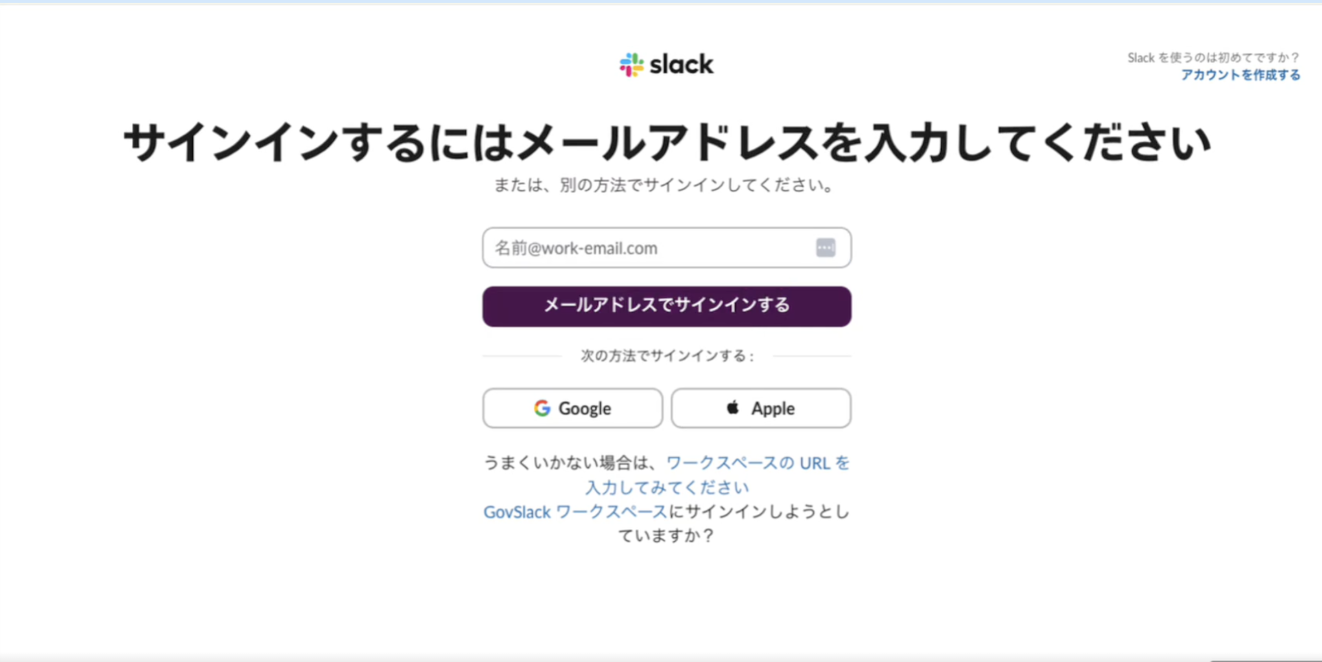
3. 로그인에 사용할 이메일 주소를 입력하고, [이메일로 로그인] 을 클릭합니다.
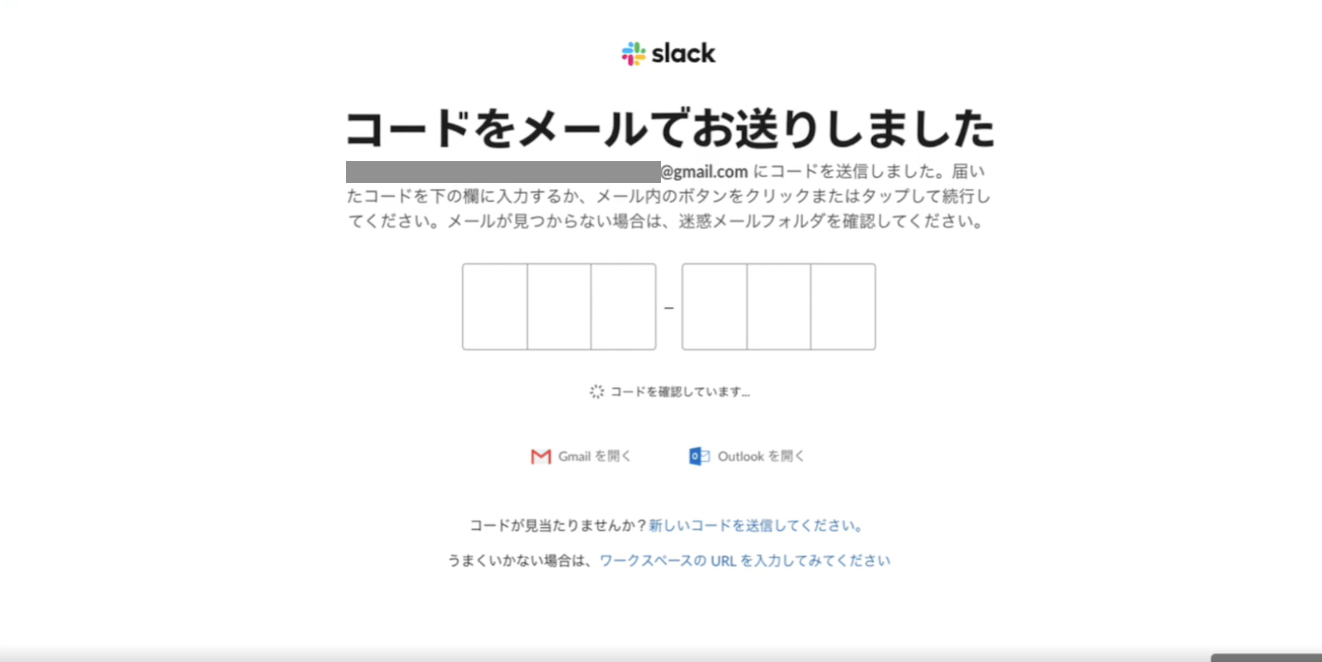
4. 입력한 이메일 주소로 전송된 로그인용 코드를 입력합니다.
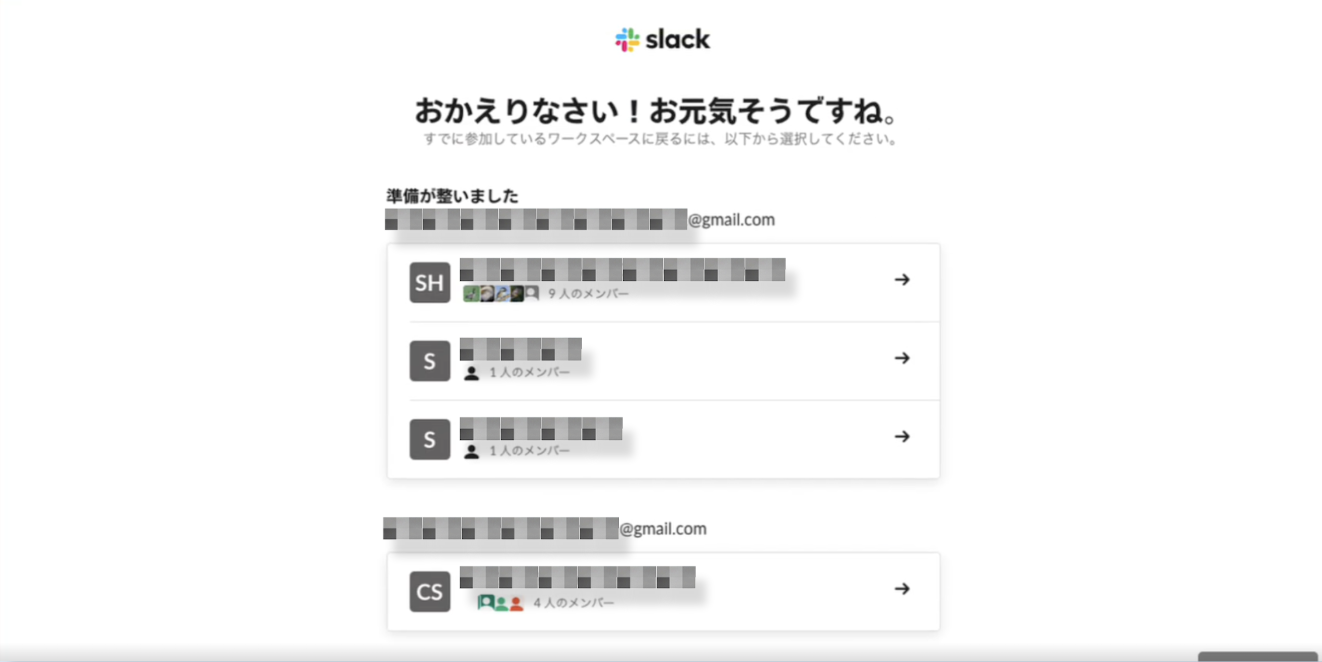
5. 로그인할 대상을 선택합니다.
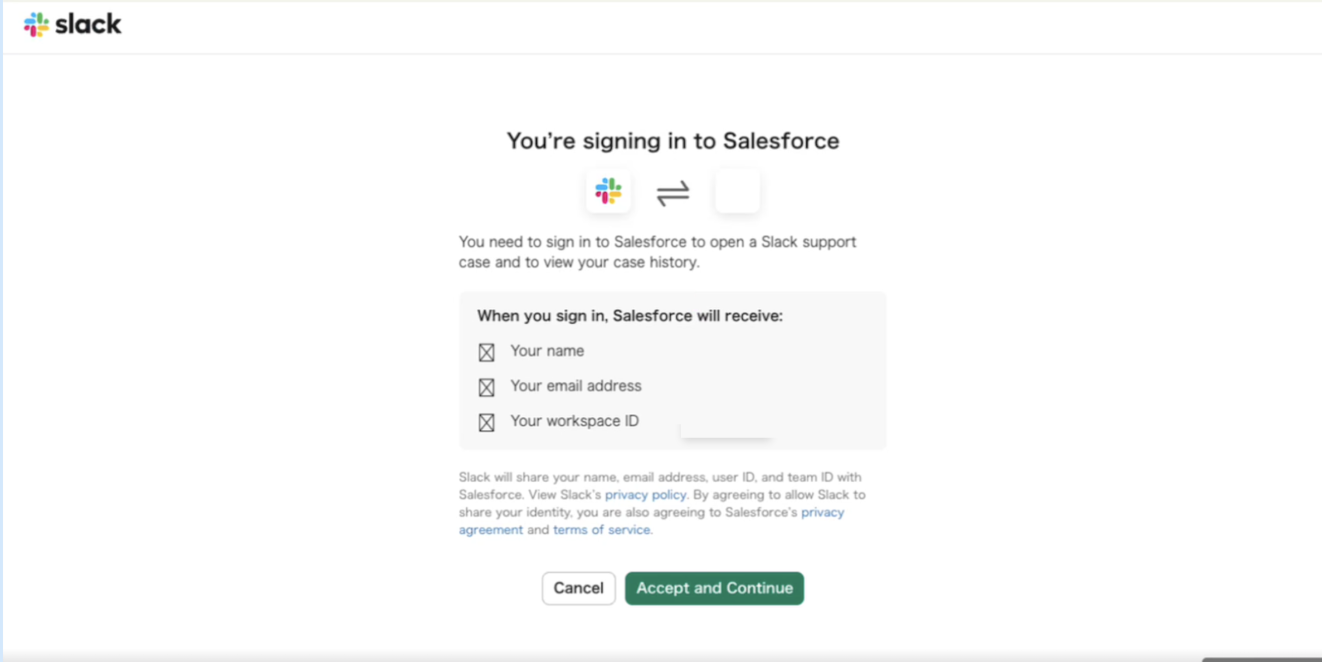
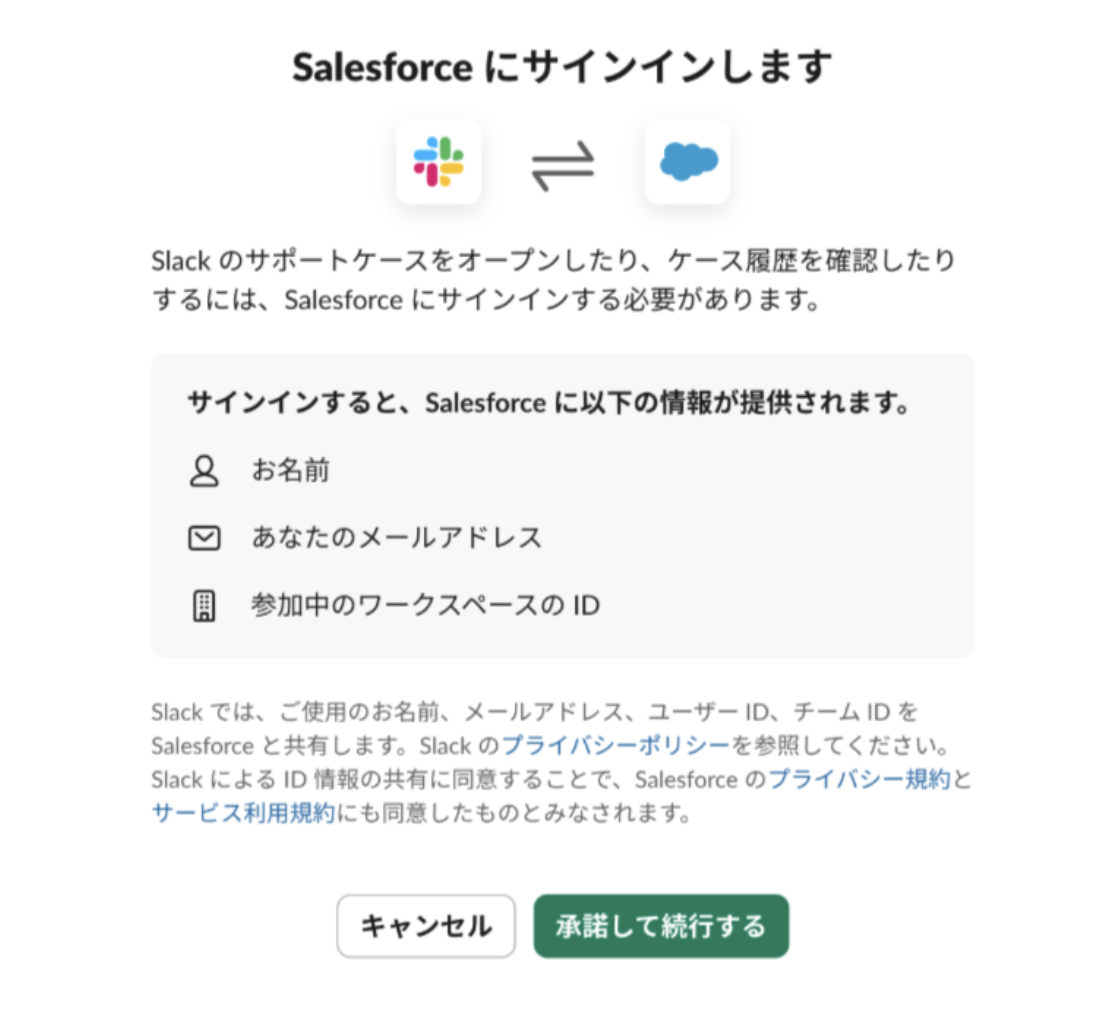
6. [승인하고 계속하기 (Accept and Continue)]를 클릭하면, Slack과 Salesforce의 정보가 연동되어 로그인이 완료됩니다.
Slack 도움말 센터에서 Salesforce 도움말 사이트에 로그인하는 방법
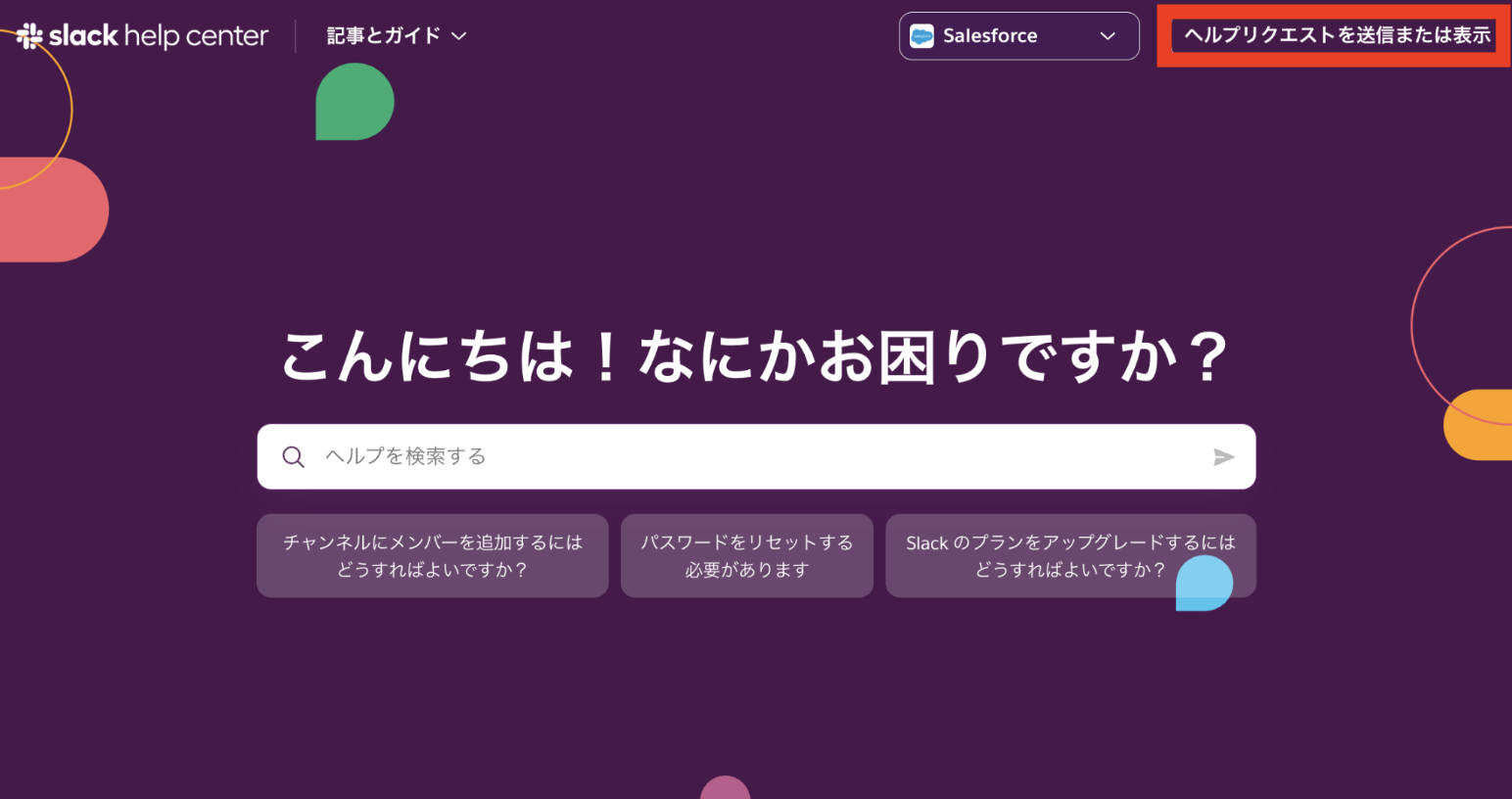
1. 우측 상단의 [도움 요청 전송 또는 보기]를 클릭합니다.
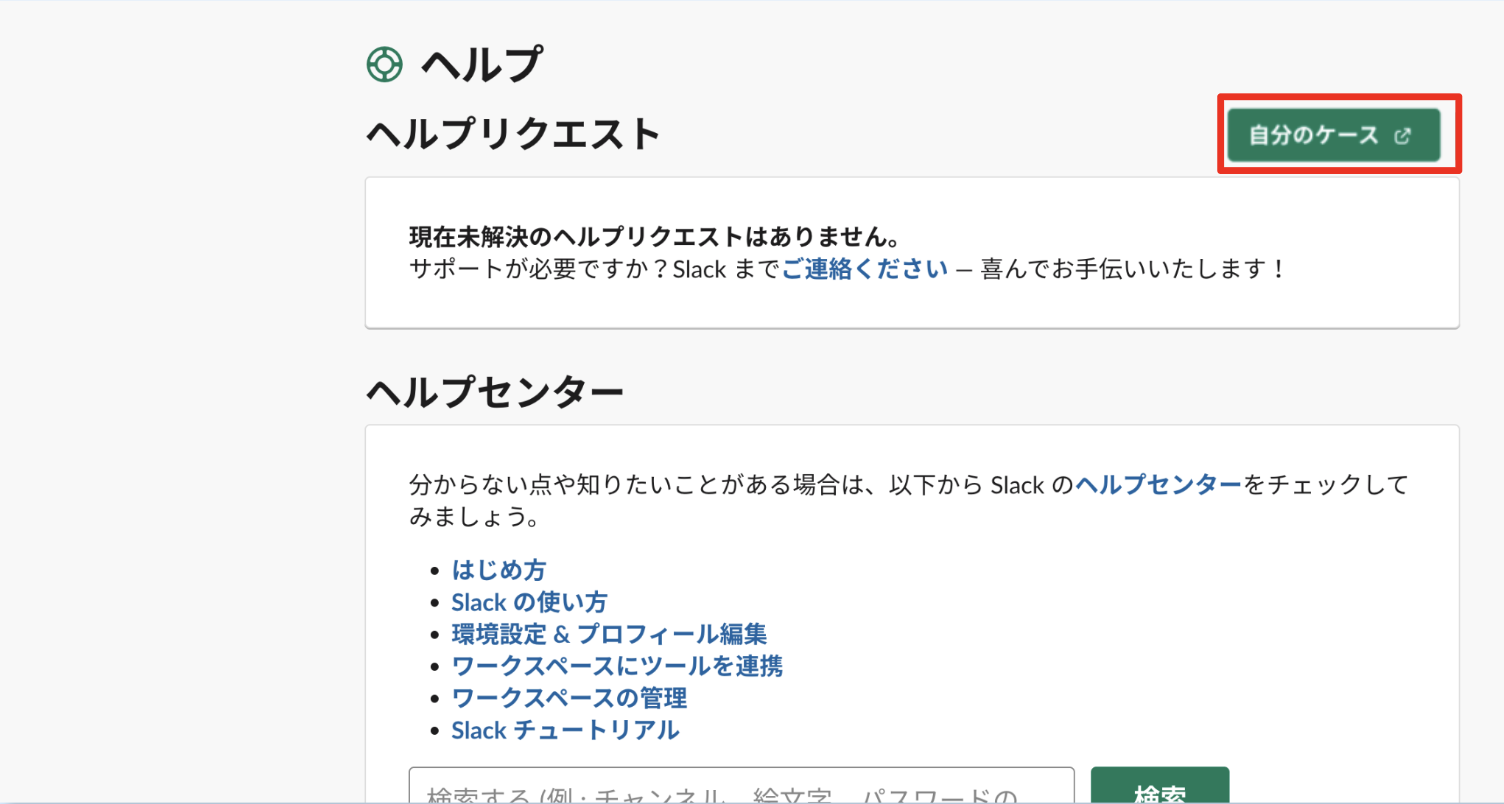
2. [내 케이스]를 클릭합니다.
3. [승인하고 계속하기 (Accept and Continue)]를 클릭하면, Slack과 Salesforce의 정보가 연동되어 로그인이 완료된 후, Salesforce 도움말 사이트로 리디렉션됩니다.
Knowledge 기사 번호
005461991
이 기사를 통해 문제를 해결했습니까?
개선을 위한 의견을 보내주세요.
