Выбрать организацию
Agentforce Coworker: Important Final Step for Disabled/Removed 'Data 360' Data Source
Дата публикации: Oct 19, 2026
Описание
After turning off or removing a Data 360 data source from Agentforce Coworker, that data source gets bucketed as part of Unassigned, a virtual default bucket. To stop the underlying corresponding search index from continuing to consume credits, the search index must be also deleted.
Решение
Delete the search index by disabling the relevant object in Search Manager.
Step 1.
You can navigate to Search Manager in two ways:
1) If you're already in Agentforce Coworker (Setup>Agentforce Coworker>Get Started with Agentforce Coworker), under the Manage Data section, click on the actions dropdown at the end of the Unassigned row, and select the 'Go to Search Manager' option.
2) In Setup, search for "Search Manager" and click 'Search Setup'. It should load you on the Search Manager > Configure Search Metadata page.
Step 2.
Next, locate the object and toggle off the 'Searchable' field, like so:

Step 3.
Click Save and a confirmation pop-up will display.
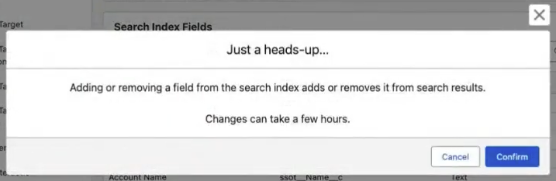
Simply click Confirm and then Save.
Дополнительные ресурсы
Developers: Turn Off or Remove a Data Source in Agentforce Coworker
Номер статьи базы знаний
005462346
Эта статья решила вашу проблему?
Оставьте свой отзыв, чтобы мы могли стать лучше!
