Vælg en organisation
Missing Anypoint MQ and Object Store Under Subscription in Access Management
Udgivelsesdato: Oct 20, 2026
Beskrivelse
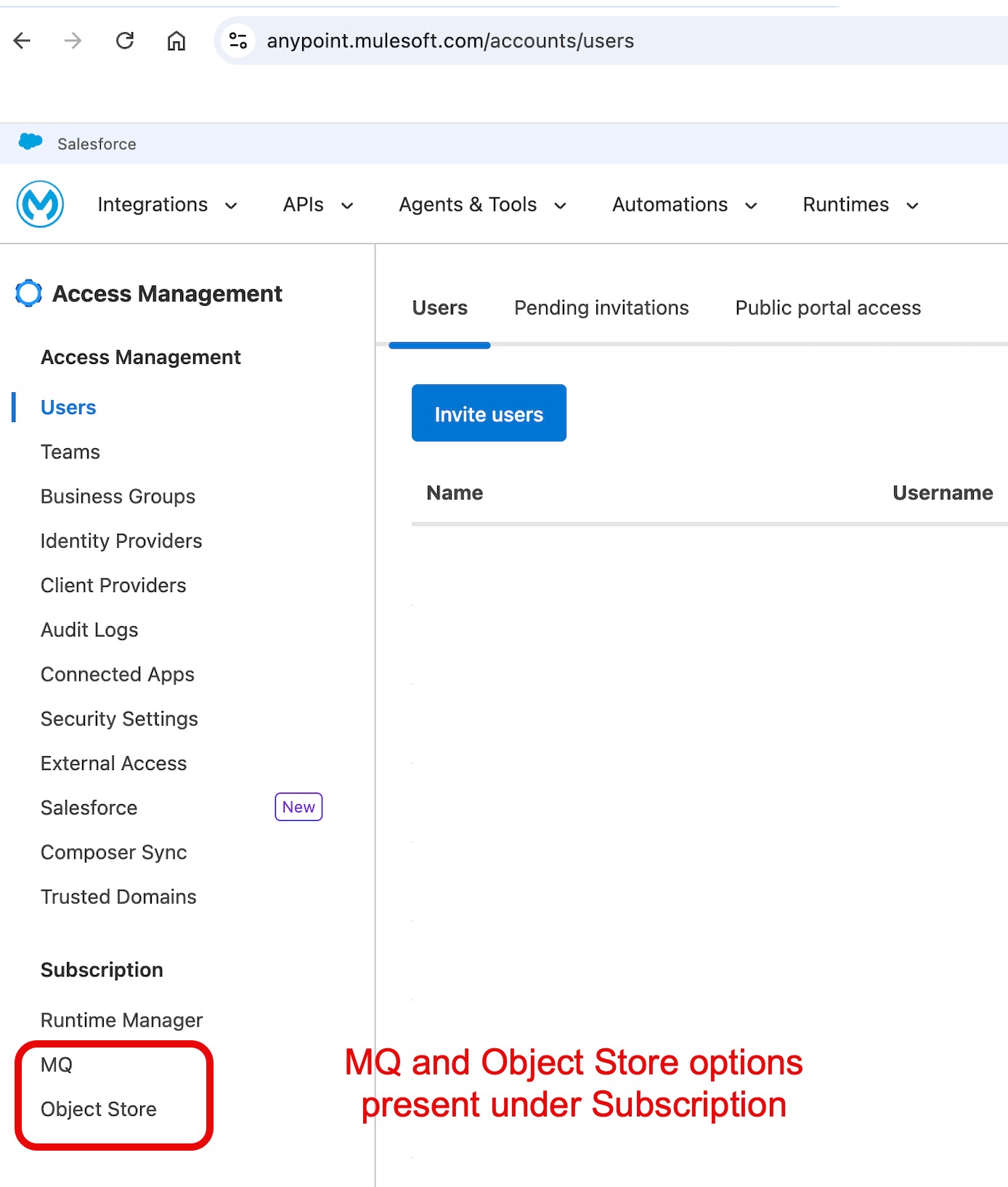
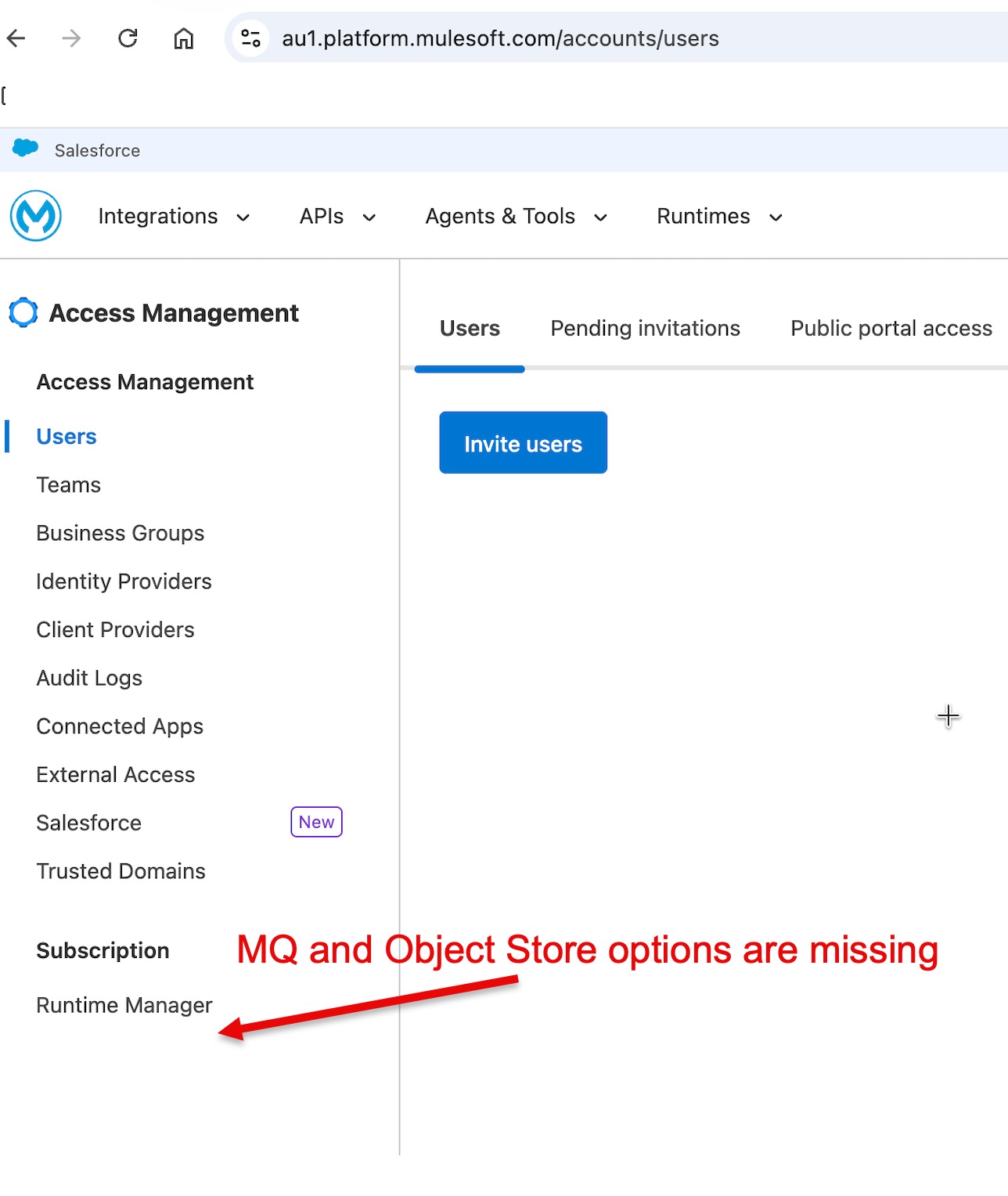
When logged into Anypoint Platform on a Hyperforce-based control plane (such as the Australia Cloud) with Organization Administrator permissions, navigate to Access Management > Subscription. The links for Anypoint MQ and Object Store do not appear under the Subscription section, and only Runtime Manager is displayed. No page loading or console errors are present.
CAUSE
On Hyperforce-based control planes, usage charts for Anypoint MQ and Object Store v2 under Access Management > Subscription are not planned or supported by design. Instead, consumption metrics and reporting for these products have moved to the dedicated Usage Reports feature.
Løsning
Follow these steps to view Anypoint MQ and Object Store usage on Hyperforce-based control planes:
Step 1: Assign Required Permissions
Ensure the user account has the required role to view consumption metrics:
- In Anypoint Platform, navigate to Access Management > Users (or Permissions).
- Assign the Usage Viewer permission to the user at the root organization level.
Step 2: Access Usage Reports
- In Anypoint Platform, open the user/profile menu in the top-right corner.
- Select Usage Reports.
- In the Product drop-down menu, select either Anypoint MQ or Object Store to view the metrics.
Verify:
Confirm that the selected product displays in the drop-down and that the usage view loads without permission errors.
Yderligere ressourcer
Vidensartikelnummer
005462355
Løste denne artikel dit problem?
Giv os besked, så vi kan forbedre os!
