Выбрать организацию
Tableau Prep Builder: DATE Function with YYYYMMDD Format Evaluates to NULL in Flows Containing a Union
Дата публикации: Oct 29, 2026
Описание
In Tableau Prep Builder, when a calculated field uses the DATE() function to convert an 8-digit string without delimiters (such as "20260901" or DATE(STR([SalesDate]))) into a Date type, running a flow that contains a Union step results in the calculated field evaluating to NULL (or excluding rows if used in a filter) in the output file (.hyper).
Symptoms & Behavior:
- Preview vs. Execution Discrepancy: In the Tableau Prep Builder profile pane, preview values for the calculation display correctly as valid dates.
- NULL Evaluation during Execution: When the flow is executed, the execution engine evaluates the DATE() function as NULL for all records in flows containing a Union step.
- Filter Exclusion: If this expression is used within a filter calculation (e.g., DATETRUNC('month', DATE(STR([SalesDate]))) = ...), all rows evaluate to NULL (False), causing the filter to exclude all data and yield 0 rows in the final output.
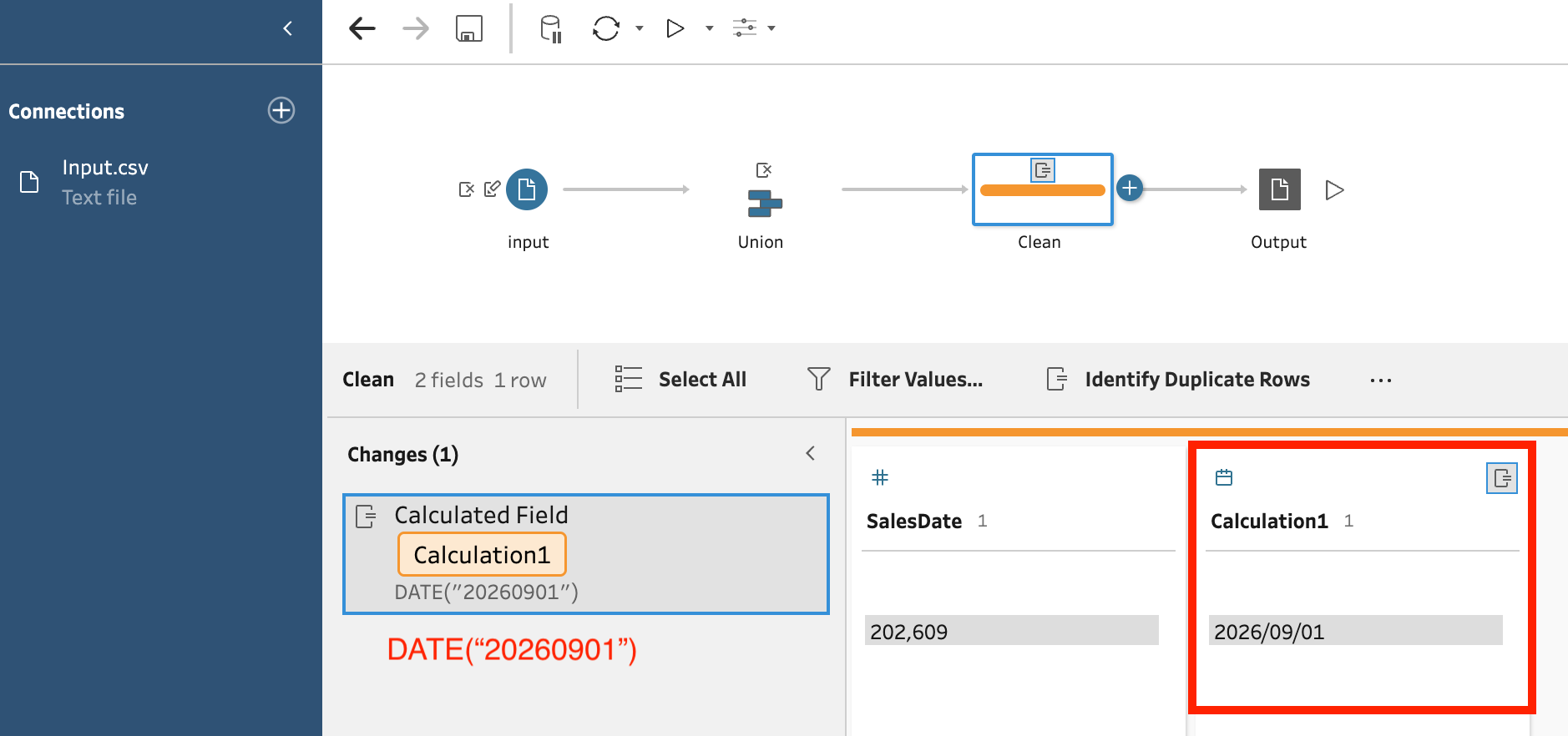
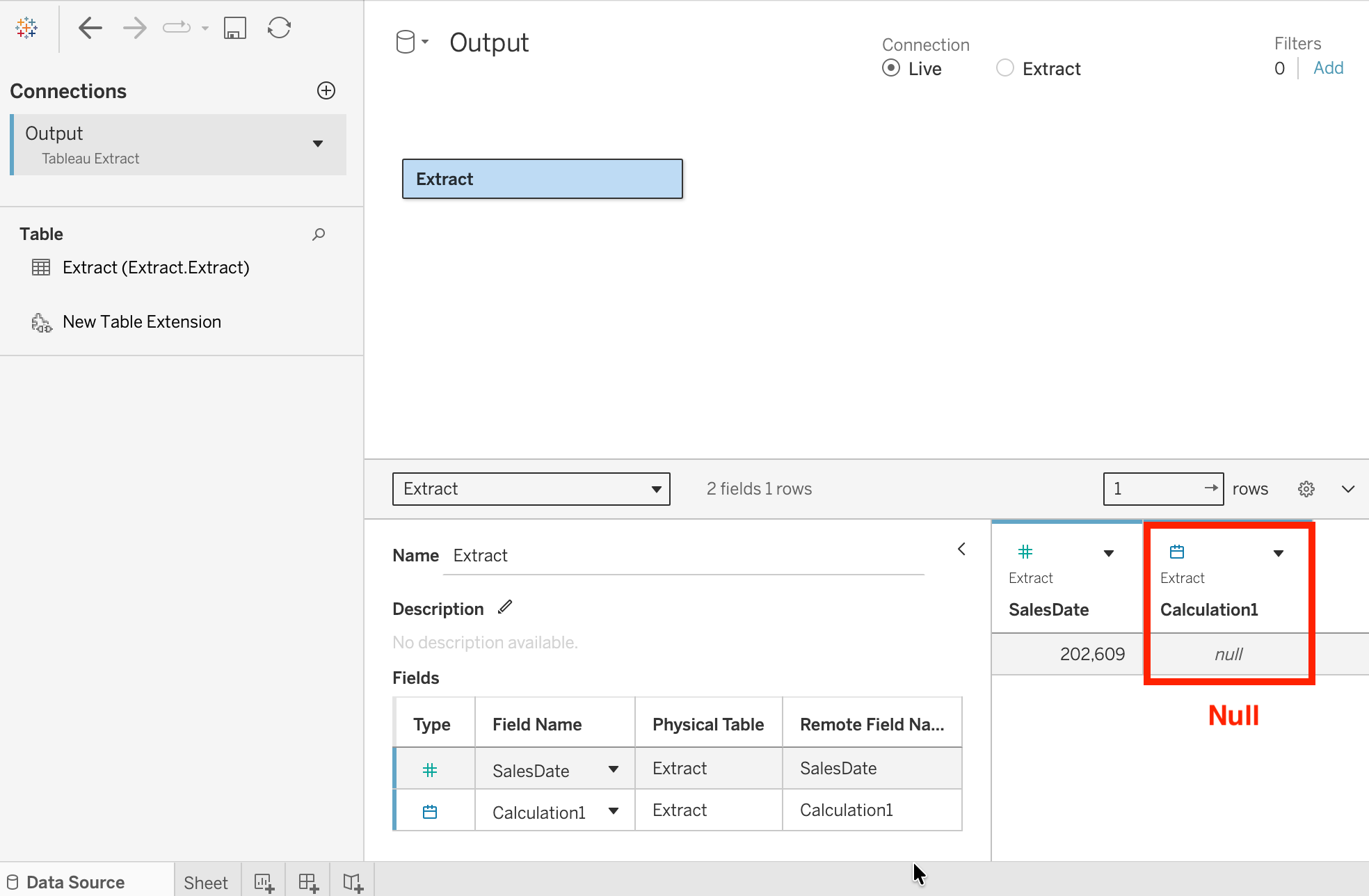
Cause:
The DATE() function expects a standard, delimited date string format such as "yyyy-MM-dd" (e.g., DATE("2026-09-01")). When an 8-digit string without delimiter characters (nnnnnnnn) is provided, evaluation relies on implicit parsing rules, which fail and return NULL during full query execution across union inputs.
Решение
To resolve this issue, update the calculated field or filter condition using the DATEPARSE() function.
Explicitly defining the date format with DATEPARSE() ensures accurate date conversion without relying on implicit date guessing, regardless of whether a Union step is present.
Before:
DATE(STR([SalesDate]))After:
DATE(DATEPARSE("yyyyMMdd", STR([SalesDate]))) Using the DATEPARSE() function with the YYYYMMDD string format allows the field to correctly evaluate as a Date type even in flows containing a Union step.
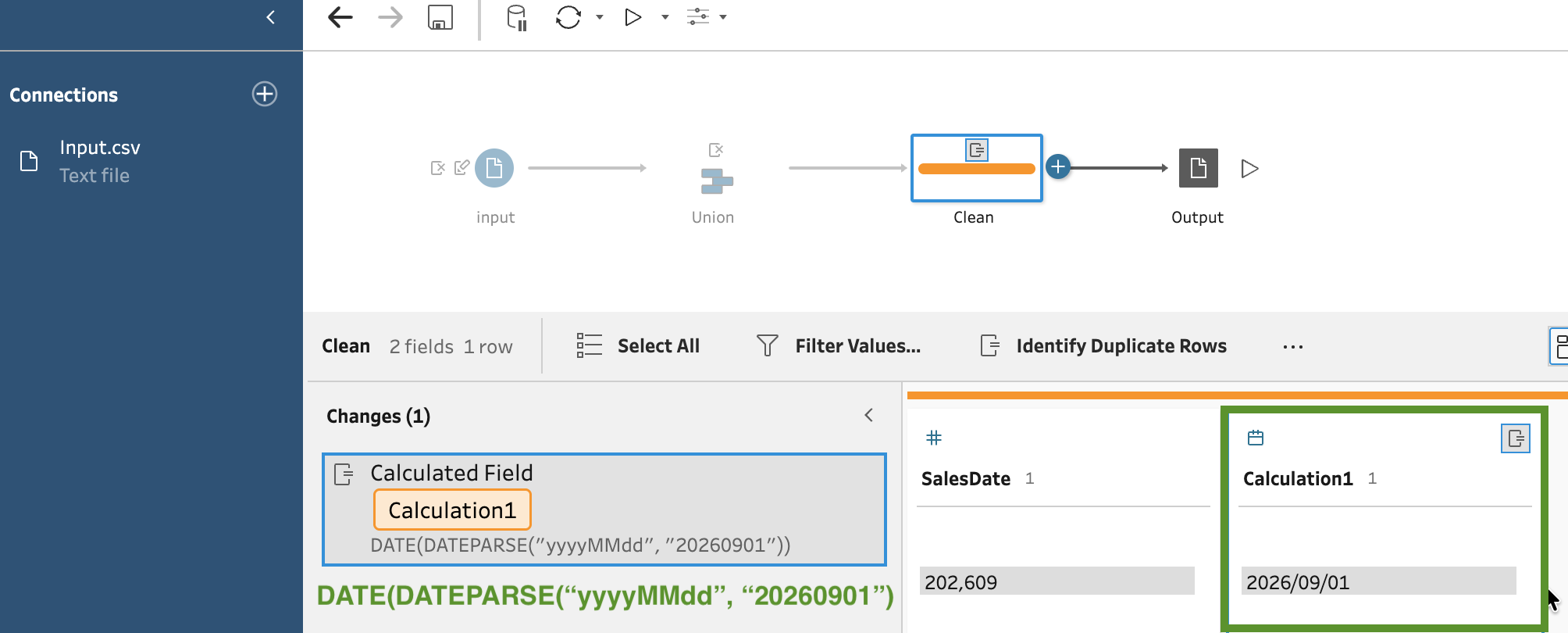
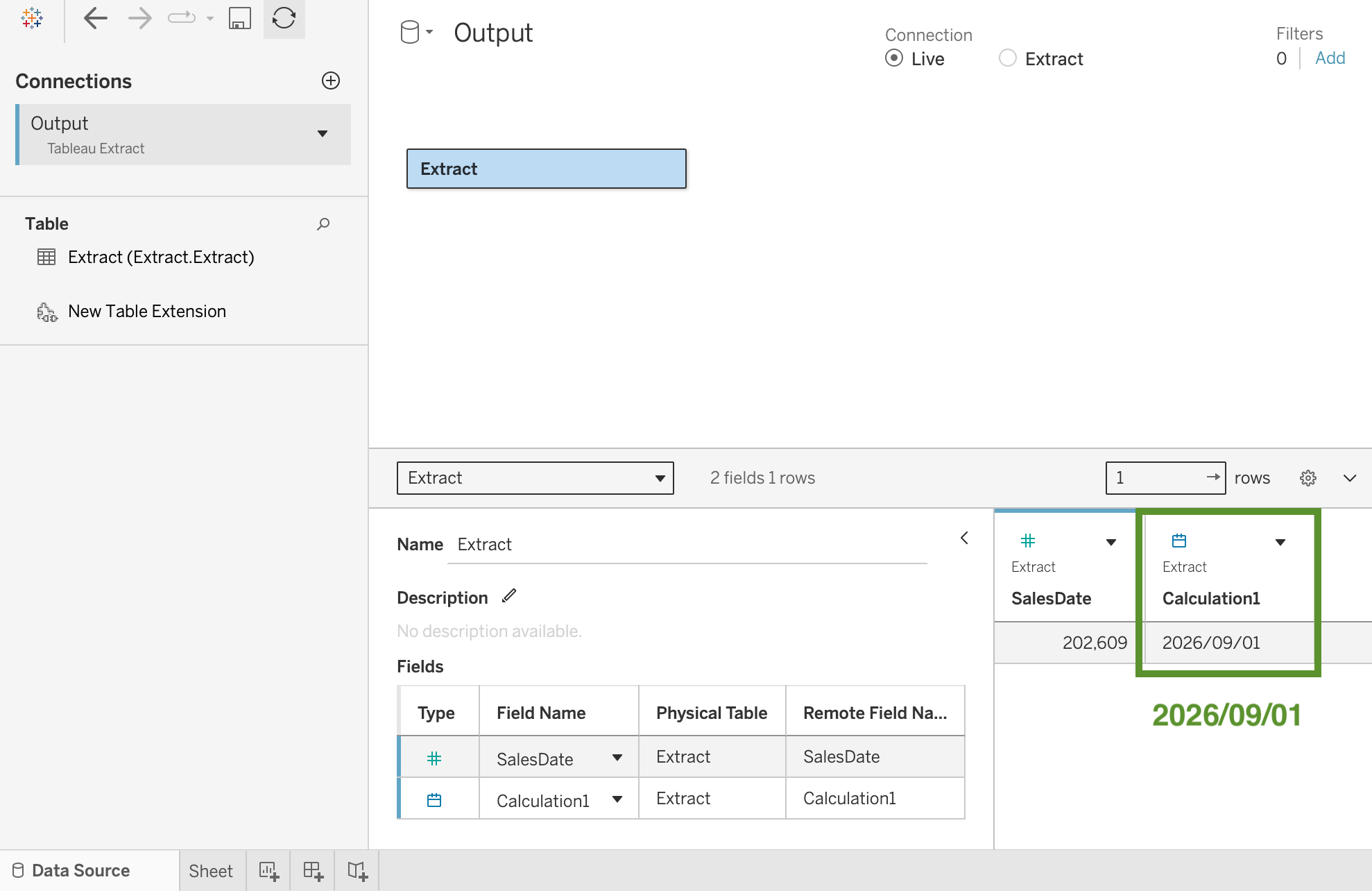
Дополнительные ресурсы
Tableau Help: Tableau Prep Functions Reference
Tableau Help: Convert a Field to a Date Field
Номер статьи базы знаний
005462357
Эта статья решила вашу проблему?
Оставьте свой отзыв, чтобы мы могли стать лучше!
