Create the Channel for Agentforce Voice with Real-Time Streaming
Create a Messaging channel to manage incoming calls transferred to the Agentforce agent.
To route inbound calls to the agent using real-time streaming, create a Messaging channel that
maps the incoming phone number to the Omni-Channel flow. The flow specifies the agent to route
the incoming call to.
Required Editions
Available in: Lightning Experience
Available in: Enterprise, Unlimited, and Developer Editions
with Foundations or Agentforce 1 Editions, and Salesforce Voice add-ons.
From Setup, in the Quick Find box, enter Agentforce Voice, then
select Agentforce Voice Setup.
In the Create the Channel for Agentforce Voice step on the Agentforce Voice Setup page,
click Add.
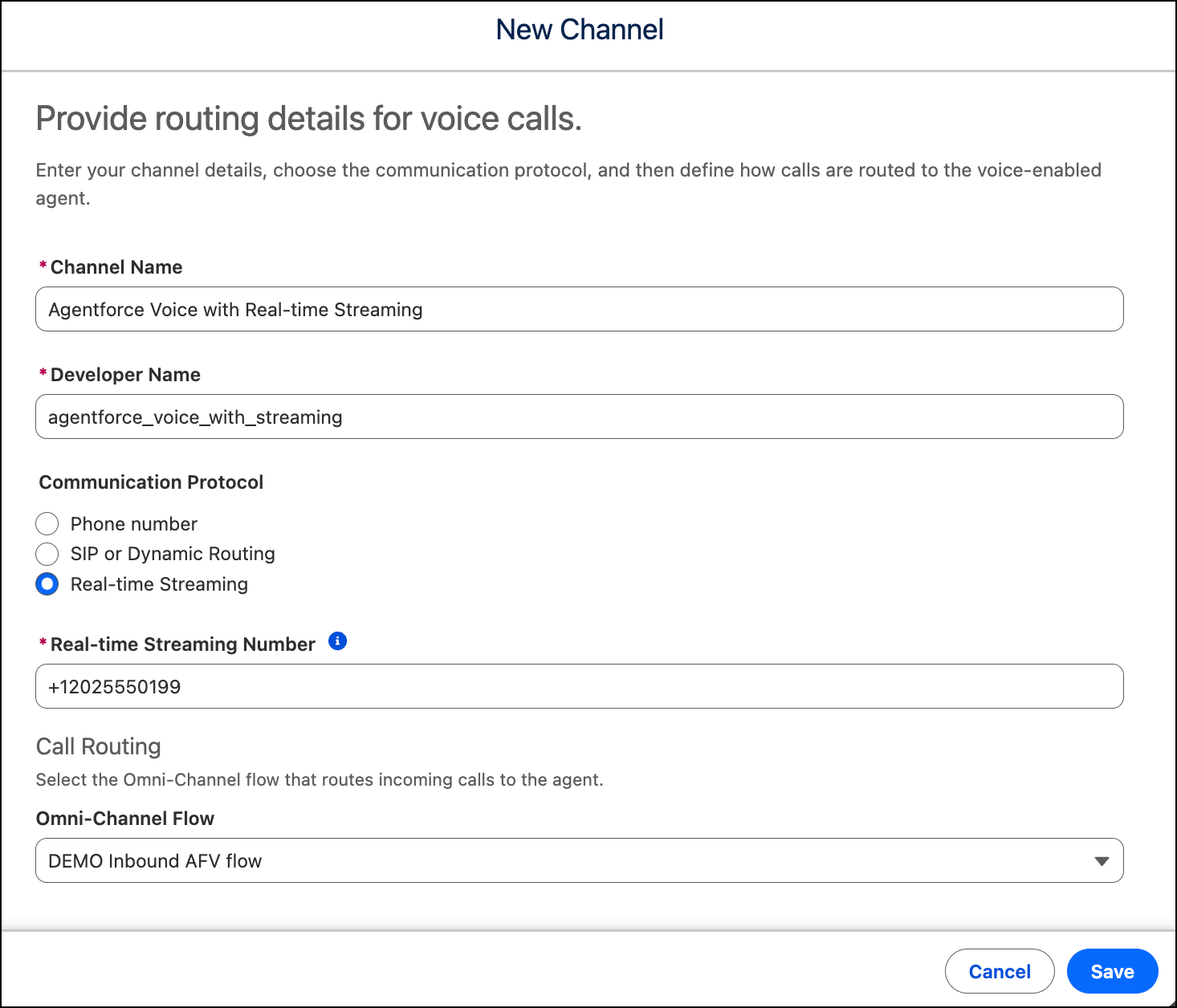
Enter the name and developer name of the channel.
Select Real-time Streaming and enter the inbound call's To phone
number (the dialed number) in E.164 format.
When an inbound call arrives in Amazon Connect, Salesforce matches its To phone number
against the Real-time Streaming Number on this channel. Once matched, Salesforce runs the
channel's Omni-Channel flow to route the call to the Agentforce agent.
Under Call Routing, select the Omni-Channel flow that routes inbound calls to the
agent.
Don't select the escalation flow.
Click Save.
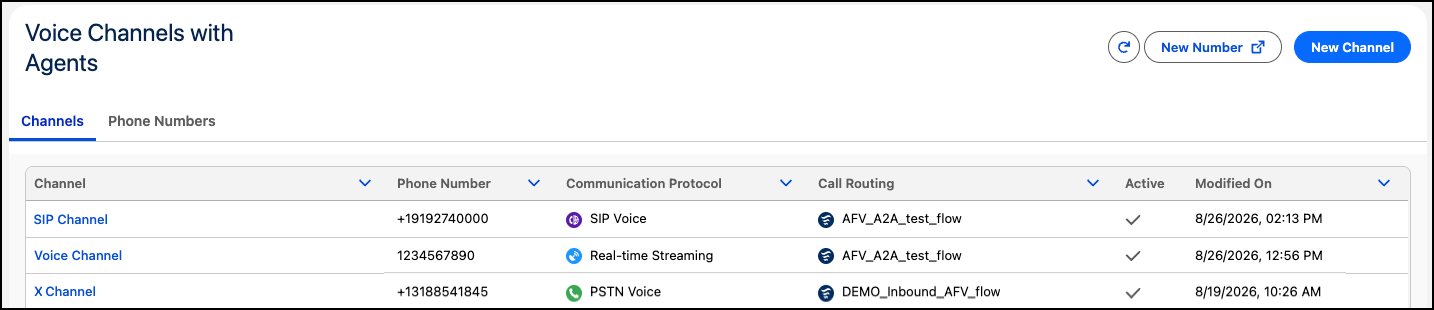
The Channels tab in the Agentforce Voice Setup page shows the channels that are
added. A newly added channel can take a couple of minutes to appear in this tab.
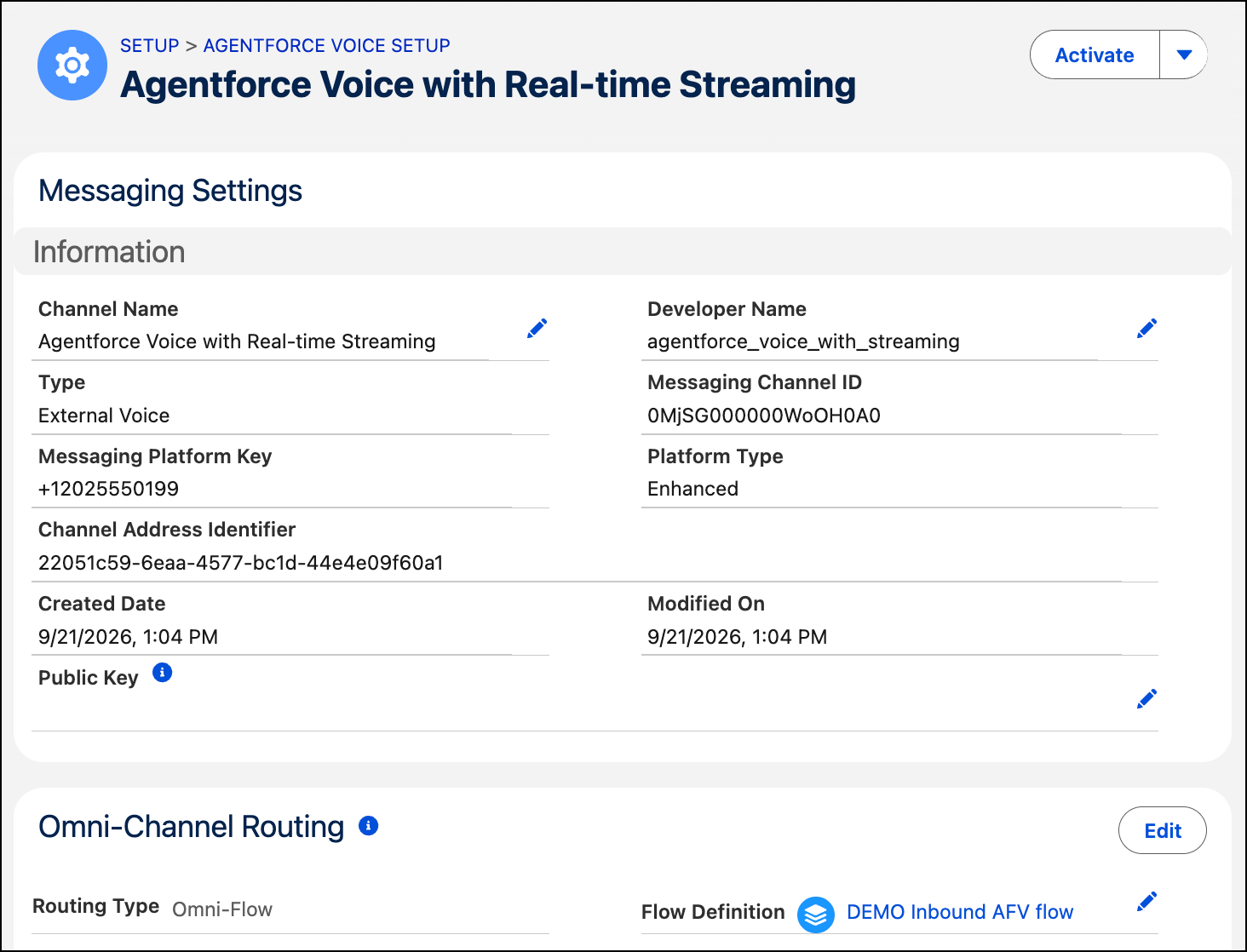
In the Channels tab, click the channel name.
If you aren’t a Salesforce Voice with Telephony Providers customer, edit the channel
and, in the Public Key field, enter an unexpired certificate. Without it, Omni-Channel
will not route the calls to the voice-enabled agent. If you are a Salesforce Voice with
Telephony Providers customer, ignore this field–authentication is handled for you.
After you create an agent, configure calls to be transferred to the agent, and configure
calls with an agent to be escalated to a rep, it’s time to activate your agent.
Did this article solve your issue?
Let us know so we can improve!
Loading
Salesforce Help | Article
Cookie Consent Manager
Cookie Consent Manager
General Information
Required Cookies
Functional Cookies
Advertising Cookies
General Information
We use three kinds of cookies on our websites: required, functional, and advertising. You can choose whether functional and advertising cookies apply. Click on the different cookie categories to find out more about each category and to change the default settings.
Privacy Statement
Required Cookies
Always Active
Required cookies are necessary for basic website functionality. Some examples include: session cookies needed to transmit the website, authentication cookies, and security cookies.
Functional Cookies
Functional cookies enhance functions, performance, and services on the website. Some examples include: cookies used to analyze site traffic, cookies used for market research, and cookies used to display advertising that is not directed to a particular individual.
Advertising Cookies
Advertising cookies track activity across websites in order to understand a viewer’s interests, and direct them specific marketing. Some examples include: cookies used for remarketing, or interest-based advertising.