Cree informes y paneles directamente desde la ficha Analytics. En vez de abrir múltiples fichas, puede permanecer en una aplicación y crear los análisis que desee.
Ediciones necesarias
Disponible en: Lightning Experience
Disponible en: Essentials Edition, Group Edition, Enterprise Edition, Professional Edition, Unlimited Edition y Developer Edition.
Permisos de usuario necesarios
Para crear informes y paneles en el ficha Analytics:
Uso compartido de carpetas mejorado
Ejecutar informes Y Crear y personalizar paneles
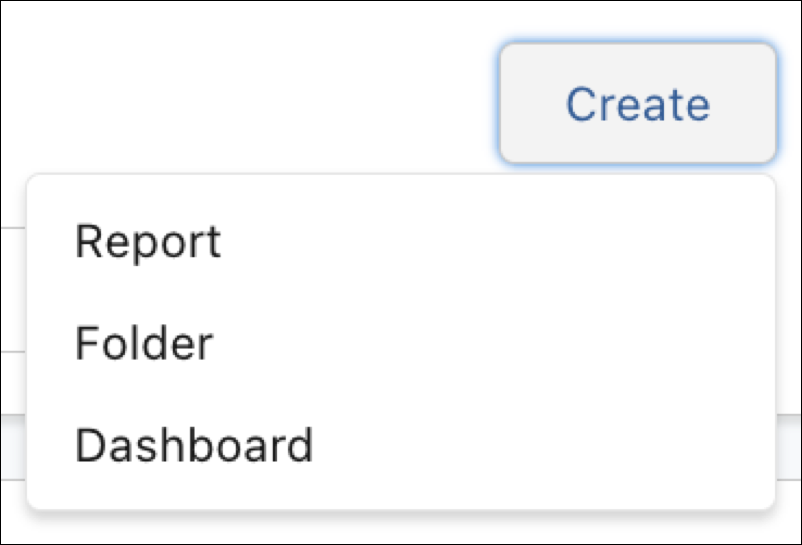
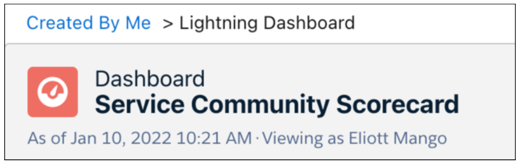
Desde la ficha Analytics, haga clic en el botón Crear. Las opciones para crear un informe, un panel y una carpeta aparecen en su menú. Por ejemplo, desde el menú, haga clic en Panel, y abre el asistente para un nuevo panel.
Cuando termine, utilice la exploración de ruta de navegación para volver a la página de inicio.
¿Resolvió este artículo su problema?
¡Háganos saber cómo podemos mejorar!
Cargando
Salesforce Help | Article
Cookie Consent Manager
Cookie Consent Manager
General Information
Required Cookies
Functional Cookies
Advertising Cookies
General Information
We use three kinds of cookies on our websites: required, functional, and advertising. You can choose whether functional and advertising cookies apply. Click on the different cookie categories to find out more about each category and to change the default settings.
Privacy Statement
Required Cookies
Always Active
Required cookies are necessary for basic website functionality. Some examples include: session cookies needed to transmit the website, authentication cookies, and security cookies.
Functional Cookies
Functional cookies enhance functions, performance, and services on the website. Some examples include: cookies used to analyze site traffic, cookies used for market research, and cookies used to display advertising that is not directed to a particular individual.
Advertising Cookies
Advertising cookies track activity across websites in order to understand a viewer’s interests, and direct them specific marketing. Some examples include: cookies used for remarketing, or interest-based advertising.