After an analyst has enabled autonomous insights, you get insights about your data
delivered directly to you in the Salesforce app for Slack. With autonomous insights, you can spend
less time checking dashboards and spend more time taking informed action. At any time, you can
give the agent additional instructions, change the schedule for when your insights are sent, or
turn off insights.
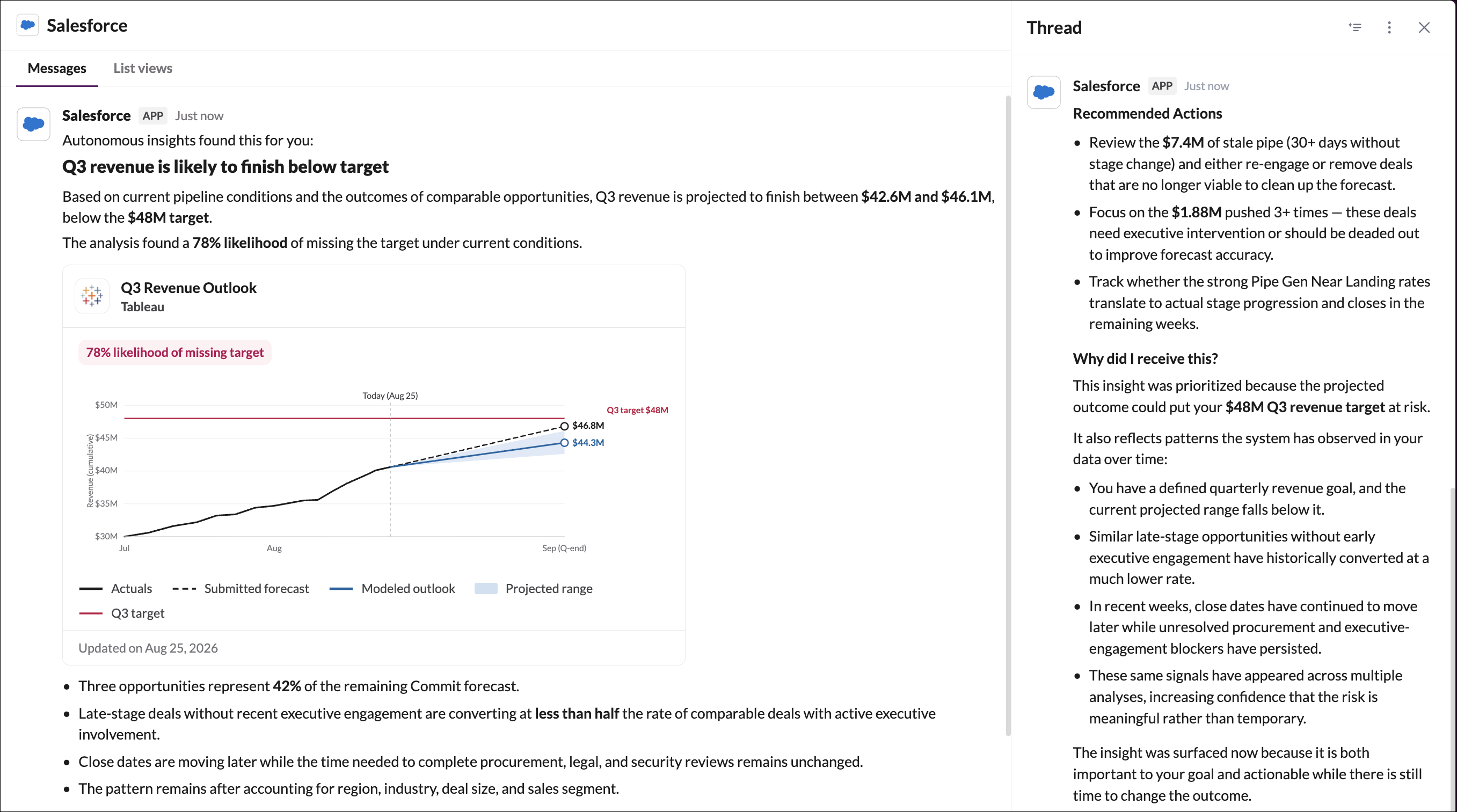
Tableau Unmetered Consumer or Tableau Next Consumer or Tableau Unmetered Self-Service Consumer or Tableau Next Self-Service Consumer
permission set
From your Following page in Tableau Next, click Automate
Insights.
Schedule how often and when you want to receive insights.
Optionally, expand the Additional Instructions section and write a
prompt about the types of insights you want the agent to look out for or what outcomes you’re
held accountable to.
Save your changes.
Example
Use additional instructions to customize your insights. For example, type “I’m an account
executive for the Northeast territory. I’m accountable for quota attainment, pipeline coverage
(3x remaining quota), forecast accuracy, and deal hygiene. I want my insights to lead with the
bottom line and dollar impact, then give me ranked recommended actions for each item. Use short
bullets, and if data is missing or stale, say so. I want you to investigate deeper for the
following:
Renewals: accounts renewing in the next 90 days and their risks
Expansion: usage overages and edition-upgrade signals
Competitive deals: named competitors and where my deals aren’t beating competitors
Stakeholders: champion and executive sponsor coverage on key accounts
Pipeline generation: unrealized revenue in my territory and stalled leads
Partners: co-sell and partner-sourced deals
Customer health: support escalations, adoption, and sentiment before a renewal or upsell
call
After you receive insights in Slack, you can reply to Slackbot with feedback about the type of
insights you received. Tableau Agent learns from your feedback and usage over time, so your
insights become more personalized.
Did this article solve your issue?
Let us know so we can improve!

Loading
Salesforce Help | Article
Cookie Consent Manager
General Information
Required Cookies
Functional Cookies
Advertising Cookies
General Information
We use three kinds of cookies on our websites: required, functional, and advertising. You can choose whether functional and advertising cookies apply. Click on the different cookie categories to find out more about each category and to change the default settings.
Privacy Statement
Required Cookies
Always Active
Required cookies are necessary for basic website functionality. Some examples include: session cookies needed to transmit the website, authentication cookies, and security cookies.
Functional Cookies
Functional cookies enhance functions, performance, and services on the website. Some examples include: cookies used to analyze site traffic, cookies used for market research, and cookies used to display advertising that is not directed to a particular individual.
Advertising Cookies
Advertising cookies track activity across websites in order to understand a viewer’s interests, and direct them specific marketing. Some examples include: cookies used for remarketing, or interest-based advertising.