You are here:
Manage Sections and Modules in a Custom B2C Business Manager App
Organize your custom Business Manager app by creating sections, adding modules, and dragging modules between sections to reorder them.
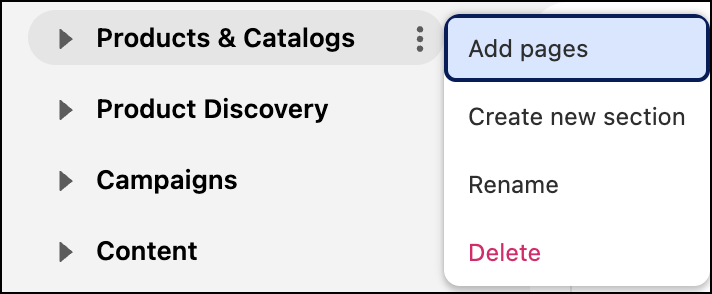
- Next to a section, click the ellipsis icon.
-
Choose an action:
- Add Pages — Opens the page selector, where you filter by app or section and select modules to add.
- Create New Section — Adds a new section to your modules.
- Rename — Updates the section name.
- Delete — Removes the section and its modules from your custom app's left navigation.
この記事で問題は解決されましたか?
ご意見をお待ちしております。
