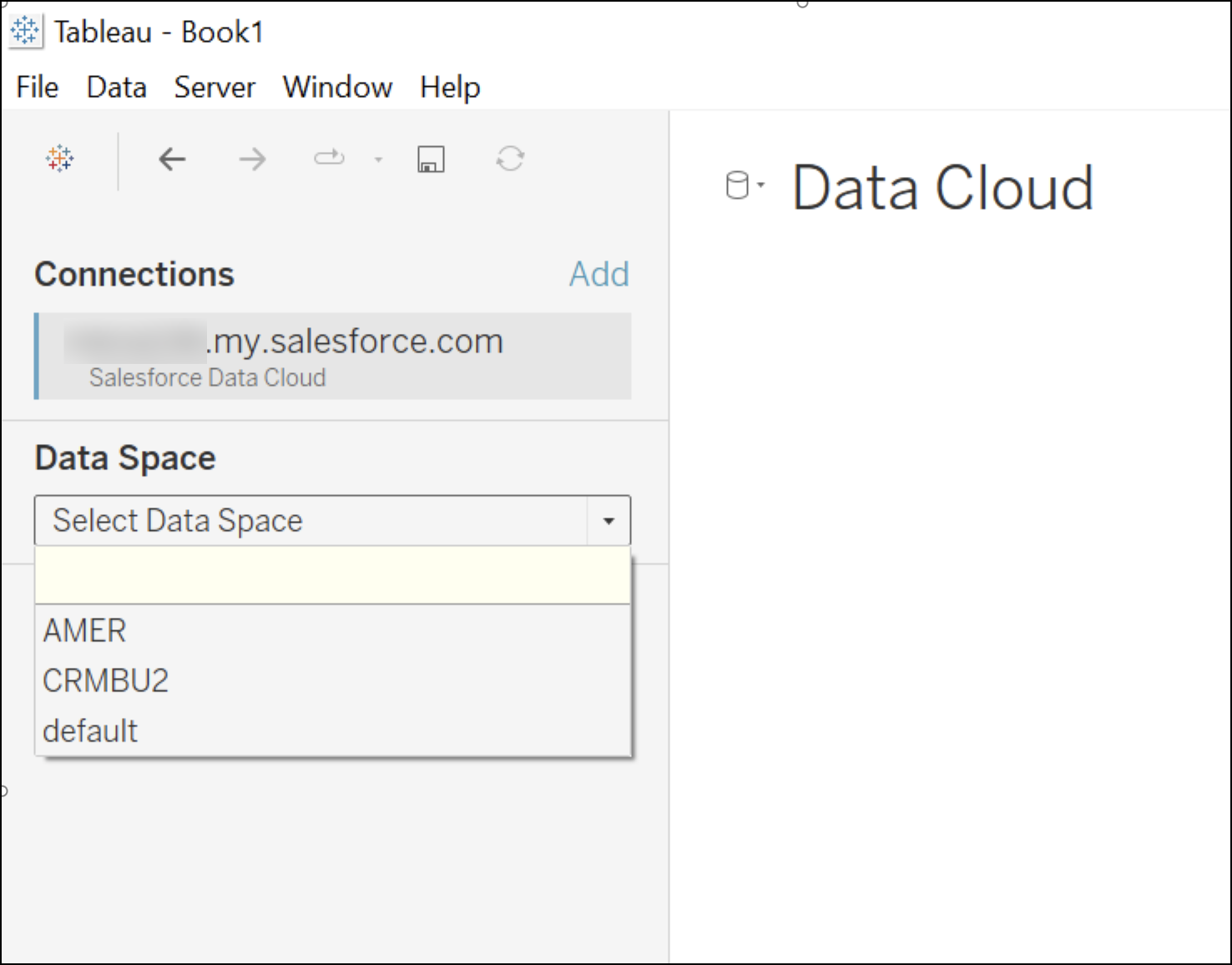
데이터 공간을 사용하여 데이터, 메타데이터, 프로세스를 브랜드, 지역 또는 부서와 같은 범주로 구분합니다. 사용자가 브랜드 또는 지역의 컨텍스트에서만 데이터를 보고 관련 작업을 수행할 수 있도록 권한을 설정합니다.
필수 Edition
지원 제품: Tableau Desktop, Tableau Prep, Tableau Cloud
데이터 공간에 액세스하려면 다음이 필요합니다.
Tableau 및 Data 360을 연결하는 Salesforce Data Cloud 커넥터
Tableau 버전 2023.2 또는 Tableau Cloud
Tableau에서 사용할 수 있는 데이터 공간은 Data 360에 연결하는 데 사용되는 OAuth 로그인을 기반으로 합니다. 예를 들어 사용자 John Doe가 Data 360의 데이터 공간 AMER에 할당된 경우 Tableau UI의 드롭다운에 Data Space AMER만 표시됩니다. Customer Data Platform 커넥터를 사용하여 Tableau와 Data 360을 연결하는 경우 기본 데이터 공간이 표시됩니다. 기본 데이터 공간에는 Data 360에서 사용할 수 있는 모든 데이터 레이크 개체, 데이터 모델 개체 및 계산된 인사이트가 포함됩니다.
We use three kinds of cookies on our websites: required, functional, and advertising. You can choose whether functional and advertising cookies apply. Click on the different cookie categories to find out more about each category and to change the default settings.
Privacy Statement
Required Cookies
Always Active
Required cookies are necessary for basic website functionality. Some examples include: session cookies needed to transmit the website, authentication cookies, and security cookies.
Functional Cookies
Functional cookies enhance functions, performance, and services on the website. Some examples include: cookies used to analyze site traffic, cookies used for market research, and cookies used to display advertising that is not directed to a particular individual.
Advertising Cookies
Advertising cookies track activity across websites in order to understand a viewer’s interests, and direct them specific marketing. Some examples include: cookies used for remarketing, or interest-based advertising.