
You are here:
Order Management and Change of Plan
The CPQ Change of Plan feature allows customers to change or migrate their services and plans after their initial purchase. Order Management supports that feature, and the following examples help give an idea of how Change of Plan works in Order Management.

For details about how the Change of Plan feature works in CPQ, see: Change of Plans in Industries CPQ and Product Catalog
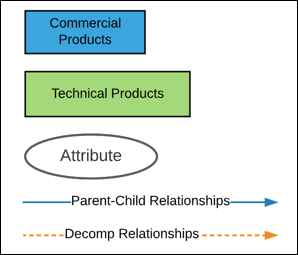
Throughout this page, we use the following conventions:
A Simple Change of Plan
Let's say that there are two plans that a customer can choose from: a small plan and a medium one.
The Small plan includes: TV, Internet, and Netflix
The Medium plan includes: TV, Internet, and Phone
So both plans include three items, but they're not the same three. The following image shows how the two plans are modeled in the catalog.

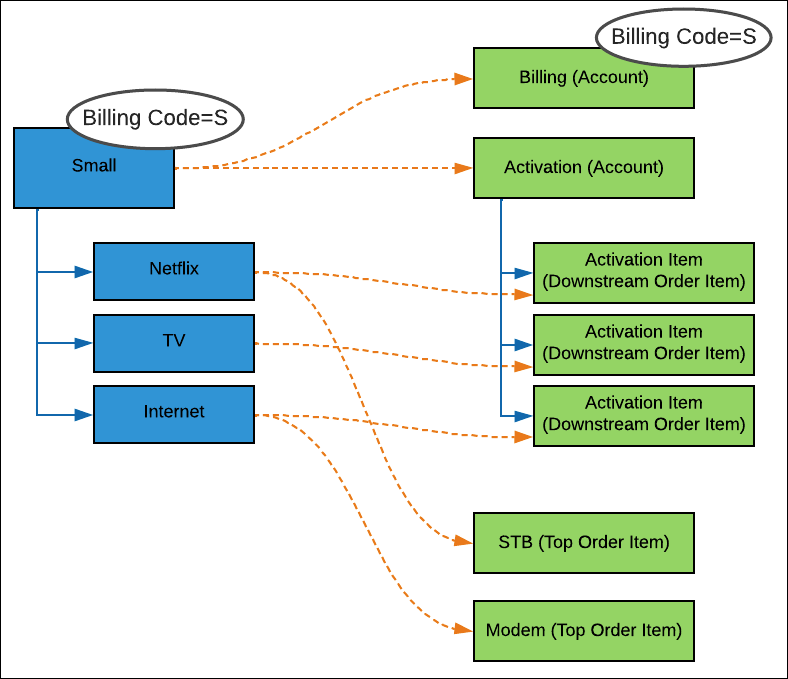
Our customer signs up for the Small plan, so we can ignore the Medium one for right now. The small plan, with its decomposition, looks like the following image. The Small item has a Billing Code attribute with a value of S (for Small).
But now the customer decides to switch to the Medium plan. What does this look like in Order Management?
To keep things simple, let's start with only the order items, rather than the decomposition.
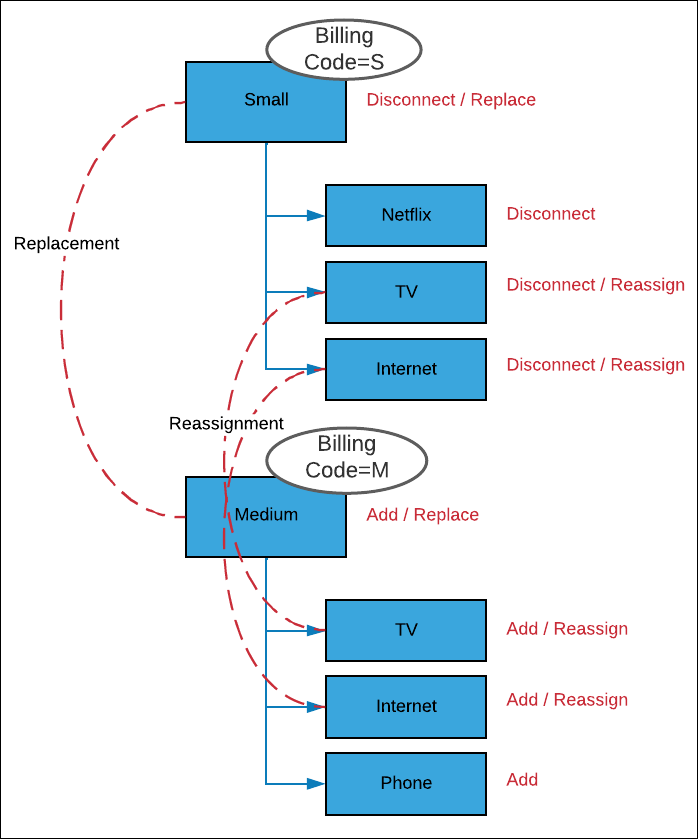
So what's happening? CPQ Management does the following things:
Disconnects the Small plan with the subaction of Replace.
Disconnects Netflix altogether
Disconnects TV and reassigns it (that is, gives it the subaction of Reassign)
Disconnects Internet and reassigns it (that is, gives it the subaction of Reassign)
Adds the Medium plan, with the subaction of Replace. The Billing Code attribute becomes M (for Medium).
Adds TV with the subaction of Reassign.
Add Internet with the subaction of Reassign.
Adds Phone
For the full picture, here's a chart showing the change including decomposition changes.
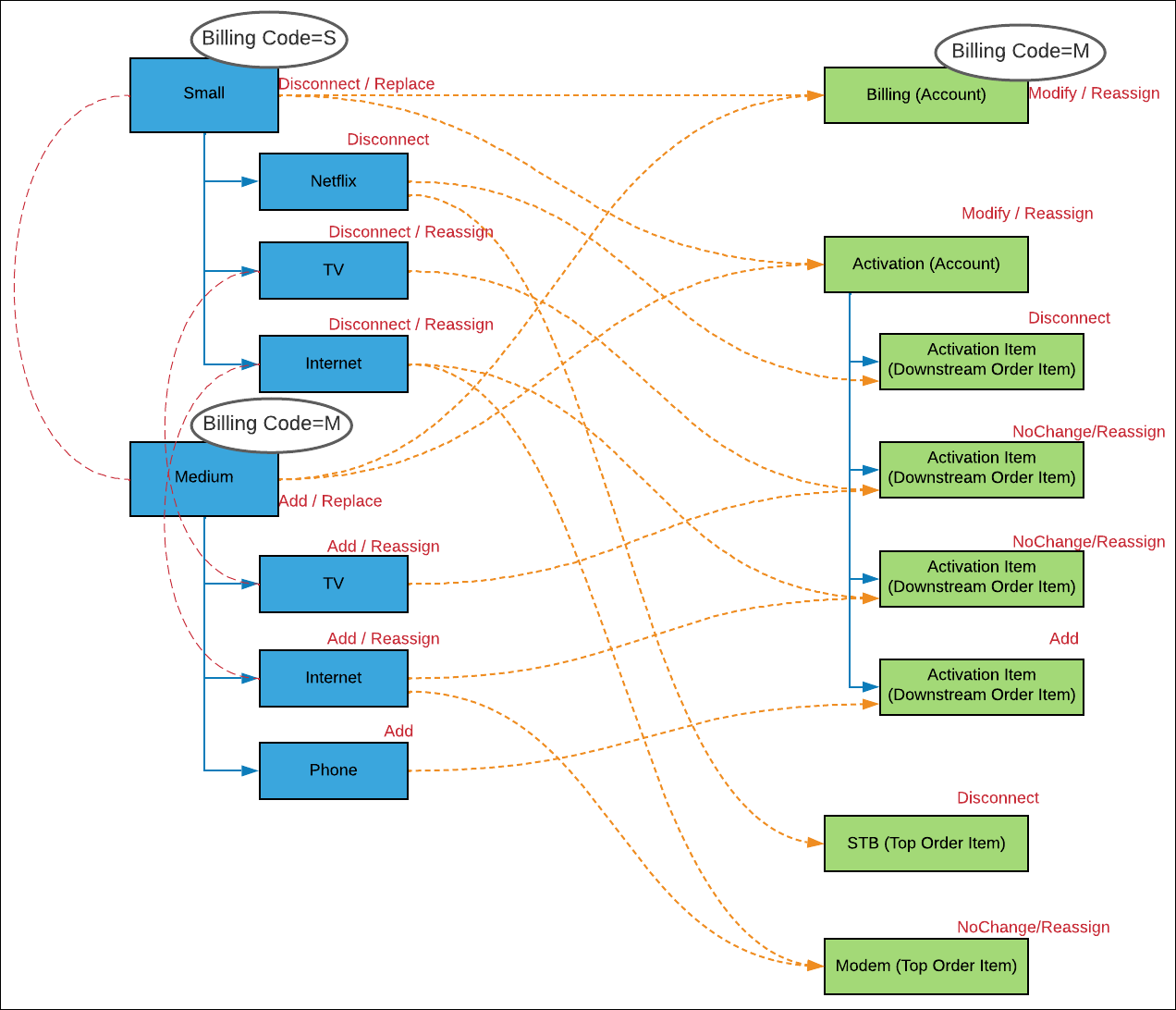
Here are decomposition rules (affecting the green boxes) that are followed during the change. Before the Summer '21 release, some of these rules were handled a little differently.
-
After decomposition, the decomposed items are compared to the ones in the existing inventory item (in this case, the Small plan). If there's a difference in attribute values, then the item is given the Modify action. Otherwise, it's given the NoChange action.
NoteParent decomposition items are given the Modify action if any child item has been modified.
-
Both plans have TV and Internet, so their decomposition items are marked with NoChange. The subaction is Reassign, as they're moved to the new plan.
-
Netflix doesn't exist in the Medium plan. So, the fulfillment request lines that are decomposed from the Netflix item (that is, its Activation Item and STB) have the action of Disconnect.
-
Phone doesn't exist in the Small plan, but is in the Medium one, so its activation item has the action of Add.
-
The Activation decomposition item is given the action of Modify, because it has at least one fulfillment request line (or FRL) that's being modified. In this case, it has two FRLs being modified (the ones that are decomposed from Netflix and Phone).
-
-
Order items that are linked through order item relationships are decomposed together.
-
If an upstream item (like an order item) has a subaction of either Replace or Reassign, then its downstream items have the Reassign subaction. If the upstream item has no subaction, then its downstream items have no subaction.
-
The technical products decomposed from order items that have an OrderItemRelationship record are merged to form a single Fulfillment Request Line (FRL), instead of separate Add and Disconnect FRLs. The action on the decomposed FRL is changed from the default value NoChange and is set to Modify.
-
Scopes are applied following the usual decomposition rules.
A Change of Plan with Multilevel Decomposition
In this case, there's a more complicated order, which has more than one layer of decomposition.
Let's say that there are three offers:
Fiber internet: Includes Broadband, Video Streaming, and Firewall.
VDSL internet: Includes Broadband, Video Streaming, and Email.
ADLS internet: Includes Broadband, Video Streaming, and Email.
So they all include Broadband and Video Streaming. But whereas VDSL and ADSL include Email, Fiber includes Firewall instead. The following image shows how the three plans are modeled in the catalog.
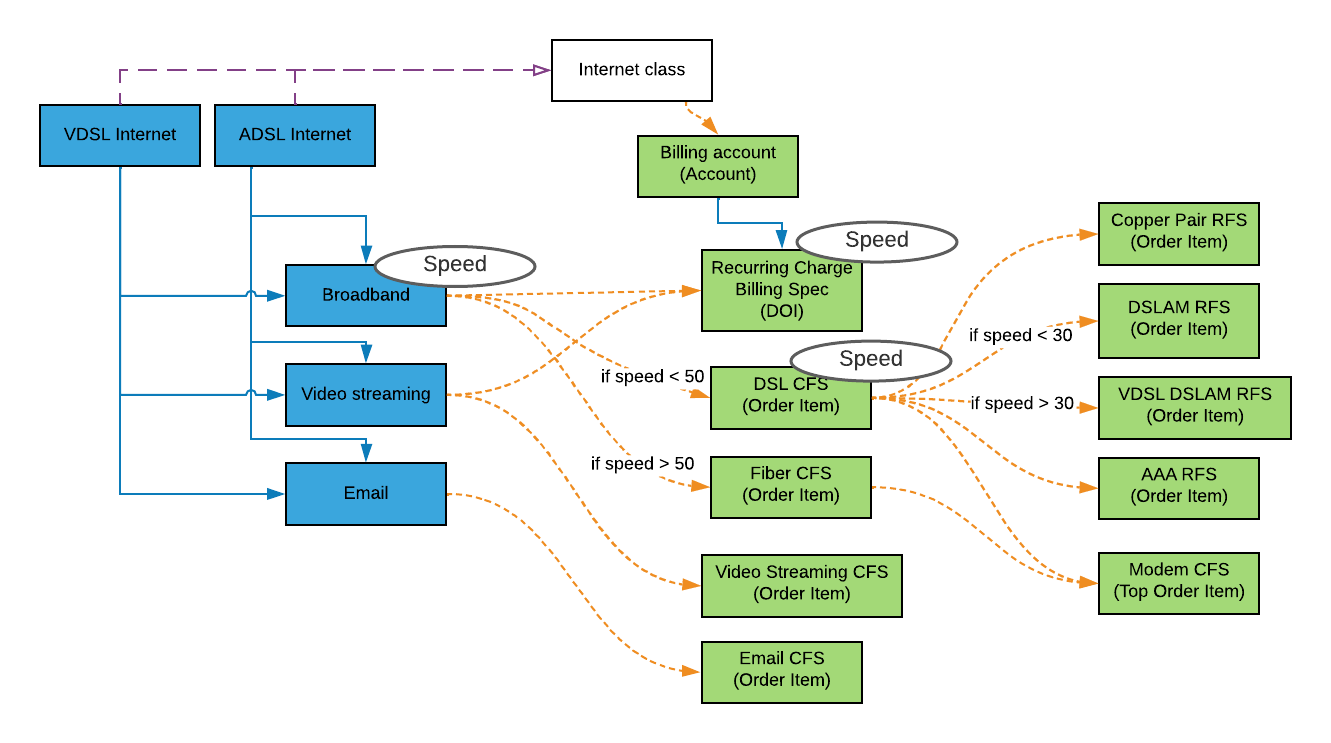
Our customer orders the ADSL plan, which includes Broadband, Video Streaming, and Email. The speed (see the Speed attribute) is 20 Mbps.

Now the customer changes the plan. They want to upgrade to VDSL, to take advantage of 40 Mbps. The change is represented in the following image:
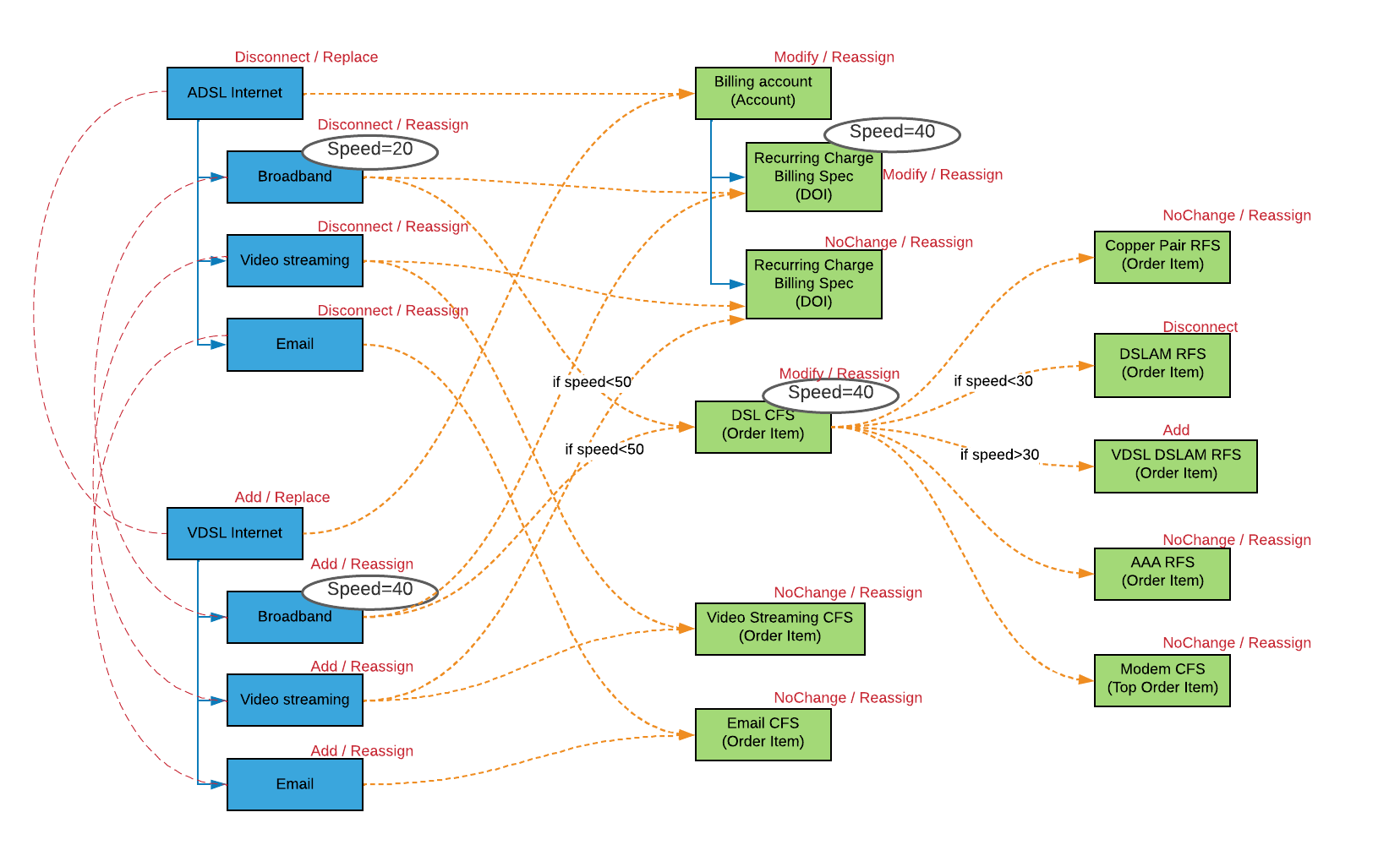
Following the same rules as for a simple change of plans, Order Management handles the change. Items change because their attributes change, or (in the case of Billing account) because one or more children change. Items that are deleted or added (for example, DSLAM RFS) have no subaction.
