
Loading
Omnistudio Document Generation
Índice
Selecionar filtros

          Sem resultados
          Sem resultados
          Aqui estão algumas dicas de pesquisa

          Verifique a grafia das palavras-chave.
          Tente utilizar termos mais genéricos.
          Selecione menos filtros para ampliar sua pesquisa.

          Pesquisar em toda a Ajuda do Salesforce
          Add Content in a Rich Text Field in Omnistudio Document Generation

          Add Content in a Rich Text Field in Omnistudio Document Generation

          After you create a custom rich text field in an object, add and format the content. You can undo, redo, bold, italicize, underline, strike-out, add a hyperlink, modify alignment, add a numbered or non-numbered list, indent, and outdent.

          1. Open the object where you created the custom rich text field, and go to the Details tab.
          2. Add the content in the custom rich text field.
            For example, in the RichTextTest field.
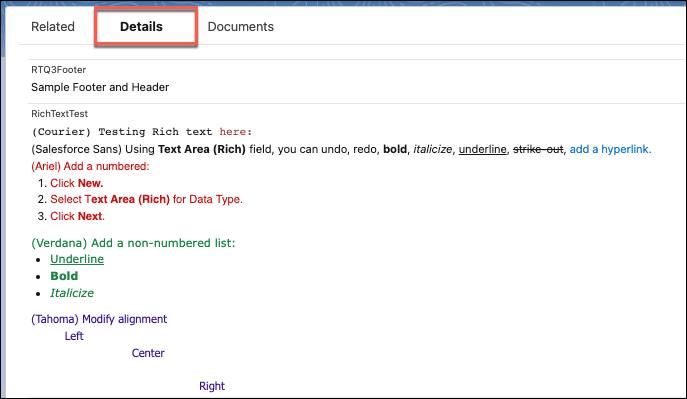
            We use multiple fonts, colors, numbered and bulleted lists, and so on. RichTextTest is a custom field that was created for rich text. Multiple fonts, colors, numbered list, bulleted list, and so on are used in this custom rich text.

            Details tab of the object.
           
          Carregando
          Salesforce Help | Article