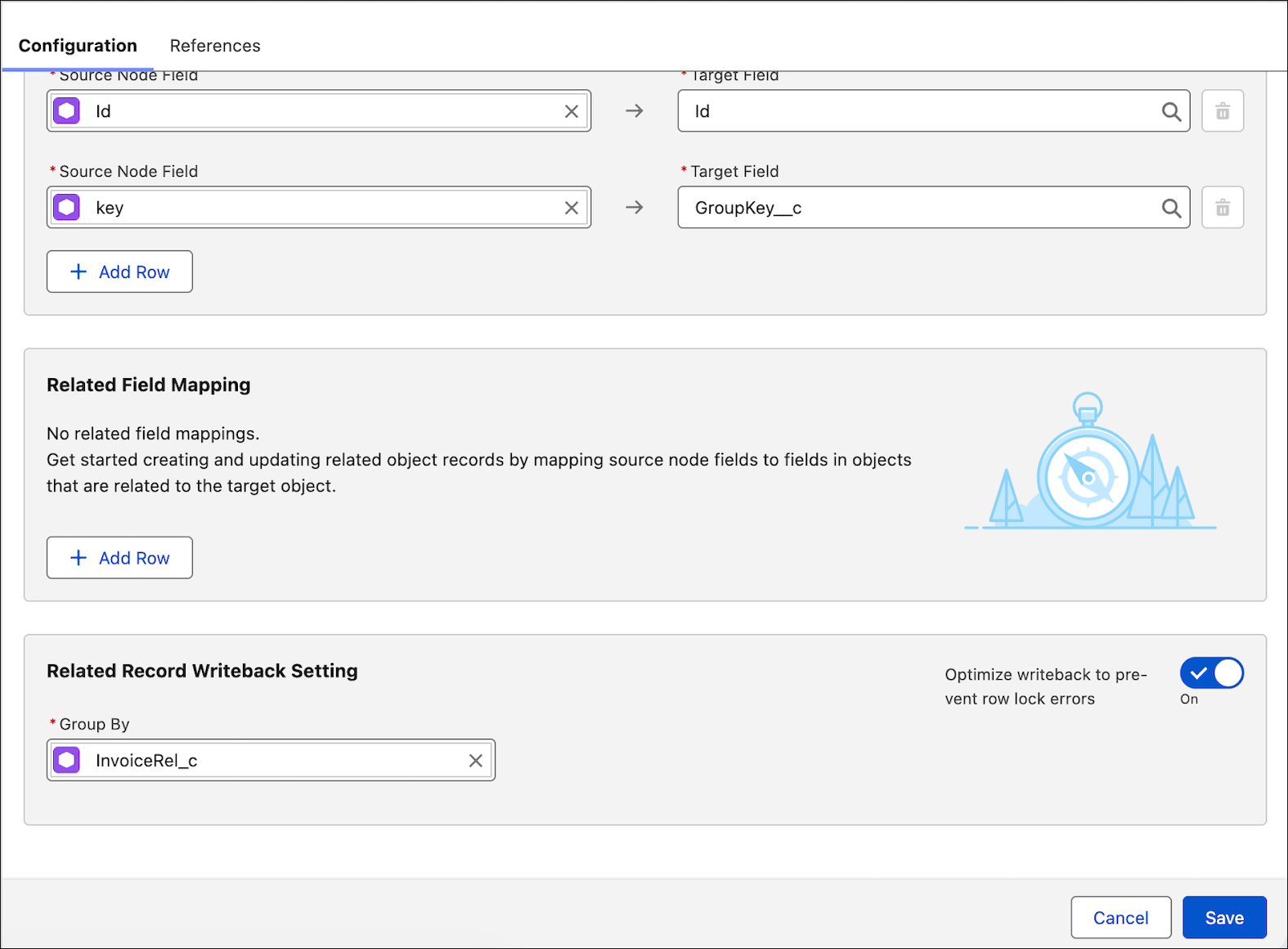
Use Related Record Writeback in Data Processing Engine (DPE) to reduce row lock errors
when writing large volumes of child records. This feature is only applicable for definitions
having Data 360 runtime.
DPE uses Salesforce Bulk API 2.0 to write records in parallel. When multiple concurrent
batches attempt to insert or update child records that reference the same parent record,
Salesforce locks the parent record to maintain data integrity.
How the Related Record Writeback Setting Works
Only one batch can acquire the lock at a time. If other batches containing child records
for that same parent can't acquire the lock within 10 seconds, the batch fails. These
failures lead to inconsistent write outcomes and limited scalability. The Related Record
Writeback setting automatically groups and processes data sequentially to avoid parent-level
locking issues.
Optimize For Row Lock Flag: Applies parent-based partitioning before the writeback when
the Optimize writeback to prevent row lock errors flag is true.
Parent ID Grouping: Processes data of all children of a parent in the same Bulk API 2.0
job by grouping data by parent.
10,000 Record Limit: Limits batch jobs to 10,000 records. Bulk API 2.0 processes batches
of this size in a single thread, which prevents internal splits that cause row locks.
Sequential and Parallel Batch Run:
Same parent: Processes partitions of the same parent records sequentially. If a
parent has more than 10,000 records, the next batch begins only after the previous one
completes.
Different parents: Processes independent parent record groups in parallel across
multiple threads to maintain high throughput.
Did this article solve your issue?
Let us know so we can improve!
Loading
Salesforce Help | Article
Cookie Consent Manager
Cookie Consent Manager
General Information
Required Cookies
Functional Cookies
Advertising Cookies
General Information
We use three kinds of cookies on our websites: required, functional, and advertising. You can choose whether functional and advertising cookies apply. Click on the different cookie categories to find out more about each category and to change the default settings.
Privacy Statement
Required Cookies
Always Active
Required cookies are necessary for basic website functionality. Some examples include: session cookies needed to transmit the website, authentication cookies, and security cookies.
Functional Cookies
Functional cookies enhance functions, performance, and services on the website. Some examples include: cookies used to analyze site traffic, cookies used for market research, and cookies used to display advertising that is not directed to a particular individual.
Advertising Cookies
Advertising cookies track activity across websites in order to understand a viewer’s interests, and direct them specific marketing. Some examples include: cookies used for remarketing, or interest-based advertising.