Example: Manage Social and Governance Data for Affiliate Companies
This example walks you through how to set up accounts for an affiliate company to manage the social and governance data .
Required Editions
| Available in: Lightning Experience |
| Available in: Enterprise, Performance, Unlimited, and Developer Editions |
| Permission Set Needed | |
|---|---|
| To enter and modify data: | Net Zero Cloud Manager OR Net Zero Cloud Admin |
For example, parent company X has an affiliate relationship with companies A and B.
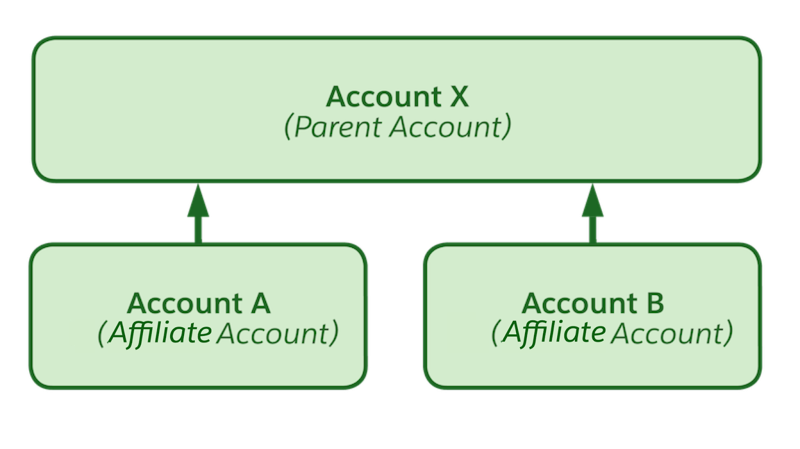
- Create accounts for the parent company and the affiliates.
- Create Experience Cloud sites for the affiliate companies.
- Create an internal organizational unit record for the parent company.
-
Define the party-role relationships.
Record Role Related Role 1 Parent Affiliate 2 Investor Investee -
Define the account-account relationships between the company and the affiliates.
Account Related Account Party Relationship Type Is Active X A 1 Y X B 1 Y -
For the parent account:
- Create a disclosure reporting period.
-
Create social and governance data records and associate them with the disclosure
reporting period.
Don’t associate the disclosure reporting period or the data records with an account.
-
For each affiliate account, use the Experience Cloud site to:
- Create a disclosure reporting period and select an affiliate account.
-
Create social and governance data records and associate them with the disclosure
reporting period.
Don’t associate the data records with an account.
- The parent company can generate a social and governance report, which doesn’t include the affiliates’ social and governance data.
- Each affiliate company can generate a social and governance report that includes only the affiliate’s data.
Did this article solve your issue?
Let us know so we can improve!
