You are here:
Choose the Card Labels in the Decomposition View
Choose what labels you want to see within the order and fulfillment request line item cards in the Decomposition View. For example, you can choose to show the fulfillment status or associated supplemental actions, or choose to not show them at all.
The cards in the Decomposition View map the order line items (products) on the source order to a set of fulfillment requests (product specifications) that represent the technical items to fulfill on an order. For more information about order decomposition, see Decomposition Visualization.
- In the order, navigate to the Decomposition View section.
- Click the gear button, and then select the label options you want to see for the card. Deselect the options you don't want to see.
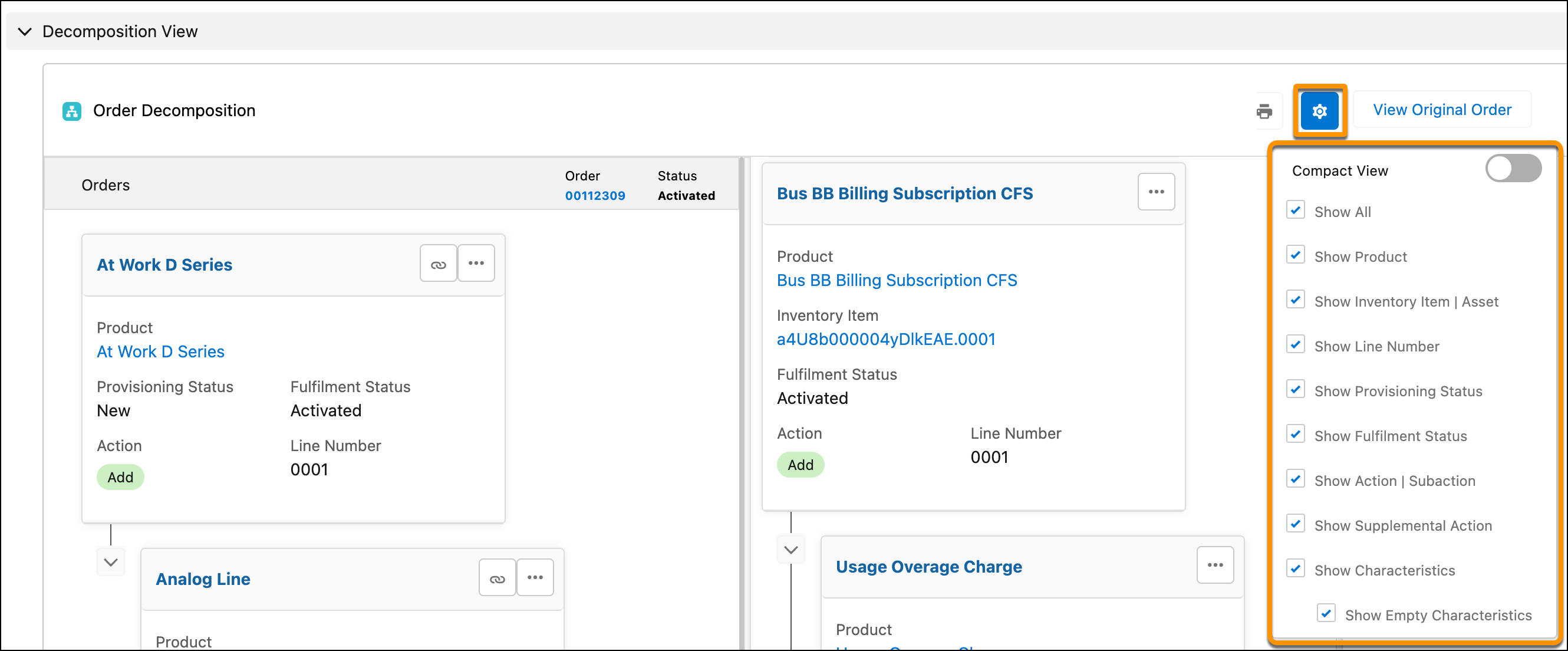
The cards update with the label options you chose.
Did this article solve your issue?
Let us know so we can improve!
