You are here:
Attribute Categories
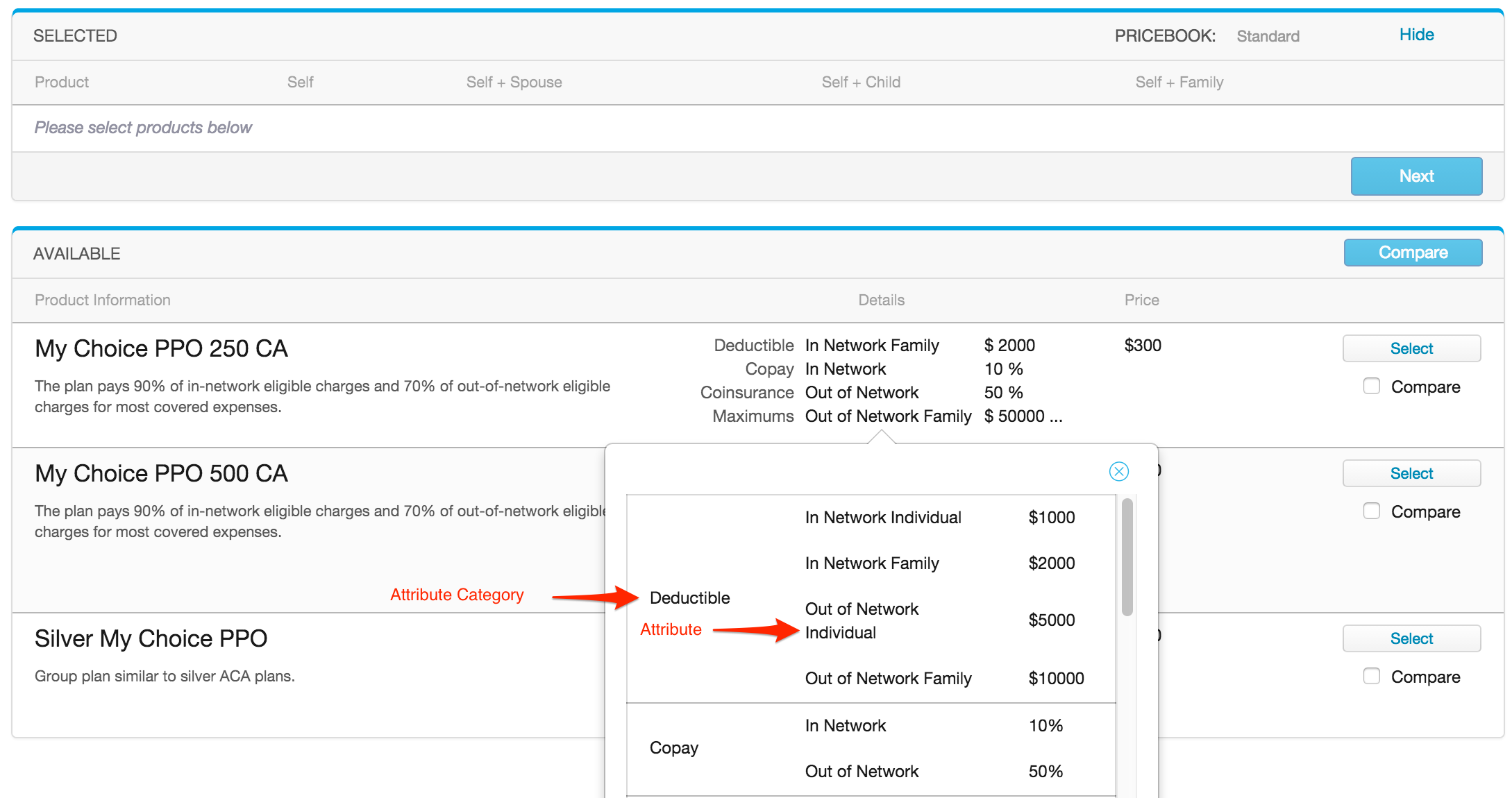
Before you create attributes, you must create attribute categories to group those attributes. For example, profile attribute categories may include Family, Interests, Service Lines, or Noted Concern.
An attribute name must be unique in the attribute category. An attribute code must be unique across all attribute categories. Each attribute category has a specific user interface control. The display sequence controls how attributes appear in picklists. See Create New Profile Attribute Categories.
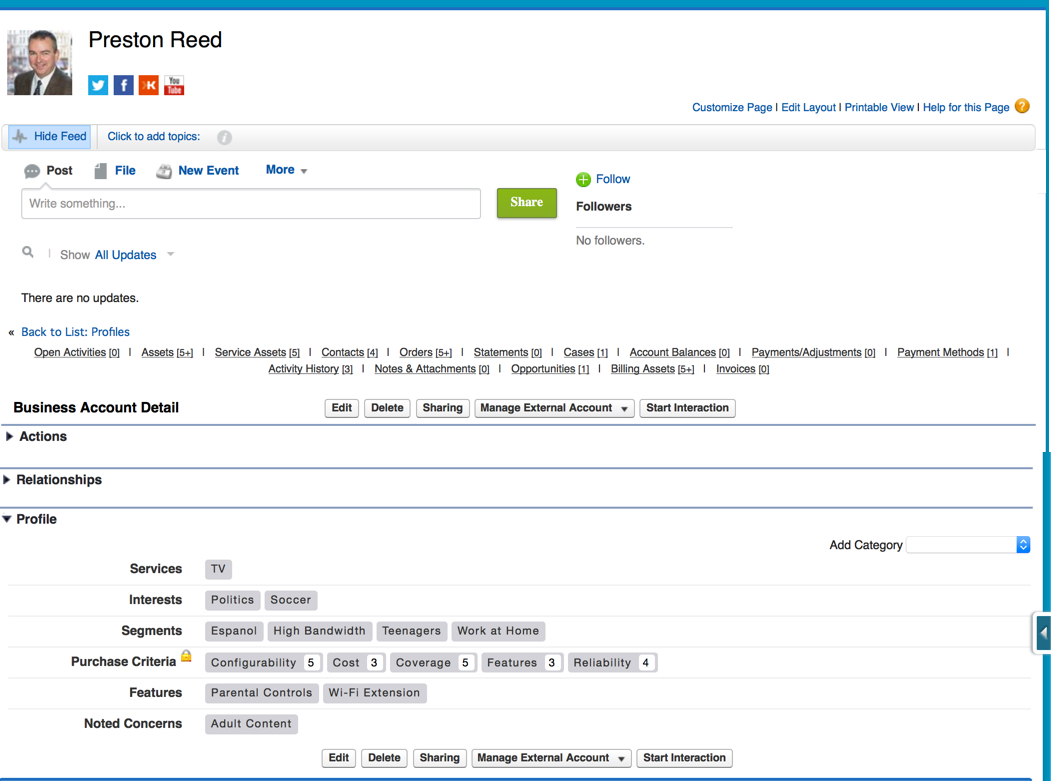
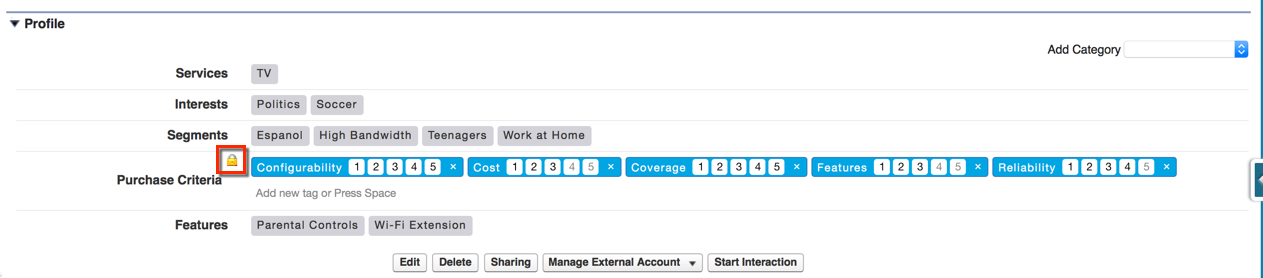
Attribute categories can be locked or unlocked. If an attribute category is unlocked, you can add new attributes directly to the profile. You can choose to prepopulate unlocked attribute categories with attributes. Because users can add their own attributes to unlocked categories, this step is optional. However, because users are unable to add attributes to locked categories, you must prepopulate locked categories.

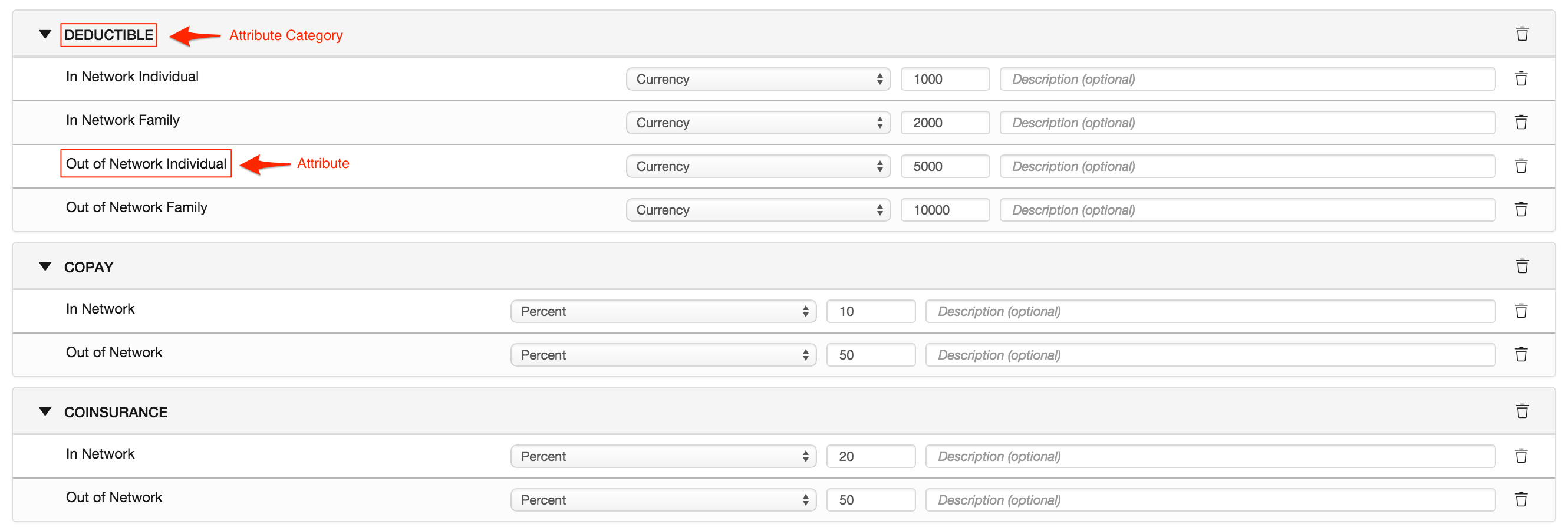
Using Vlocity Insurance and Vlocity Health, before creating health plans, add attribute categories. Use attribute categories and attributes for quick development of multiple plans with similar structures. Create product templates to reuse over multiple plans. Should your health plan wish to organize categories and attributes differently than presented in this example or in our provided template, you can determine your own categories and save those as a template for your organization.
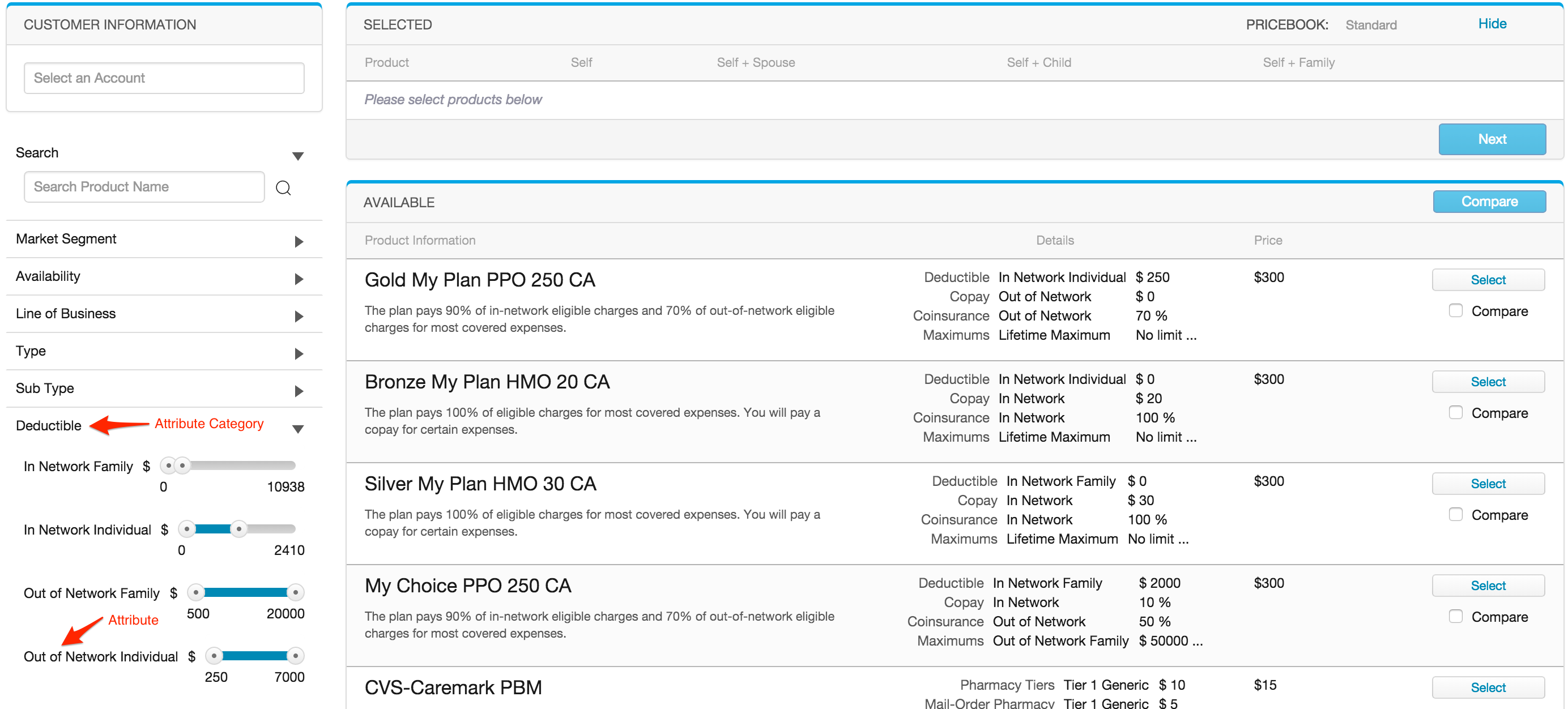
Attributes in filterable categories are shown as plan filters with a slider. This enables you to select the plan that meets particular coverage requirements.