You are here:
Defining a Contract Type
When you define a contract type, you configure it. When you create a contract that uses that contract type, the contract document inherits the configuration. You can configure the following options on the Contract Type object:
-
The Contract State Model that defines the contract life cycle using Vlocity Actions
-
DocuSign options, such as expiration period and branding information
-
The Microsoft Word template to use when generating a contract document in Microsoft Word format
-
Whether to generate the contract document when it is created
-
The default document template to use when automatically generating a template
-
Whether the automatically generated contract document is attached in Microsoft Word, PDF, or both
-
The file naming convention for generated contract documents
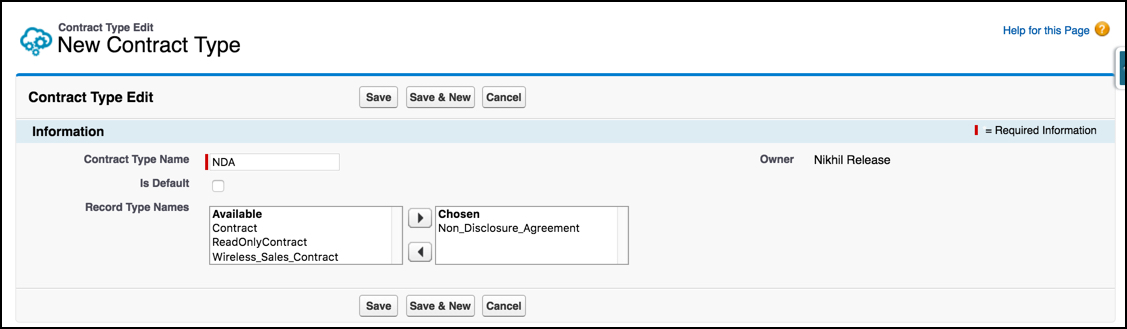
To define a contract type:
- Go to the Contract Types tab.
- Click New.
- Enter a name for the contract type.
- To define this contract type as the default contract type, select Is Default.
- From the Record Type Names list, select the Contract Document records for which to allow the contract type, and then click the right arrow.
- Click Save.