You are here:
Exporting Vlocity Actions for Contracts
To export an Action, ycheck out an Action and edit the layout, add a custom Import/Export button, and export the action in a DataPack.
- Go to the Vlocity Actions tab.
- Click Check Out to Customize.
- Click Edit Layout.
- In the palette, select Buttons.
- Drag the Import/Export button to the Custom Buttons section.
- Click Save.
- Click Import/Export.
-
Click Export.
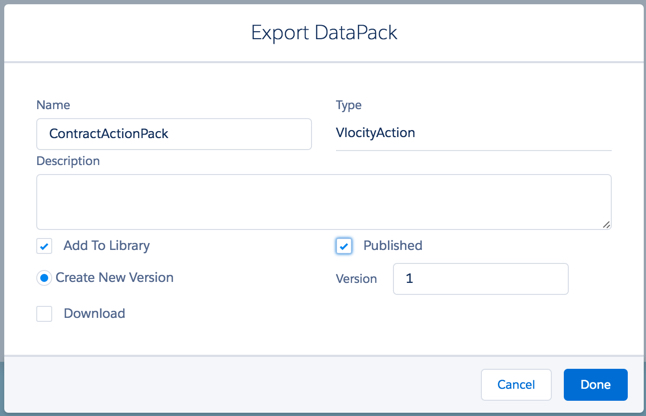
The Export DataPack dialog box opens.
- Click Next.
- Click Next.
-
Enter the following information:
-
Name is the name of the DataPack.
-
Select Published.
-
Clear Download.
-
- Click Done.
- Repeat steps 1 through 12 for all of the check out actions.


Did this article solve your issue?
Let us know so we can improve!
