
You are here:
Generating a Contract Document Automatically
You can set up Vlocity CLM to automatically generate a contract document when it creates a contract.
Vlocity CLM uses the Salesforce.com PDF rendering service to create PDF documents. This service has its limitations. For more information, see "Visualforce PDF Rendering Considerations and Limitations," in the Visualforce Developer Guide.

Note
If you have just upgraded CLM, or you have not set up this feature since your upgrade, you must run the following script in the Developer Console:
<namespace>.cmPostInstallClass.upgradeCustomSettingsToContractTypes(); To generate a contract document automatically:
- From Setup, in the Quick Find box, enter Custom Settings.
- Click Custom Settings.
- Next to Contract Management Configuration Setup, click Manage.
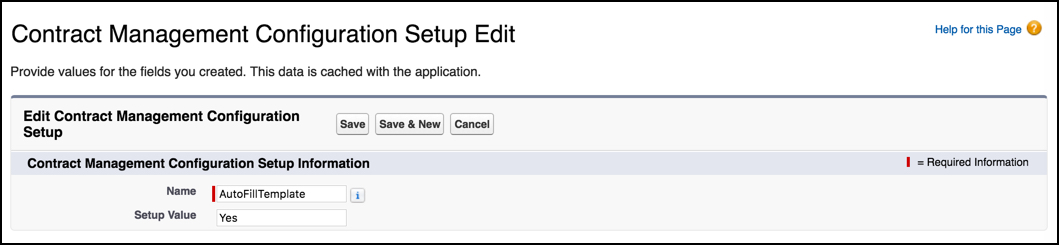
- Next to AutoFillTemplate, click Edit.
- In Setup Value , enter Yes.
- Click Save.
¿Resolvió este artículo su problema?
¡Háganos saber cómo podemos mejorar!
