You are here:
Set Up Sharing Rules
Sharing rules grants guest users read access to records, according to the rule.
You can create sharing rules based on your business needs. The details of the sharing rules are specific to your organization, but you must carefully review the Guest User Security Restrictions before you expose records to guest users.
The guest users require the following sharing rules to run the Using the docGenerationSample/singleDocxLwcGuestUser Omniscript.
For document generation, you must create the following types of sharing rules:
-
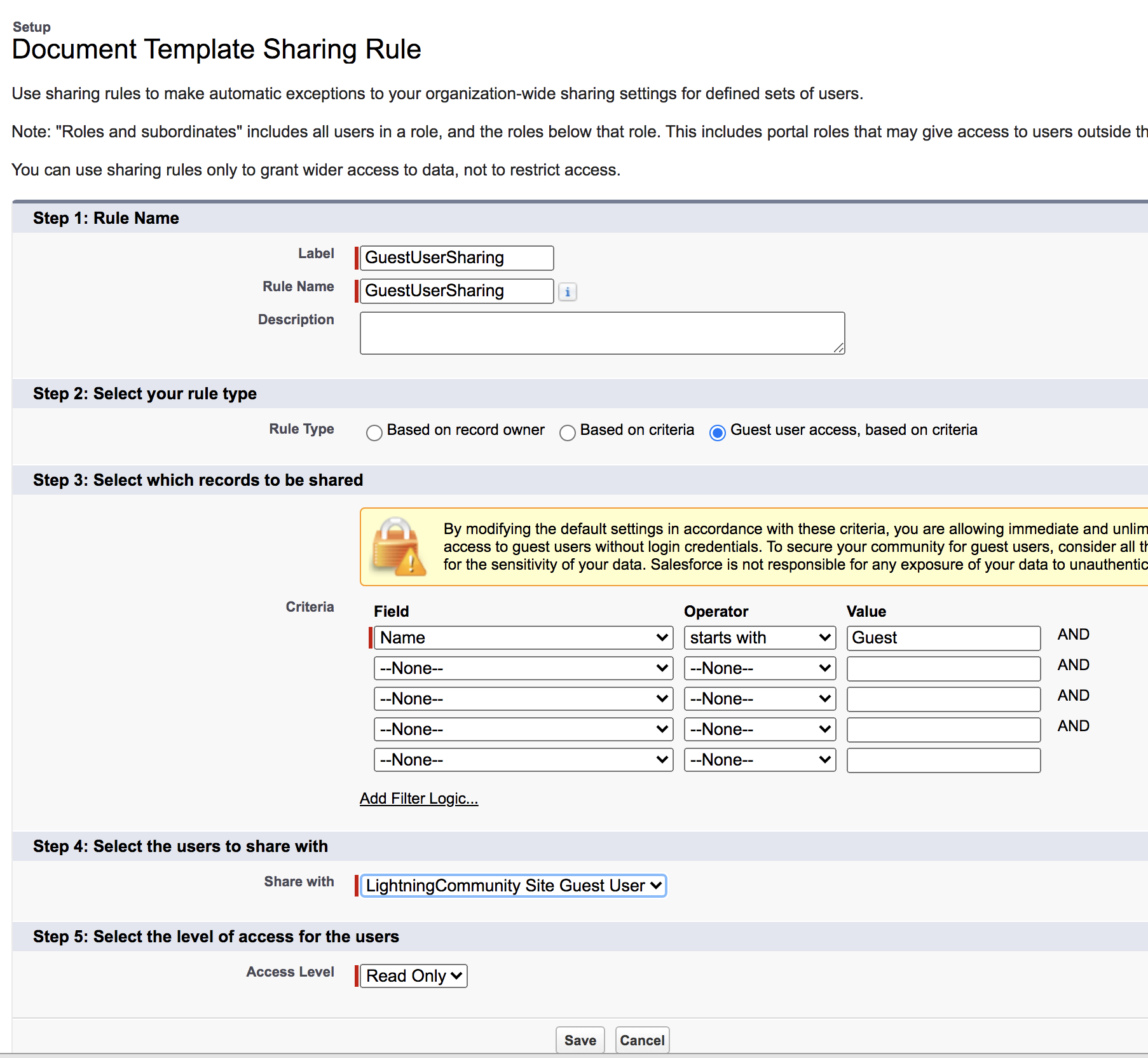
Document templates
You must set up a sharing rule for guest users to access document templates. You can design a sharing rule that shares only the document templates that guest users require.
 Note
NoteDocument templates don’t contain sensitive data; rather, this is metadata about generating documents and not specific to any customer.
-
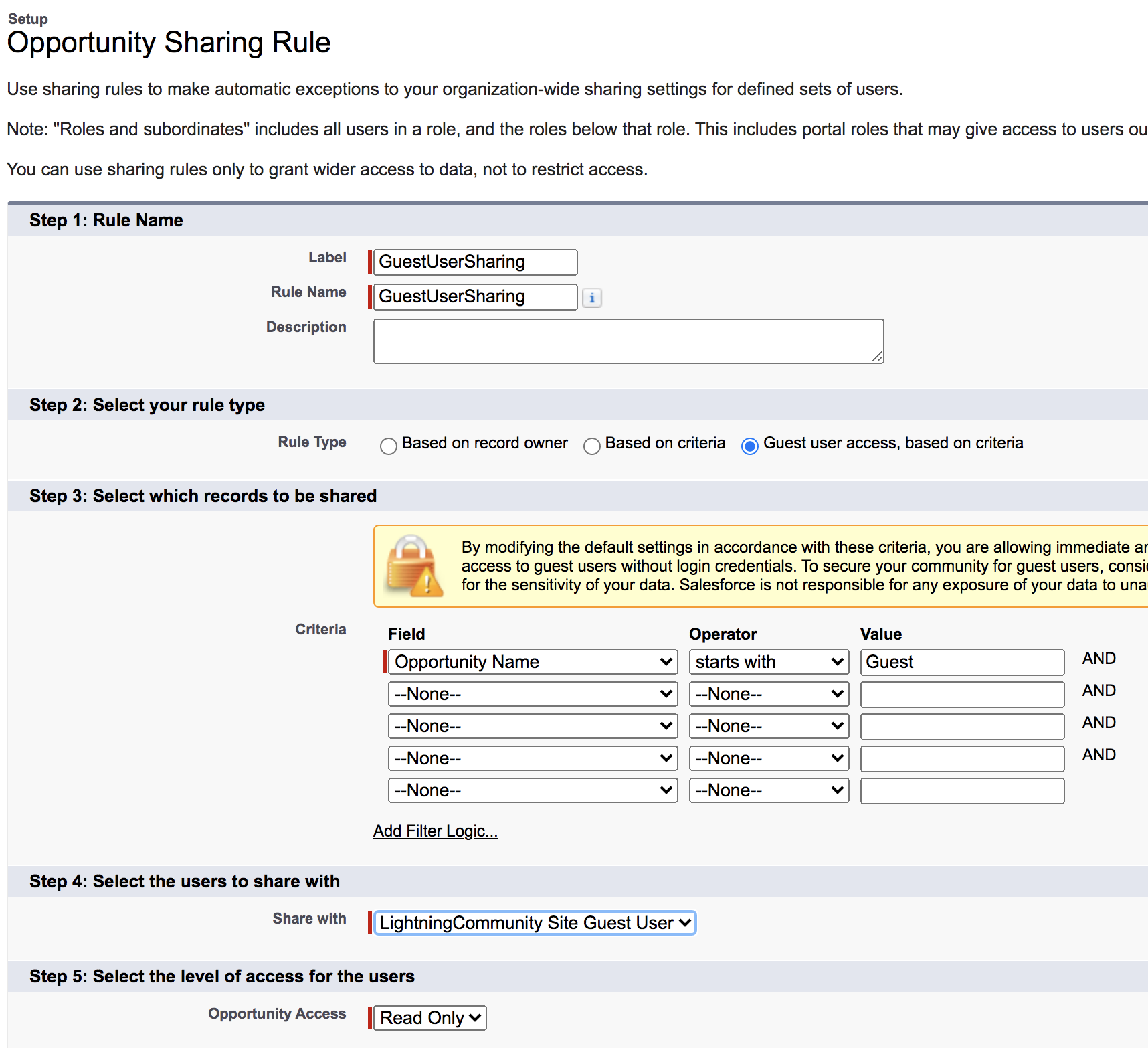
Opportunity
You must set up a sharing rule for Opportunity to give the guest user access to see quotes because Quote is a child object of Opportunity.
NoteEven though Opportunity and Quote are objects that contain sensitive information, when sharing those records created by the guest user with the guest user, encrypted IDs are used. The guest user doesn’t own those records.
Example of Opportunity Sharing Rule
This example displays how you create a sharing rule that allows the guest user to access all the quote records that are child records of Opportunities with the name beginning with the word "Guest."
This sharing rule is dependent on the user creating an opportunity and quote with the name beginning with the word "Guest" because Opportunity is the parent object of Quote.
-
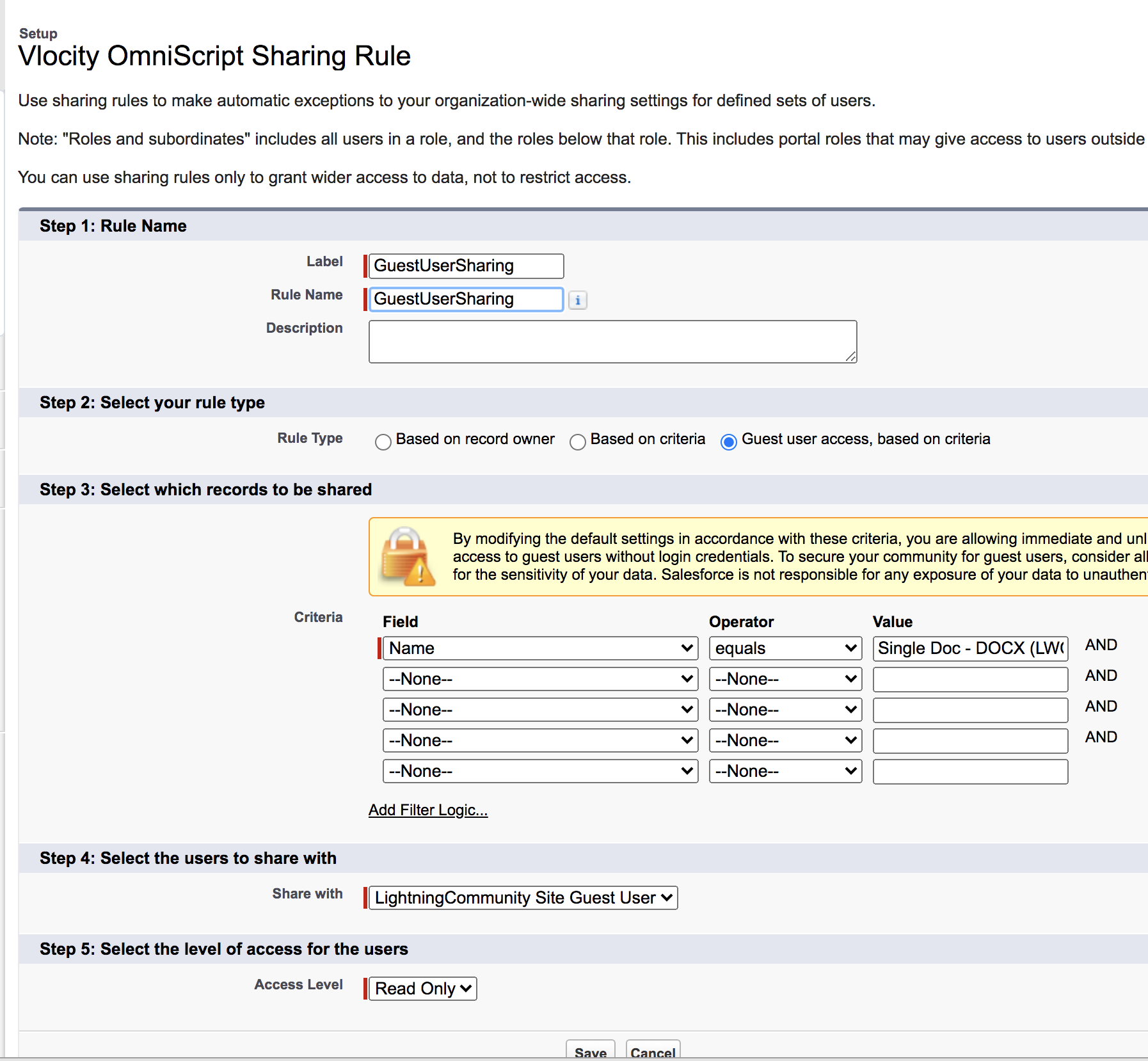
Vlocity Omniscript
You must create a sharing rule to allow guest users to read the Omniscript records.
-
Vlocity Data Mapper Bundle
You must create a sharing rule to give guest users access to read the Data Mappers that are associated with document templates and Omniscripts.
-
Vlocity Data Mapper Map Item
You must create a sharing rule to give users access to read the Data Mappers map items that are associated with document templates and Omniscripts.