
You are here:
Filters in Intelligence Reports
You can filter a pivot table or report and also by the Discover Report Send Date. The event date tracks the date the user engaged with the email.

Note This topic has been deprecated and is no longer being
updated.
-
To filter reports or pivot tables by the send date in Intelligence Reports for Engagement,
click
 in
Settings.
in
Settings.
- To filter by a send date, filter by the Send Date dimension, then select the date.
-
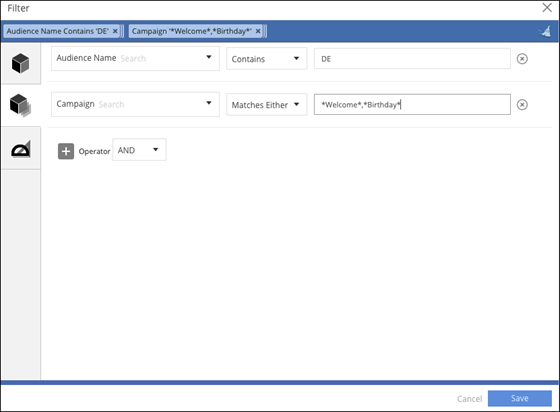
To use multiple operators, click Custom Dimensions.
- Create the first rule: Audience Name contains DE.
-
Create the second rule: Campaign matches either “Welcome” or “Birthday”. To use match
either, place * before and after the value and separate values with a comma.
See Also
Did this article solve your issue?
Let us know so we can improve!
