
You are here:
Troubleshoot a Workflow
If a workflow fails, view the log file to see what caused the failure. A workflow can run for 6 hours. If the workflow doesn’t finish executing in that time, it times out.
- On the Manage tab, select Workflows.
-
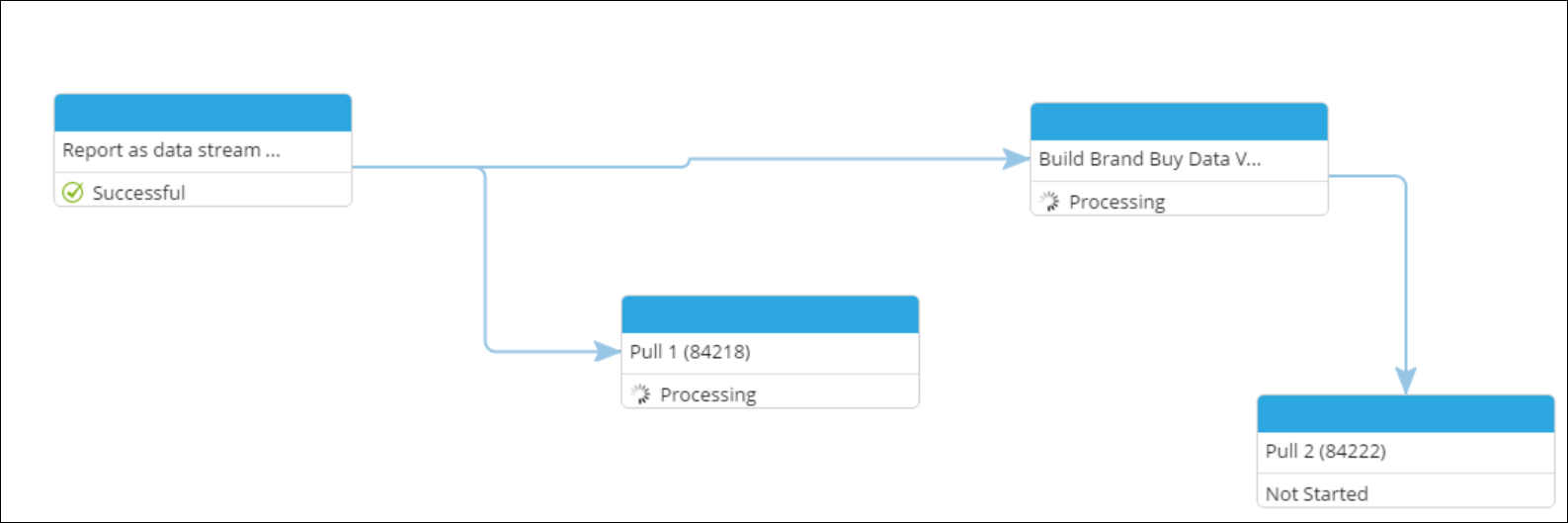
Select the failed workflow, and click Show Run Status.
A window shows the run status of each element in the workflow. The information is updated while the workflow runs
-
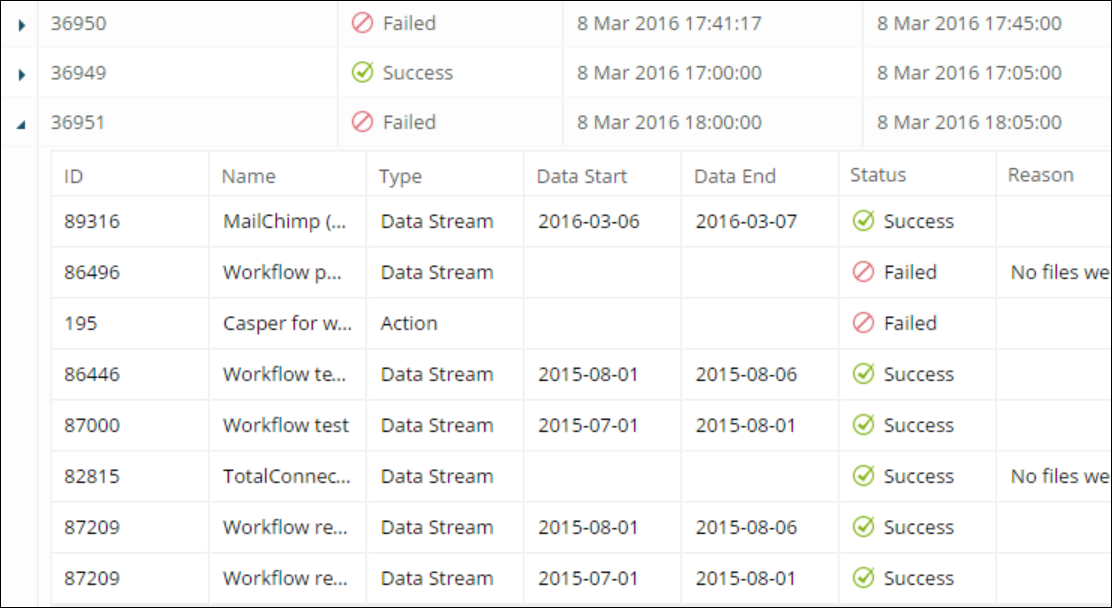
To investigate why a workflow failed to run, click Log. Each
instance has its own ID.
Løste denne artikel dit problem?
Giv os besked, så vi kan forbedre os!
