A learner can use the Trailmixes index page on your enablement site to view trailmixes
that they’ve created or that a manager has assigned to them from the Trail Tracker app. A learner
can also search for trailmixes, follow a trailmix, and share a trailmix.
Required Editions
Available in: Enterprise, Performance, and
Unlimited Editions
User Roles
This topic supports these enablement site
roles:
Content Creators
Learners
Links to Content in a Trailmix
A trailmix can contain content from both your enablement site and Trailhead. When learners
click a trail or module in a trailmix, they navigate to either your enablement site or
Trailhead, depending on the source of the content.
Tip For enablement site content included in a trailmix, make sure that a learner
who’s assigned to the trailmix can access the appropriate content collection. If a learner can’t
access a content collection that a trail or module belongs to, the learner can’t access any part
of the trailmix.
Assignment Colors for a Trailmix
The Trailmixes index page on your enablement site uses these colors to indicate the urgency of
an assigned trailmix’s due date.
Color
Definition
Green
The trailmix is due in 8 or more days.
Red
The trailmix is due today, tomorrow, or within a week. Or, the trailmix is
overdue.
Gray
The trailmix has no due date.
Followed Trailmixes
A learner can follow a trailmix to bookmark it or
track their progress. A followed trailmix appears in the In Progress section of the Trailmixes
index page on your enablement site. When the learner completes the trailmix, it moves to the
Completed Trailmixes section.
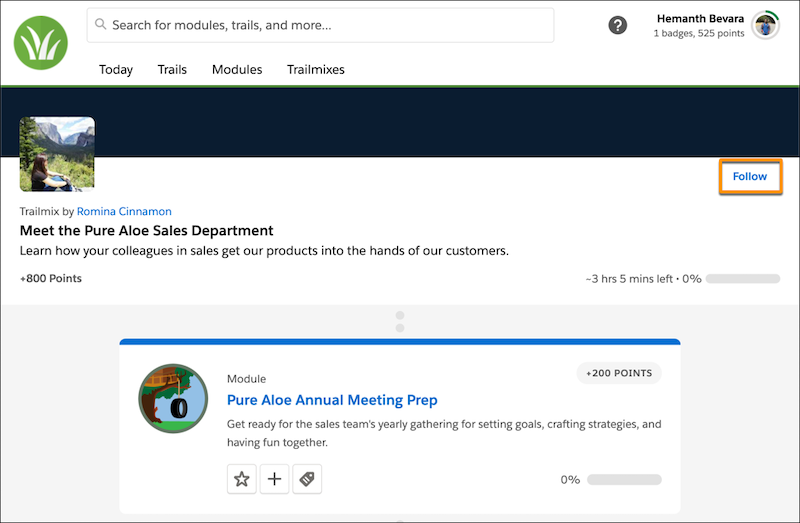
To follow a trailmix, a learner selects the title of a
trailmix and then clicks Follow.
To stop following a trailmix, a learner returns to its page, and clicks
Unfollow.
If a followed trailmix is deleted, the trailmix
disappears the learner’s Trailmixes index page.
Konnten Sie Ihr Problem mithilfe dieses Artikels lösen?
Geben Sie uns Feedback, damit wir uns verbessern können.
Laden
Salesforce Help | Article
Cookie Consent Manager
Cookie Consent Manager
General Information
Required Cookies
Functional Cookies
Advertising Cookies
General Information
We use three kinds of cookies on our websites: required, functional, and advertising. You can choose whether functional and advertising cookies apply. Click on the different cookie categories to find out more about each category and to change the default settings.
Privacy Statement
Required Cookies
Always Active
Required cookies are necessary for basic website functionality. Some examples include: session cookies needed to transmit the website, authentication cookies, and security cookies.
Functional Cookies
Functional cookies enhance functions, performance, and services on the website. Some examples include: cookies used to analyze site traffic, cookies used for market research, and cookies used to display advertising that is not directed to a particular individual.
Advertising Cookies
Advertising cookies track activity across websites in order to understand a viewer’s interests, and direct them specific marketing. Some examples include: cookies used for remarketing, or interest-based advertising.