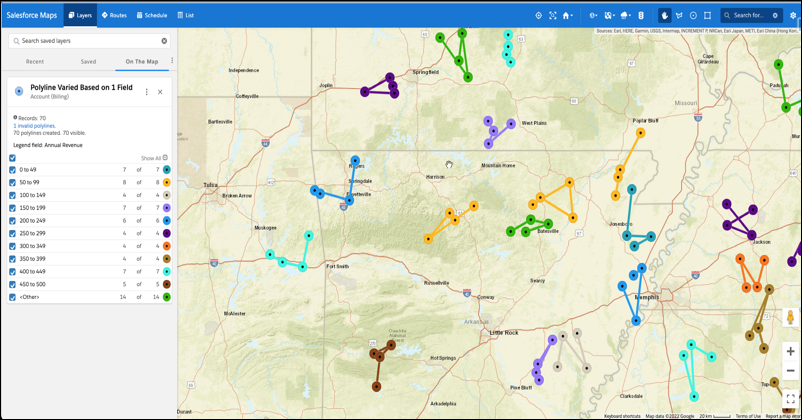
Show utility lines on the map so reps can manage and respond to service calls quickly
and efficiently in Salesforce Maps. Add filters that determine which polylines show up on the
map, such as accounts in certain states or area codes.
Important Always use the Salesforce Maps user interface for creating records related to the managed package objects. Creating records outside of the user interface or adding automation on the managed package objects isn’t supported. See Support for records created outside of the Maps user interface in Salesforce Knowledge.
From Setup, in the Quick Find box, enter Installed Packages, and
then select Installed Packages.
Click Configure next to the Salesforce Maps package.
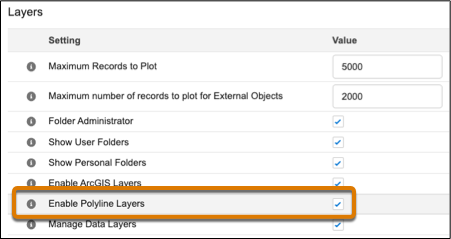
Choose a permission group and enable polyline layers under Layers.
In Salesforce Maps Base Objects settings, select the base object that you want to plot
polyline layers for, such as Account.
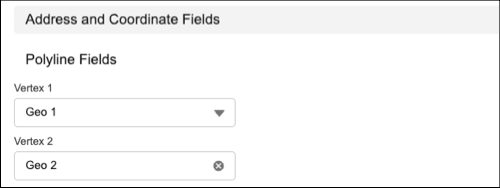
Configure the latitude and longitude fields.
Assign at least two geolocation fields to two vertices. Then click
Save.
In Salesforce Maps, click Layers.
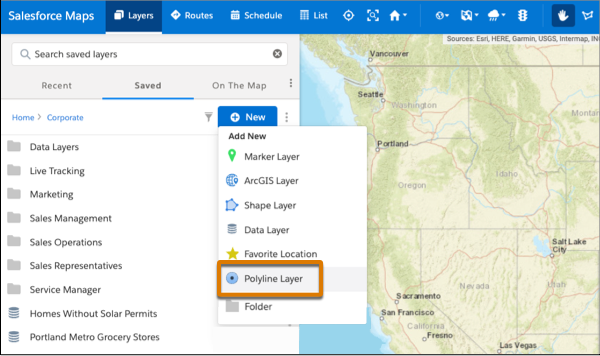
To save the polyline layer privately so only you can see it, click Saved | Personal. Or, to share the polyline layer with other maps users, click Saved | Corporate.
Hover over New and select Polyline
Layer.
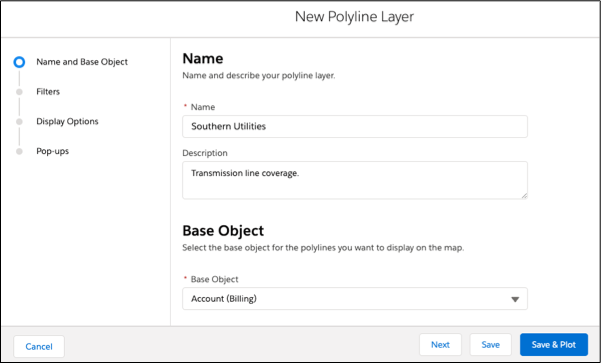
Enter a name and description.
Select the base object to plot.
Click Next.
Choose the filter and style options that you want your polyline layer to show.
Save and plot your work.
Did this article solve your issue?
Let us know so we can improve!
Loading
Salesforce Help | Article
Cookie Consent Manager
General Information
Required Cookies
Functional Cookies
Advertising Cookies
General Information
We use three kinds of cookies on our websites: required, functional, and advertising. You can choose whether functional and advertising cookies apply. Click on the different cookie categories to find out more about each category and to change the default settings.
Privacy Statement
Required Cookies
Always Active
Required cookies are necessary for basic website functionality. Some examples include: session cookies needed to transmit the website, authentication cookies, and security cookies.
Functional Cookies
Functional cookies enhance functions, performance, and services on the website. Some examples include: cookies used to analyze site traffic, cookies used for market research, and cookies used to display advertising that is not directed to a particular individual.
Advertising Cookies
Advertising cookies track activity across websites in order to understand a viewer’s interests, and direct them specific marketing. Some examples include: cookies used for remarketing, or interest-based advertising.