You are here:
Evaluate Your Help Agent
For a quick functionality check, run test suites that test your agent against AI-generated scenarios. You can run a test suite against different agent versions. To ensure you are evaluating the right version, check the version before you compare results.
- In the Manage Agents section of the Help Agent Salesforce Go page, click Go.
-
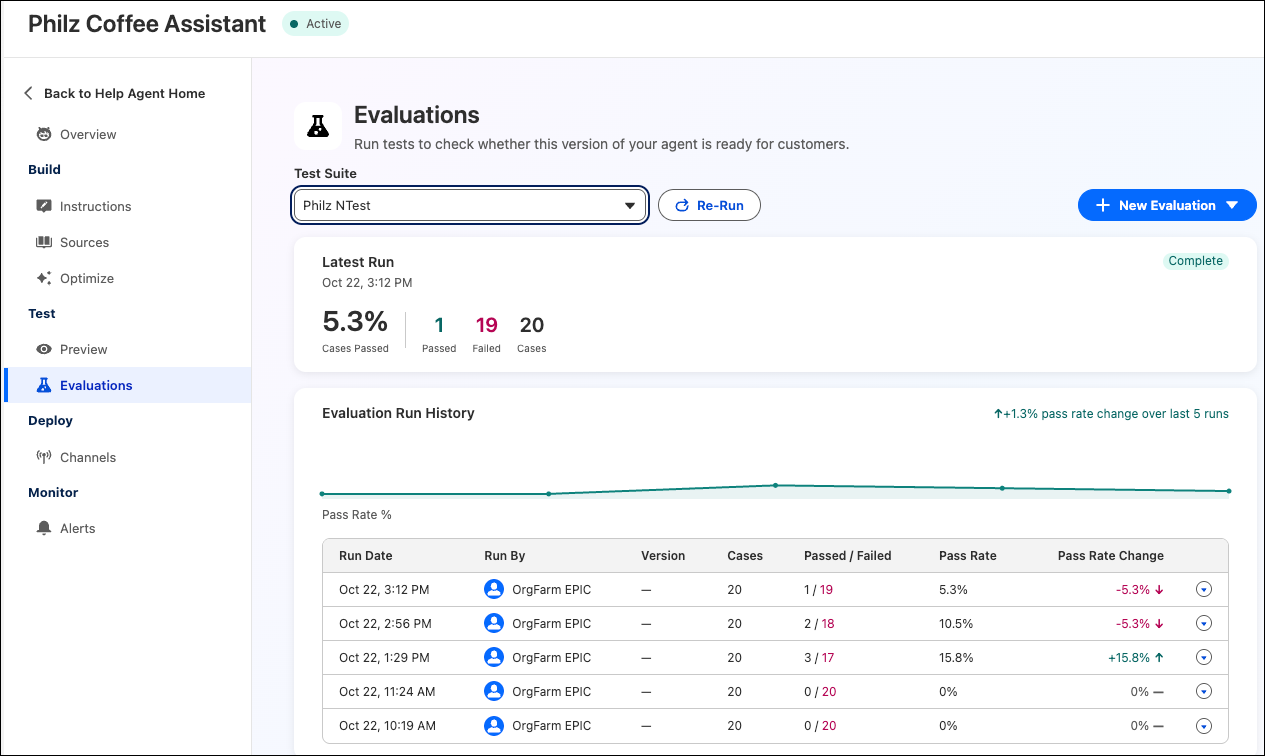
In the Help Agents tab, click Evaluations.
-
To add a new evaluation:
- Click New Evaluation.
- Click Basic Evaluation.
- Enter the test name, agent version, and number of test cases.
-
Click Run.
The evaluation begins and can take a few minutes.
- To re-run a test suite to evaluate how an agent performs over time, select the test suite and click Re-Run.
Did this article solve your issue?
Let us know so we can improve!
