You are here:
Configure Site Guest User Access for Volunteers
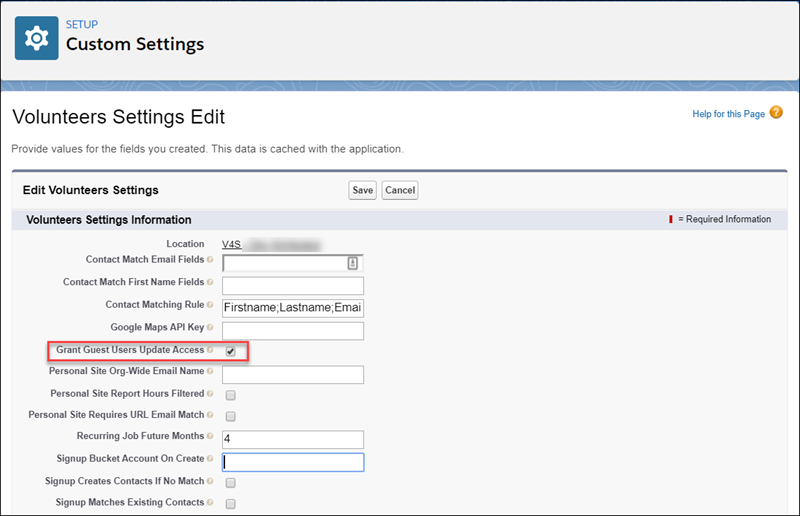
The System Admin must select Grant Guest Users Update Access in Volunteer Settings to allow guest users to update records shared with them.
To navigate to the Grant Guest Users Update Access checkbox:
-
From Setup, enter Custom Settings in the Quick Find box, then select Custom Settings.
- Click Manage next to Volunteer Settings.
-
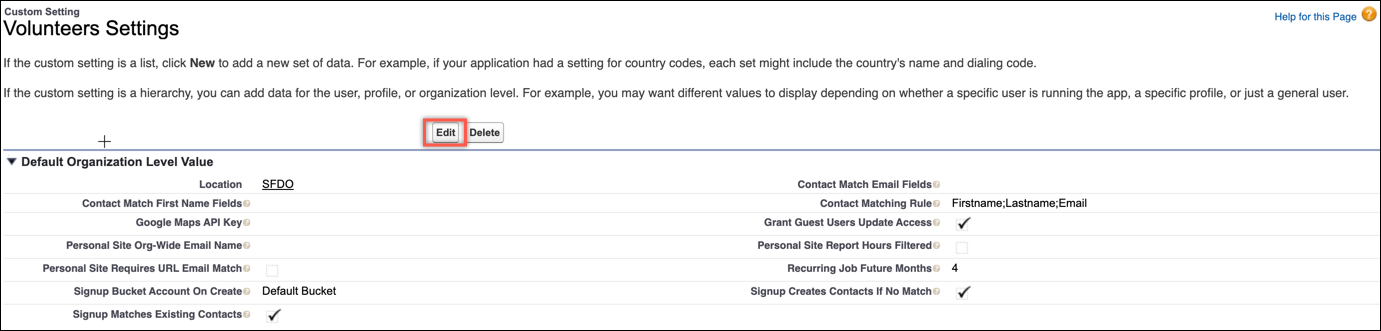
View Custom Settings
- If Custom Settings have not been set, click New.
-
If Custom Settings have not been set, click Edit.
- Select Grant Guest Users Update Access.
- Save your changes.
この記事で問題は解決されましたか?
ご意見をお待ちしております。
