您位於此處:
Lightning Experience 中的錯誤
錯誤雖然不幸且希望不常見,但是使用 Salesforce 或任何軟體系統的一般部分。以下說明您可能會遇到的各種錯誤類型,以及處理錯誤的各種選項。
此文章是否解決您的問題?
請讓我們知道,以便我們改進!
| 提供版本:Lightning Experience |
首先,會發生「預期」錯誤,例如表單欄位的驗證錯誤,或無法進行的功能組態。當您遇到這些類型的錯誤時,通常會在使用者介面中加上說明。說明會告訴您問題為何,以及如何修正。
身為 Salesforce 管理員,當您遇到這些錯誤時,如果錯誤訊息未提供足夠的資訊,請參閱 Salesforce 說明。
在 Salesforce 說明中尋找相關文件
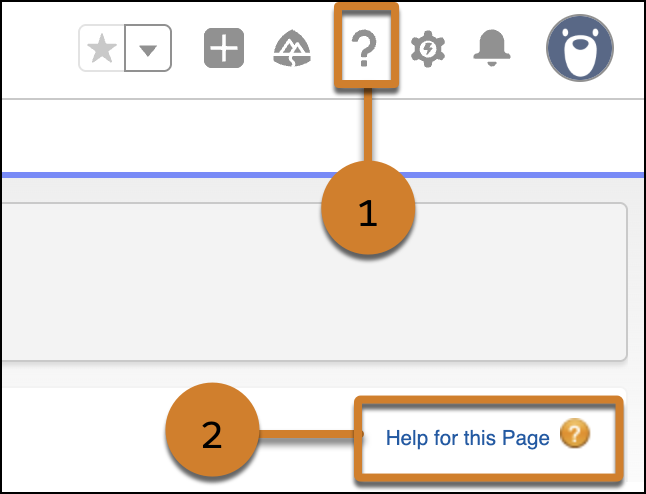
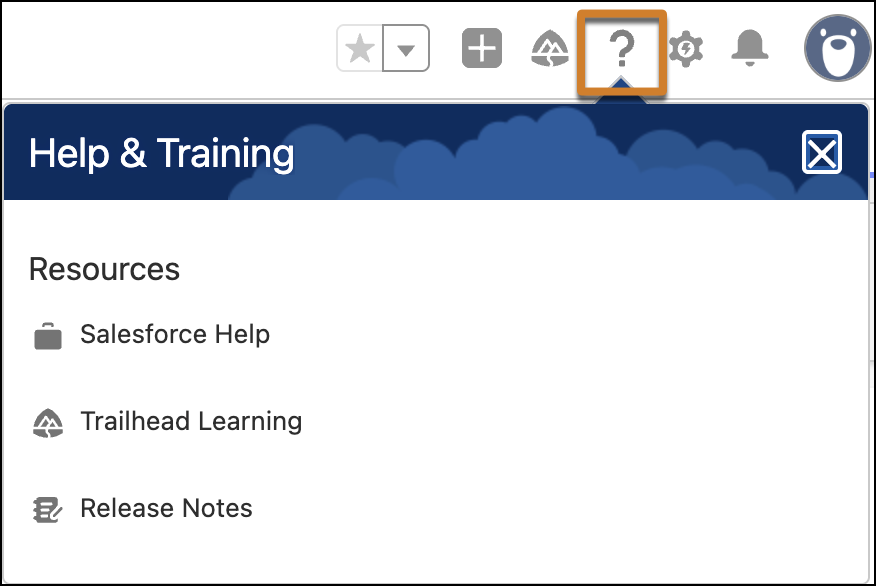
您可以直接從 Lightning Experience 標頭存取 Salesforce 說明 (1)。Lightning Experience 和 Salesforce Classic 皆提供「關於此頁的說明」選項 (2)。
如果您是一般使用者,我們建議您嘗試 Salesforce 說明。但如果回答不容易找到,請隨時連絡您的 Salesforce 管理員。
第二個主要錯誤類型是非預期的,因為當 Salesforce 執行時遇到無法提供指引的問題。這些錯誤通常是由於程式設計錯誤 (先前未預期的邊緣個案或您組織已建立之自訂應用程式中的錯誤)。
Lightning Experience 會以兩種不同方式呈現這些錯誤,端視您組織的設定方式而定。錯誤視窗會因所有錯誤而中斷您的工作,而「錯誤主控台」只會因重大錯誤而中斷您的工作。

We use three kinds of cookies on our websites: required, functional, and advertising. You can choose whether functional and advertising cookies apply. Click on the different cookie categories to find out more about each category and to change the default settings.
Privacy Statement
Required cookies are necessary for basic website functionality. Some examples include: session cookies needed to transmit the website, authentication cookies, and security cookies.
Functional cookies enhance functions, performance, and services on the website. Some examples include: cookies used to analyze site traffic, cookies used for market research, and cookies used to display advertising that is not directed to a particular individual.
Advertising cookies track activity across websites in order to understand a viewer’s interests, and direct them specific marketing. Some examples include: cookies used for remarketing, or interest-based advertising.