
You are here:
Activate and Use ApexGuru for Apex Code Analysis
Learn how to activate ApexGuru and analyze your Salesforce org’s Apex code securely using the Einstein Trust Layer.
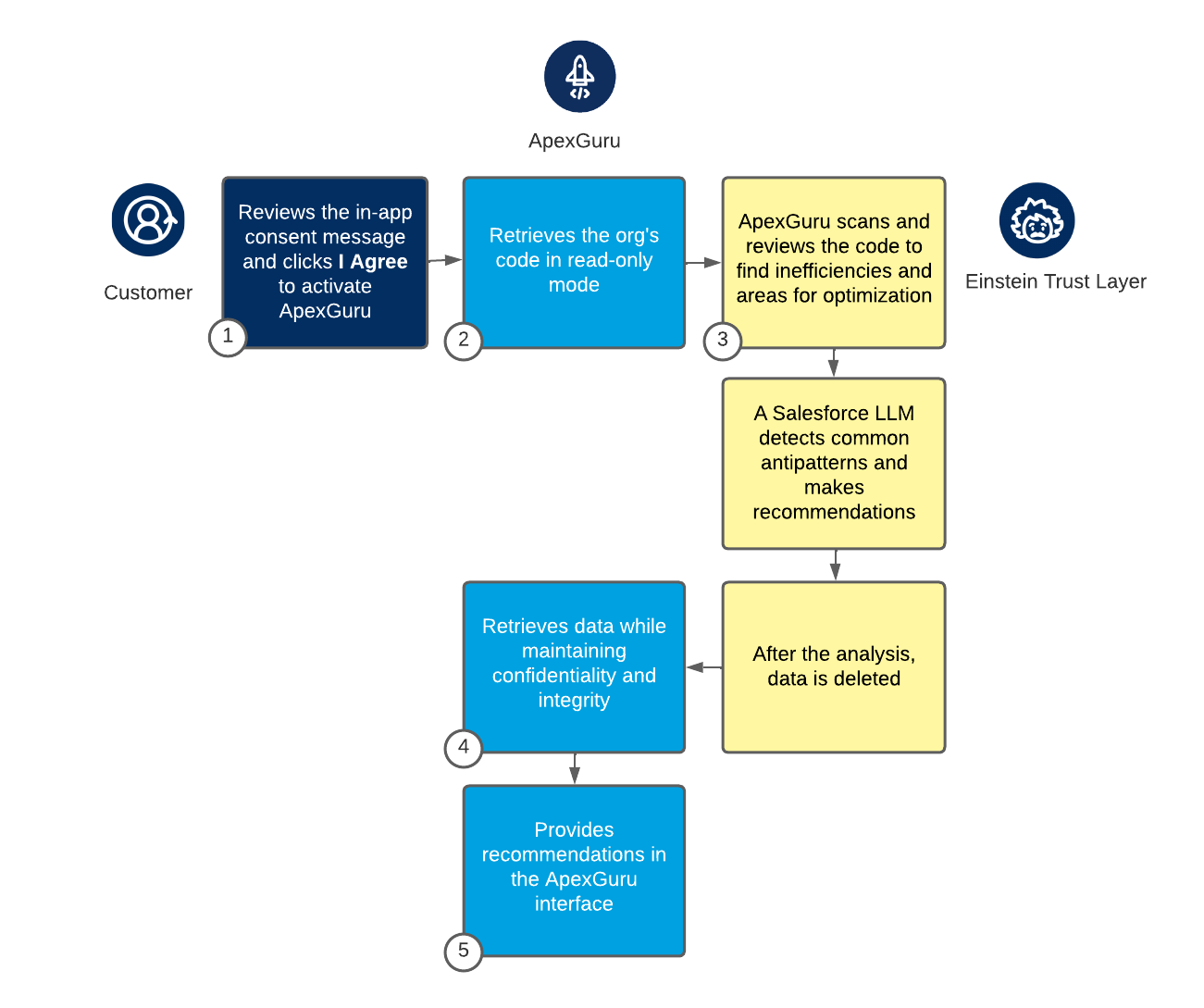
- Review the legal terms for ApexGuru and click I Agree to activate the service.
- Allow ApexGuru to securely retrieve your org’s Apex code in read-only mode for dynamic grounding.
-
Let the Einstein Trust Layer provide data masking, secure gateway, and zero data
retention during the analysis process.
-
ApexGuru scans and reviews the uploaded Apex code to identify inefficiencies and
areas of optimization.
These hotspots and performance bottlenecks can impact overall performance.
- A Salesforce-owned LLM within the Einstein Trust Layer detects common antipatterns in the code and prioritizes recommendations based on their potential impact.
- Ensure that the data is immediately deleted after the analysis is complete.
-
ApexGuru scans and reviews the uploaded Apex code to identify inefficiencies and
areas of optimization.
- Allow ApexGuru to retrieve data while maintaining the confidentiality and integrity of the Apex code during processing and transmission.
- Review the recommendations generated by the model in the ApexGuru interface for further analysis.
You have securely activated ApexGuru, analyzed your Apex code, and received prioritized recommendations for optimization in your ApexGuru interface.
Эта статья решила вашу проблему?
Оставьте свой отзыв, чтобы мы могли стать лучше!
