您位於此處:
從 CMS 工作區移除參與者
如果參與者離開您的公司或轉移至不同的小組,則您可以將參與者從 CMS 工作區移除。使用者或公用群組會從工作區移除,但是不會從 Salesforce 移除。
此文章是否解決您的問題?
請讓我們知道,以便我們改進!
| 提供版本:Lightning Experience |
| 提供版本:Enterprise、Performance、Unlimited 及 Developer Edition |
| 需要的使用者權限 | |
|---|---|
| 若要在 CMS 工作區中管理參與者: | 內容管理員的 CMS 工作區參與者角色 |
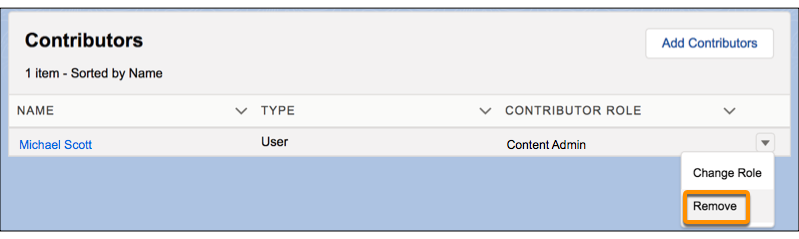

從 CMS 工作區移除參與者後,該參與者便無法再存取該工作區。

We use three kinds of cookies on our websites: required, functional, and advertising. You can choose whether functional and advertising cookies apply. Click on the different cookie categories to find out more about each category and to change the default settings.
Privacy Statement
Required cookies are necessary for basic website functionality. Some examples include: session cookies needed to transmit the website, authentication cookies, and security cookies.
Functional cookies enhance functions, performance, and services on the website. Some examples include: cookies used to analyze site traffic, cookies used for market research, and cookies used to display advertising that is not directed to a particular individual.
Advertising cookies track activity across websites in order to understand a viewer’s interests, and direct them specific marketing. Some examples include: cookies used for remarketing, or interest-based advertising.