您位於此處:
使用聊天和傳訊提供即時的客戶支援
為您的客戶提供使用網路聊天與 Facebook Messenger for Essentials 即時對話的功能。將聊天內容與訊息傳送給小組成員的同時,他們還能夠在 Salesforce 中工作,這樣他們就可以同時處理個案、聊天、訊息與其他工作。

使用較常見的搜尋字詞。
選取較少篩選條件以擴大您的搜尋。
為您的客戶提供使用網路聊天與 Facebook Messenger for Essentials 即時對話的功能。將聊天內容與訊息傳送給小組成員的同時,他們還能夠在 Salesforce 中工作,這樣他們就可以同時處理個案、聊天、訊息與其他工作。
| Essentials 適用於下列版本:Lightning Experience |
| 提供版本:Essentials、Enterprise、Performance、Unlimited 及 Developer Edition |
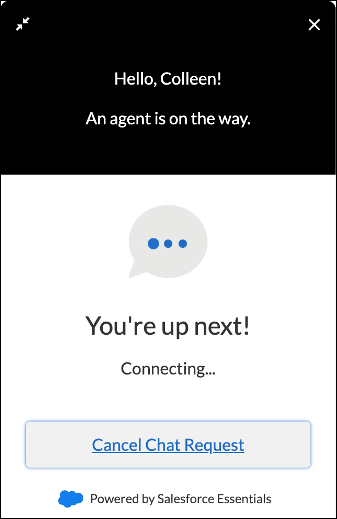
內嵌於網站或說明中心的網路聊天具有讓客戶在小組離開時記錄個案的選項。您可在網站與說明中心中為客戶顯示聊天按鈕。
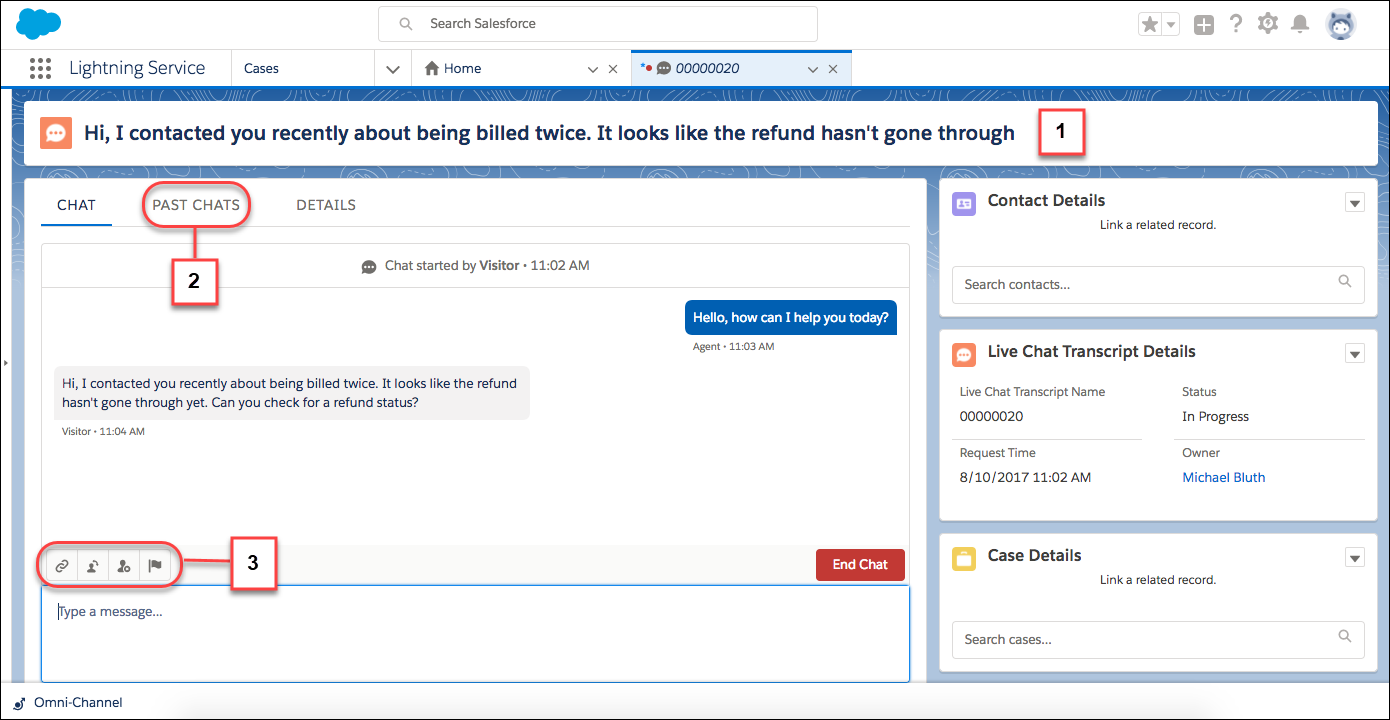
您的小組可以在服務主控台接受聊天。客戶訊息的前 100 個字元會顯示在聊天標頭中,因此您可以輕鬆區分所有進行中的聊天 (1)。「過去的聊天」索引標籤可讓您快速參照先前與客戶的聊天 (2)。方便的工具列可以提供您快速服務所需的一切 (3)。
Facebook Messenger for Essentials 可將公司的 Facebook 頁面連線至 Salesforce,這樣就不會遺漏傳送至網頁的訊息。在設定「傳訊」之前,請確定您的公司頁面已經準備就緒。
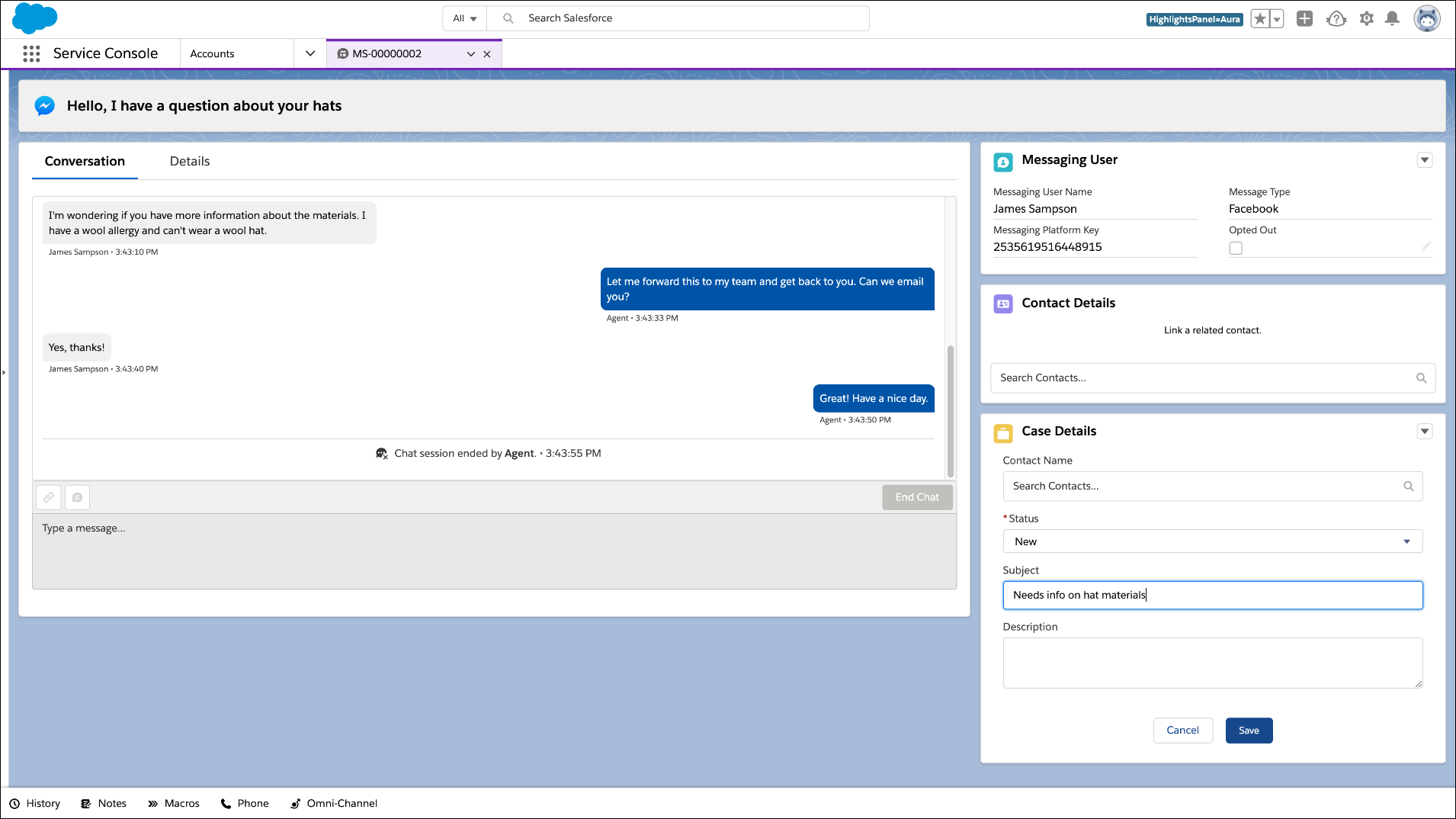
您可以在聊天的相同位置回應訊息:正好就在 Service Console。聊天、訊息、個案等其他項目會在索引標籤中開啟,因此您能一次進行多個對話。輕鬆建立相關的記錄,您就不會錯過重要資訊,客戶也能隨時獲得需要的資訊。
Essentials 隨附 1 個 Web Chat 授權與 1 個 Facebook Messenger for Essentials 授權,使您能夠立即開始使用。當您準備好時,可以從「管理訂閱」頁面為您的小組購買更多授權。
「聊天」與「傳訊」設定頁面就是您可以透過簡單的引導式設定流程開始操作的地方。如果您正在新增小組,您在每個流程中選取的使用者都會立即開始收到聊天與訊息要求。他們只需要使用 App Launcher 切換至 Service Console 應用程式,從公用程式列開啟 Omni-Channel,然後將其狀態變更為「可用 - 聊天」或「可用 - 傳訊」即可。
若要將網路聊天新增至您的網站,請在您要顯示聊天按鈕的頁面上,將提供的程式碼片段貼到您的網站之前的關閉內文標籤 (</body>)。
若要將網路聊天新增至說明中心,請使用體驗產生器將「內嵌服務聊天」元件拖曳至說明中心。接著在體驗產生器中開啟安全性設定,並將聊天端點 URL 新增為信任的網站。聊天端點位於您的內嵌聊天程式碼片段中,作為 baseLiveAgentContentURL。(如果您遺失程式碼片段,您可以在 設定 | 內嵌服務 中找到它。)

We use three kinds of cookies on our websites: required, functional, and advertising. You can choose whether functional and advertising cookies apply. Click on the different cookie categories to find out more about each category and to change the default settings.
Privacy Statement
Required cookies are necessary for basic website functionality. Some examples include: session cookies needed to transmit the website, authentication cookies, and security cookies.
Functional cookies enhance functions, performance, and services on the website. Some examples include: cookies used to analyze site traffic, cookies used for market research, and cookies used to display advertising that is not directed to a particular individual.
Advertising cookies track activity across websites in order to understand a viewer’s interests, and direct them specific marketing. Some examples include: cookies used for remarketing, or interest-based advertising.