
You are here:
Create a Contact and Use a Formula (Managed Package)
For the managed package runtime, an Omnistudio Data Mapper Load creates a record in the Salesforce Contact object. A formula checks whether the contact is over 18 years old: if so, a custom Authorized field is set to true.
 This information is for Omnistudio for Managed Packages. For Omnistudio on standard runtime, see Omnistudio Help.
The input JSON for this Data Mapper Load contains the Contact details, for example:
{
   "ContactDetails": {
      "Birthdate": "10/10/1954",
      "LastName": "Singh",
      "Telephone": "5106345789",
      "FirstName": "Sanjay"
   }
}
To create this example Data Mapper Load:
- If your org Contact object does not have an Authorized field, add one (checkbox). In the following example, the authorized field is called Authorized__c. Depending on your industry, you might need to add a vlocity_cmt__, vlocity_ins__, or vlocity_ps__ namespace prefix.
- Navigate to the Data Mapper Designer tab and click New. The Create: Data Mapper Interface dialog is displayed.
-
Enter settings as follows and click Save:
-
Data Mapper Interface Name: A descriptive name of your choice
-
Interface Type: Load
-
Input Type: JSON
-
Output Type: SObject
-
- On the Objects tab, click Add Object and choose Contact.
-
On the Fields tab, map fields from the JSON input to fields in the Salesforce Contact object as shown in the following table.
Input JSON Path
Domain Object Field
ContactDetails:Authorized
Authorized__c
Depending on your industry, you might need to add a vlocity_cmt__, vlocity_ins__, or vlocity_ps__ namespace prefix.
ContactDetails:Birthdate
Birthdate
ContactDetails:FirstName
FirstName
ContactDetails:LastName
LastName
ContactDetails:Telephone
Phone
-
On the Formulas tab, click Add Formula and enter a Formula of
IF(AGE(ContactDetails:Birthdate) > 18, "true", "false")and a Formula Result Path ofContactDetails:Authorizedas shown in the following figure.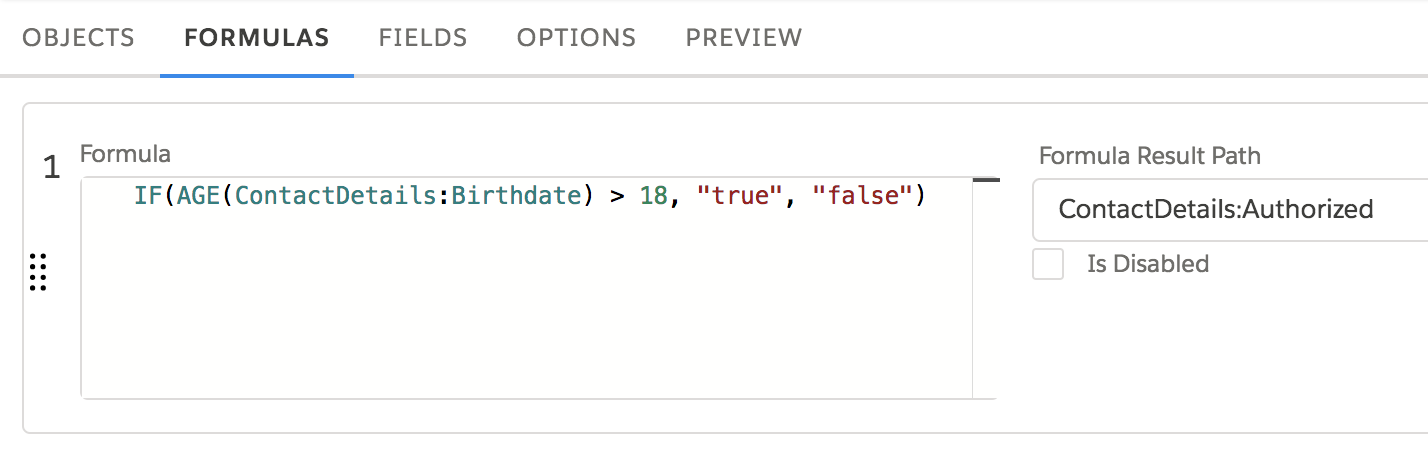
- Go to the Preview tab.
-
Paste the following test data into the Input pane on the left.
{ "ContactDetails": { "Birthdate": "10/10/1954", "LastName": "MyLastName", "Telephone": "5106345789", "FirstName": "MyFirstName" } } -
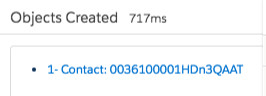
Click Execute. If the load succeeds, a link to the object is displayed in the Objects Created pane, as shown in the following figure.
- Click the link and verify that the Authorized checkbox is checked only if the contact is over 18 years old.
