
You are here:
Learn About Lightning Sync for Microsoft® Exchange Features
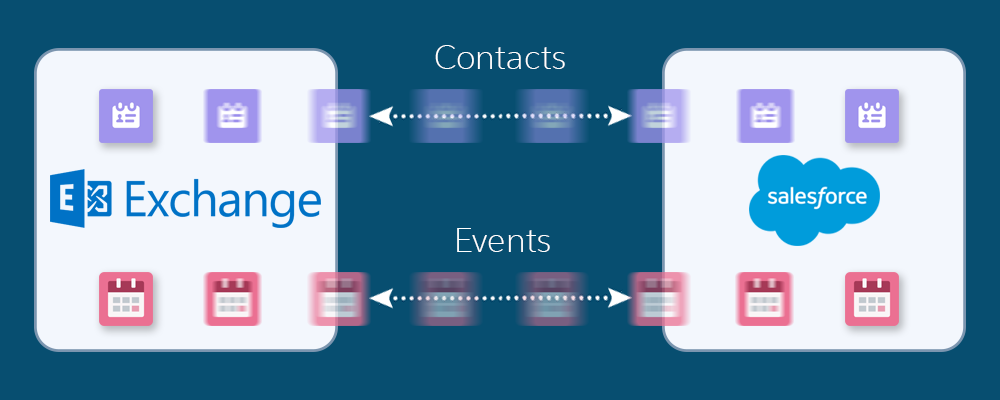
Keep your contacts and events in sync between your Microsoft® Exchange server and Salesforce without installing and maintaining software manually.
Required Editions
| Available to sync records from: Salesforce Classic, Lightning Experience, and the Salesforce mobile app |
| Available to set up from: Salesforce Classic and Lightning Experience |
| Available in: Professional, Enterprise, Performance, Unlimited, and Developer Editions with Sales Cloud, Service Cloud, and Lightning Platform |

Starting in Winter ‘21, Lightning Sync isn’t available to new Salesforce customers. Use Einstein Activity Capture to sync events, contacts, and emails between your connected account and Salesforce.
If you have Lightning Sync, use the migration tool to move to Einstein Activity Capture before Lightning Sync retires in April 2027.
If you use Lightning Sync with Microsoft Office 365 and Exchange Web Service (EWS) as your authentication method, complete your migration by August 2026 to avoid service disruption. In October 2026, Microsoft retires EWS for Microsoft 365 and replaces it with Microsoft Graph API. After migrating to Einstein Activity Capture, upgrade to the Microsoft Graph authentication method. See Upgrade Microsoft Office 365 Authentication Method to Microsoft Graph in Einstein Activity Capture.
This change affects all orgs except those using Government Cloud.
When your contacts and events sync between your company’s Microsoft® Exchange server and Salesforce, you increase your productivity. There’s no need to duplicate your work between the two systems. Plus, Lightning Sync syncs items whether you’re working from your desk or from the Salesforce mobile app.
Salesforce admins define your experience by selecting sync settings from Salesforce. For example, admins can choose whether both contacts and events sync, or whether only contacts or only events sync. Admins can also decide which direction your items sync: between Salesforce and your Microsoft Exchange server, or just one way.
Admins can also set up all events to sync or only the events that you select. If you’re set up to sync only selected events, you can choose which events to sync using the Outlook integration app. Outlook integration lets you experience Salesforce features directly from Microsoft Outlook®.
Admins can select more settings to define your sync experience. Ask your admin about how you’re set up to sync in these cases:
- Are you syncing private events?
- Are events that you delete in one calendar automatically removed from the other?
- Are your events automatically related to relevant Salesforce contacts, or one relevant lead?
- Are you syncing event series (repeating events created in Lightning Experience or the Salesforce mobile app)?
Lightning Sync for Microsoft Exchange Limitations
Currently, Lightning Sync doesn’t. See Lightning Sync Considerations for more details.
- Sync tasks. Instead, admins can set up the Outlook integration app to let you work with Salesforce tasks from Outlook.
- Sync recurring events (repeating events created in Salesforce Classic). Instead, move to Lightning Experience—Lightning Sync can sync event series (repeating events created in Lightning Experience).
- Automatically remove deleted contacts from the other application.
