You are here:
Merge Duplicate Accounts in Salesforce Classic
Merge duplicate accounts in Salesforce Classic.
Required Editions
| Available in: Salesforce Classic |
Business accounts available in: All Editions except Database.com Person accounts available in Enterprise, Performance, Unlimited, and Developer Editions |
| User Permissions Needed | |
|---|---|
| To view business or person accounts: | Read on business or person accounts |
| To merge business or person accounts: | Delete on business or person accounts AND You must be a Salesforce admin, the account owner, or a user above the account owner in the role hierarchy |

Important Where possible, we changed noninclusive terms to align with our company
value of Equality. We maintained certain terms to avoid any effect on customer
implementations.
Watch the 5-minute video to see how to merge accounts in Salesforce Classic.
-
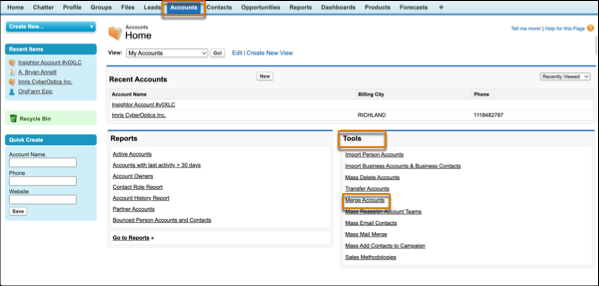
From the Accounts tab, click Merge Accounts in the Tools
section. If you don’t see the merge option, ask your admin to check your user
permissions.
- To show a list of duplicate accounts, enter a search string, such as part of an account name, in the text box. Then click Find Accounts.
- Select up to three accounts that you want to merge. Then click Next.
- Select one account as the master or principal record.
- Select the fields that you want to retain from each record. Fields with conflicting values are highlighted.
- Click Merge.
Did this article solve your issue?
Let us know so we can improve!
