You are here:
Work with Archived Activities
Find, view, and edit the activities Salesforce has archived.
Required Editions
| Available in Lightning Experience and Salesforce Classic |
| Available in: All Editions |
Salesforce archives these activities:
- Events that ended more than 365 days ago
- Closed tasks due more than 365 days ago
- Closed tasks created more than 365 days ago (if they have no due date)
Salesforce doesn’t archive recurring tasks or events in a series.
Salesforce doesn’t delete archived activities, but you can manually delete them.
When you create or refresh a sandbox, archived activities aren’t copied.
You can view and interact with archived activities in exported data and in certain locations in Salesforce.

If you modify an archived activity such that it no longer meets the archival criteria, it’s no longer considered archived. Salesforce archives the activity again when it meets the criteria in the future.
For example, imagine that a task was created 365 days ago with no due date. It was closed some time earlier and is archived today, 365 days after its creation. Tomorrow, a user edits the task by adding a due date of Jan 1, 2020. Now the task doesn't meet the archive criteria, and is unarchived. The task is rearchived 365 days after Jan 1, 2020, not 365 days after tomorrow, which is the last modified date.
Lightning Experience
You can view the history of your work with customers, including archived activities, from several places.
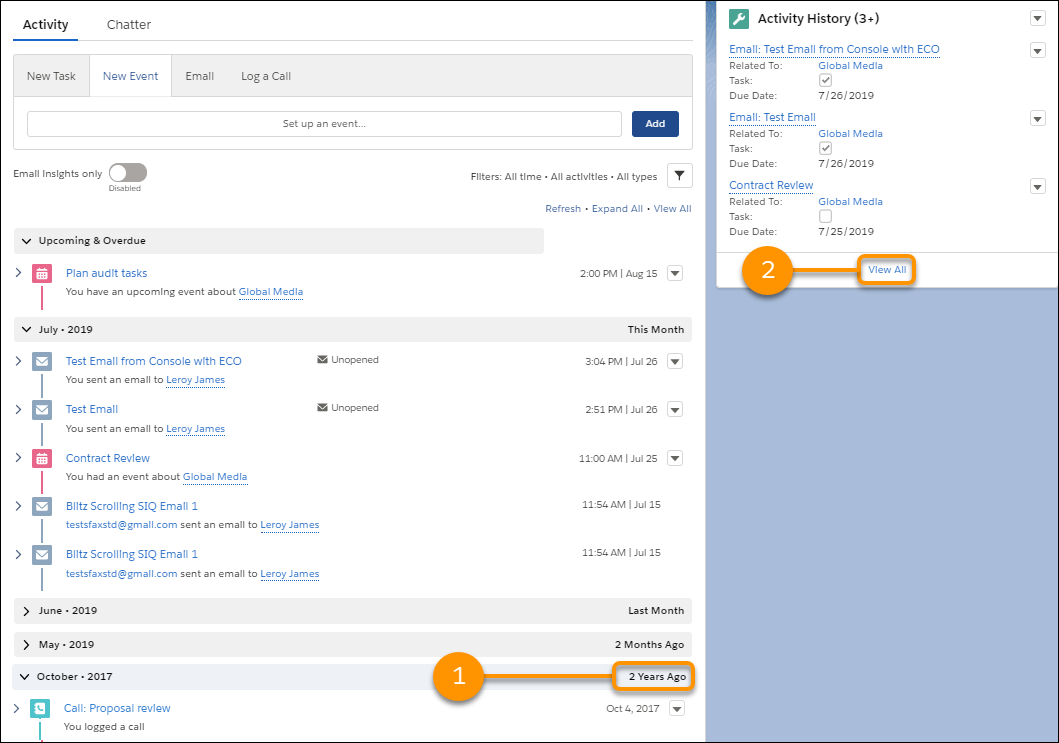
Archived activities are in the activity timeline (1), where they can be viewed and edited.
Clicking View All (2) in the Activity History related list opens the Activity History tab.
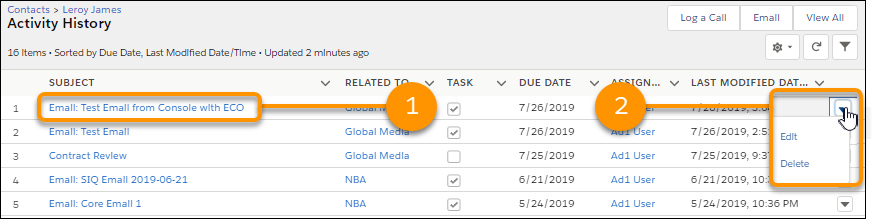
In the Activity History tab, you can sort entries. Click the subject (1) to open and edit activities, including archived activities, or use the row-level dropdown (2) to edit or delete activities.
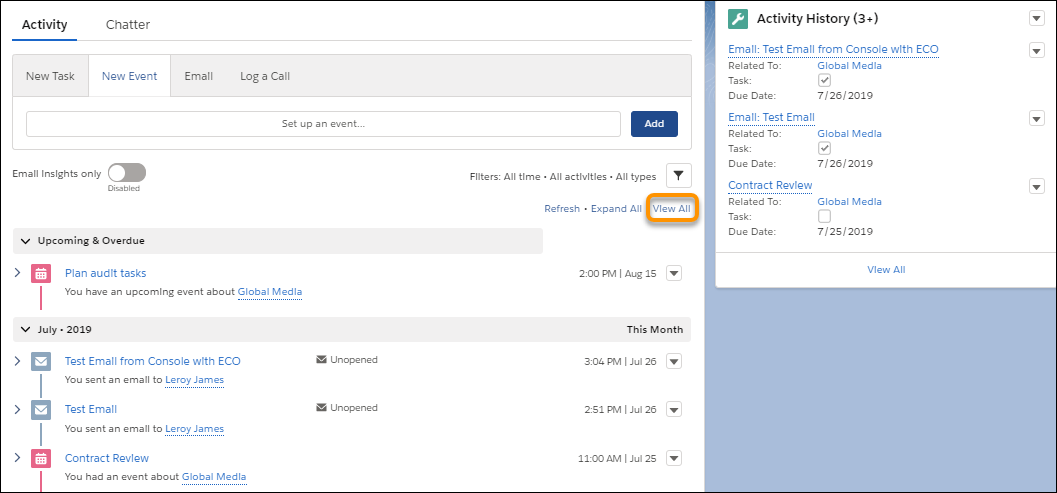
Clicking View All in the activity timeline opens the All Activity History list.
The All Activity History list is ideal for printing.
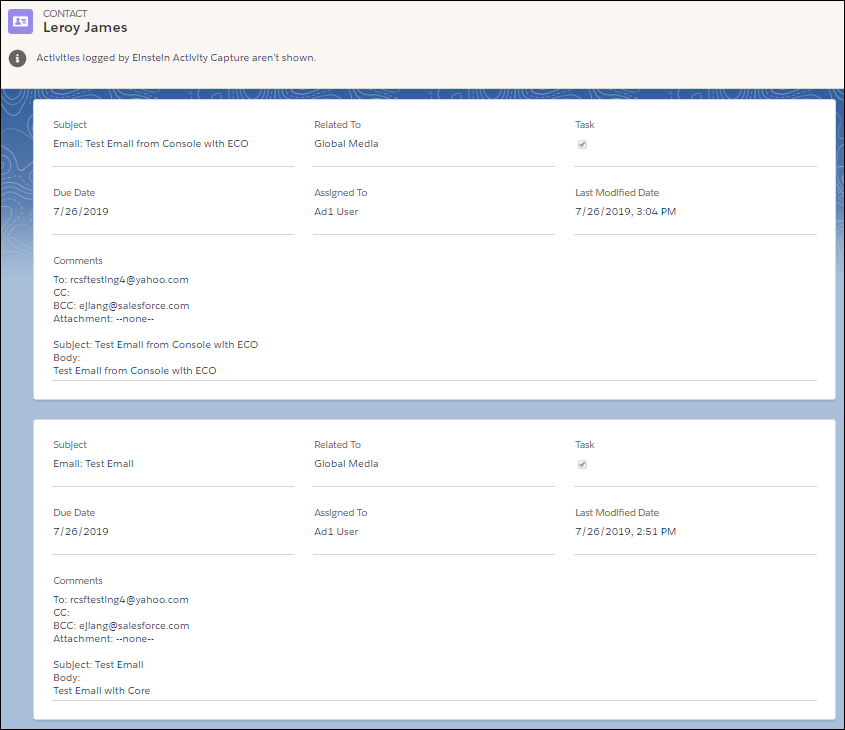
Up to 2,000 records appear, including archived records.
Salesforce Classic
View archived activities in these locations in Salesforce Classic:
- In the Activity History related list or by clicking View All

- In the printable view of the record in the Name or Related To field
- Using the URL for the activity, if you know it
