Loading
Upcoming Mandatory Changes to Public Key Infrastructure (PKI)Read More
Agentforce and Einstein Generative AI
Table of Contents
Select Filters

          No results
          No results
          Here are some search tips

          Check the spelling of your keywords.
          Use more general search terms.
          Select fewer filters to broaden your search.

          Search all of Salesforce Help
          Create the Channel for Agentforce Voice with SIP or Dynamic Routing

          Create the Channel for Agentforce Voice with SIP or Dynamic Routing

          Create a Messaging channel to manage incoming calls transferred to the Agentforce agent. To route inbound calls to the agent using the SIP address or Dynamic Routing number, create a Messaging channel that maps the SIP address or Dynamic Routing number to the Omni-Channel flow. When an incoming call is transferred using this address or number, the Omni-Channel flow routes the call to the agent assigned to the channel.
          Required Editions

          Available in: Lightning Experience
          Available in: Enterprise, Unlimited, and Developer Editions with Foundations or Agentforce 1 Editions, and Salesforce Voice add-ons.
          1. From Setup, in the Quick Find box, enter Agentforce Voice, then select Agentforce Voice Setup.
          2. In the Channel for Agentforce Voice step on the Agentforce Voice Setup page, click Add.
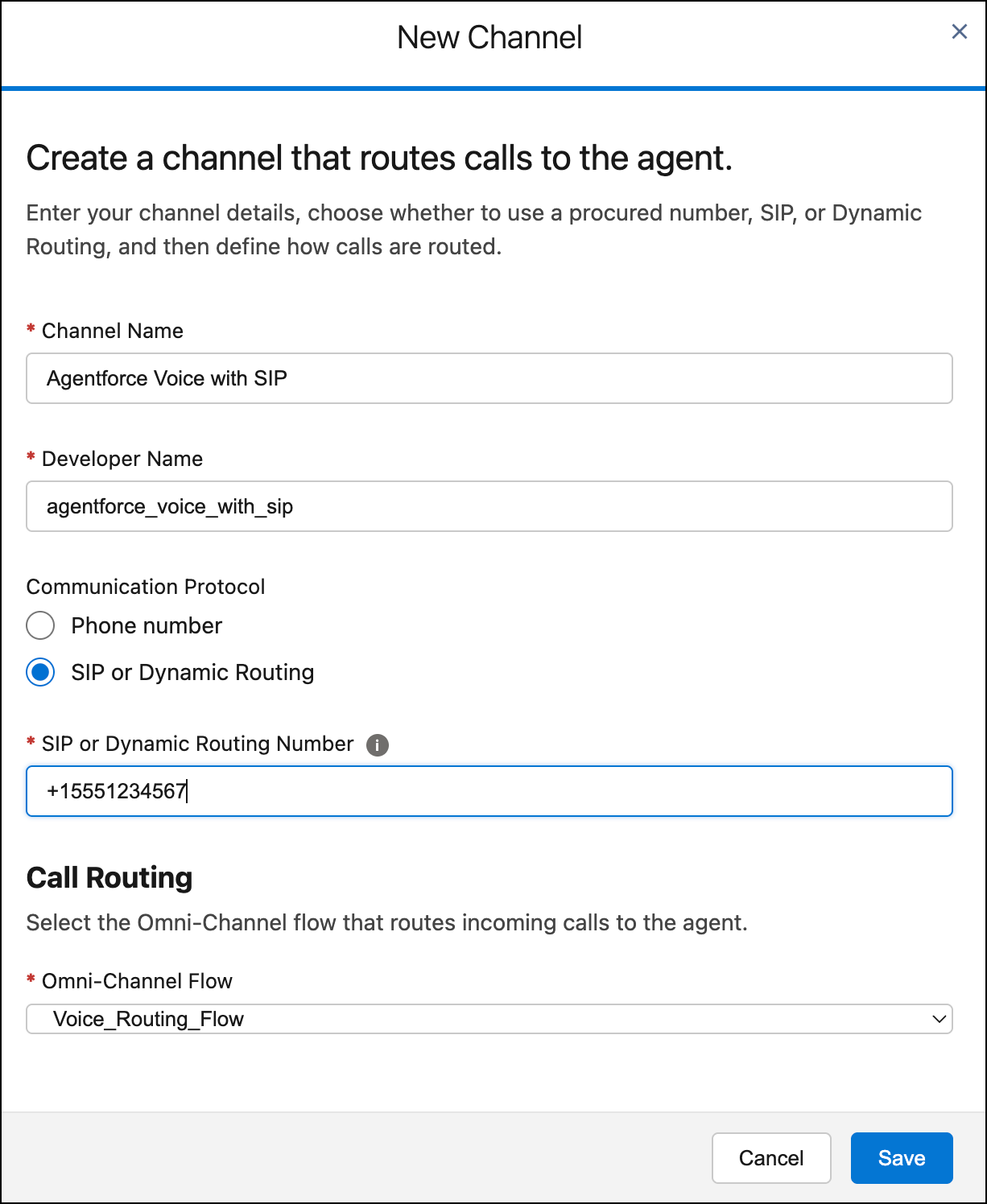
            The New Channel page contains the channel settings.
          3. Enter the name and developer name of the channel.
          4. Select SIP or Dynamic Routing and then enter the SIP address or Dynamic Routing virtual number that routes incoming calls to the agent.

            For SIP, use this same address in the To User key of the telephony provider's inbound flow.

            For Dynamic Routing, use this virtual number as the toNumber parameter when calling the Salesforce Telephony API from your partner contact center. The virtual number is the internal routing identifier. Salesforce uses the virtual number to identify the right channel, Omni-Channel flow, and call context.

            Note
            Note Although the SIP address or virtual number isn't an actual dialable phone number, the value must be in the E.164 format.
          5. Under Call Routing, select the Omni-Channel flow that routes inbound calls to the agent.
            Don't select the escalation flow.
          6. Click Save.
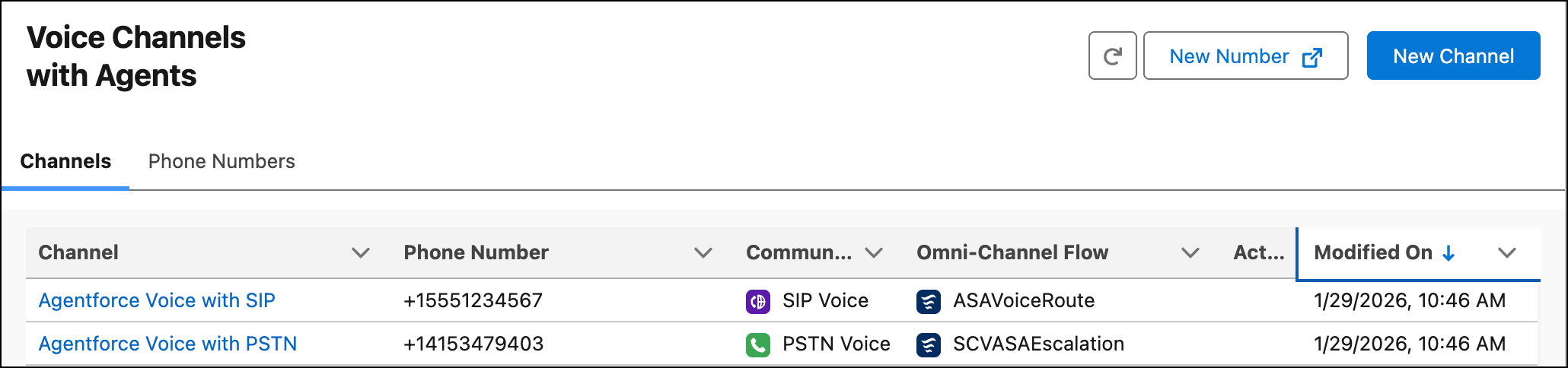
            The Channels tab in the Agentforce Voice Setup page shows the channels that are added. A newly added channel can take a couple of minutes to appear in this tab.
            The Channels tab shows the channels created for Agentforce Voice.
          7. In the Channels tab, click the channel name.
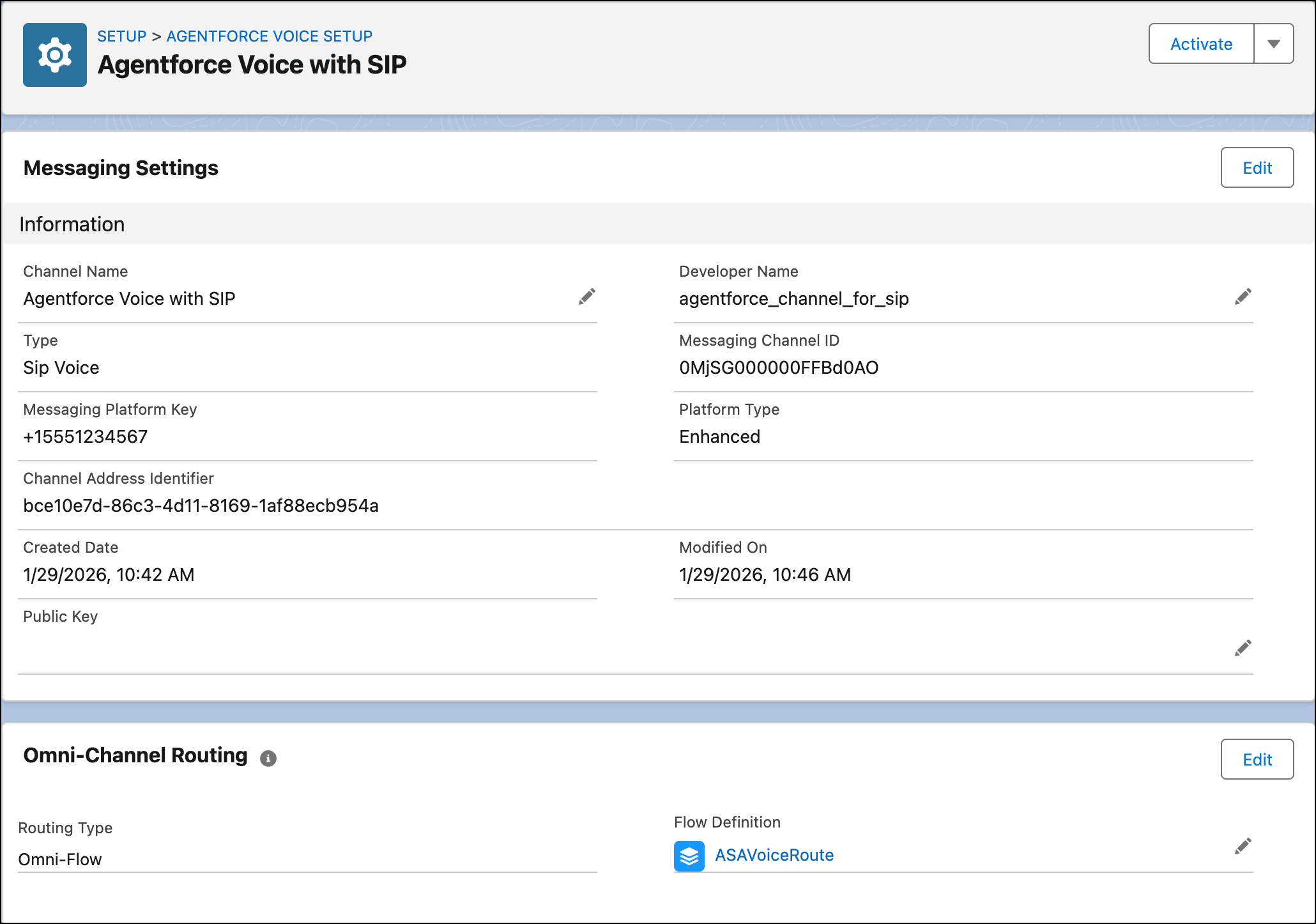
            This page shows the channel details.
          8. (For SIP only) If you aren’t a Salesforce Voice with Telephony Providers customer, edit the channel and, in the Public Key field, enter an unexpired certificate. Without it, Omni-Channel will not route the calls to the voice-enabled agent.

            To learn how to generate a token, which includes a certificate, see Generate a Self-Signed Certificate with OpenSSL. For the token requirements, see the token UUI parameter description in Configure Inbound Call Transfers When Using SIP.

          9. Click Activate.

          After you create an agent, configure calls to be transferred to the agent, and configure calls with an agent to be escalated to a rep, it’s time to activate your agent.

           
          Loading
          Salesforce Help | Article