
Loading
Upcoming Mandatory Changes to Public Key Infrastructure (PKI)Read More
Salesforce Enforces New Security Requirements in Summer 2026Read More
Agentforce and Einstein Generative AI
Table of Contents
Select Filters

          No results
          No results
          Here are some search tips

          Check the spelling of your keywords.
          Use more general search terms.
          Select fewer filters to broaden your search.

          Search all of Salesforce Help
          Create a Data Library

          Create a Data Library

          Create a data library and give it a unique name.

          Required Editions

          Available in: Lightning Experience
          Available in: Enterprise, Performance, and Unlimited Editions with the Einstein for Platform or Einstein or Agentforce for Sales or Service add-on, or Agentforce Foundations
          User Permissions Needed
          To set up Agentforce Data Libraries: Data Cloud admin AND System Administrator permissions.

          To use Agentforce Data Libraries, you must have Data 360 set up. Data libraries consume Data 360 credits.

          Important
          Important Web search isn't supported for new data libraries. To search the web in your agents, use the Search the Web standard action. To search the web in your prompt templates, use the web retriever in Prompt Builder.
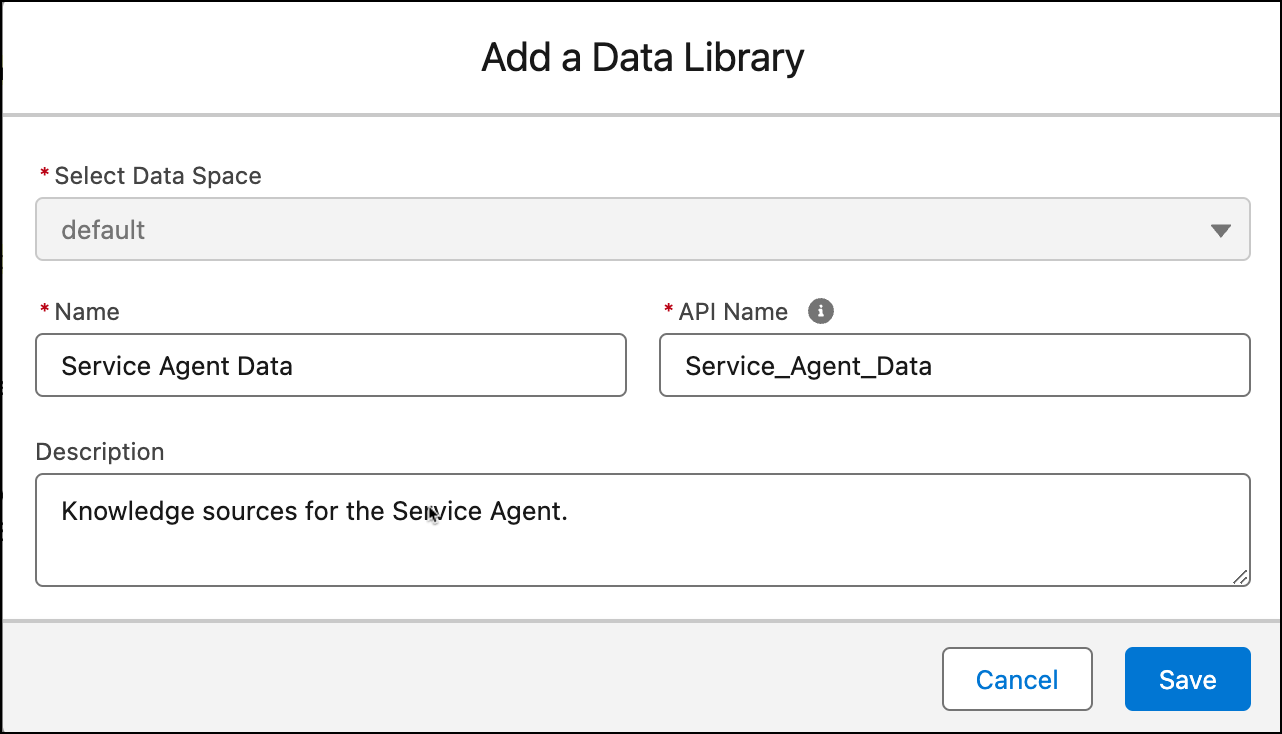
          1. To create a data library, go to Agentforce Data Library in setup. Click New Library.
          2. Enter a library name, and the API name is automatically populated. Optionally, enter a description.
            New data library with the data space, name, api name and description filled.
          3. Click Save.
           
          Loading
          Salesforce Help | Article
