
Test Data Libraries in a Sandbox
A sandbox is a copy of your Salesforce org that you can use for development, testing, and training without compromising the data and applications in your production org. Agentforce Data Library is supported in all the sandbox types: Developer, Developer Pro, Partial Copy, and Full Copy.
Required Editions
| Available in: Lightning Experience |
| Available in: Enterprise, Performance, and Unlimited Editions with the Einstein for Platform or Einstein or Agentforce for Sales or Service add-on, or Agentforce Foundations |
Use a sandbox to:
- Test changes against copies of your production data and users.
- Provide a training environment.
- Test AppExchange packages or integrations.
- Isolate customization and development work from your production environment until you’re ready to deploy changes.
Before you begin, complete these prerequisites.
-
To use Agentforce Data Libraries, you must have Data 360 set up. Data libraries consume Data 360 credits.
- Provision a Data 360 sandbox.
- Check that you have Agentforce Data Library licenses and permissions.
Considerations:
- Making Agentforce Data Library changes in a sandbox and deploying those changes back to the production org or another sandbox org isn’t supported.
- Data 360 sandboxes contain only metadata. No data is replicated when you provision Data 360 in a sandbox, even in partial copy and full copy sandboxes.
- Connections are replicated to the sandbox, but the authorization data isn’t replicated. You configure the connection in the sandbox. After you configure the connection, the data flows into the sandbox.
In your sandbox org:
- In the Data Cloud app, check that your search indexes and retrievers were copied correctly from your home org.
-
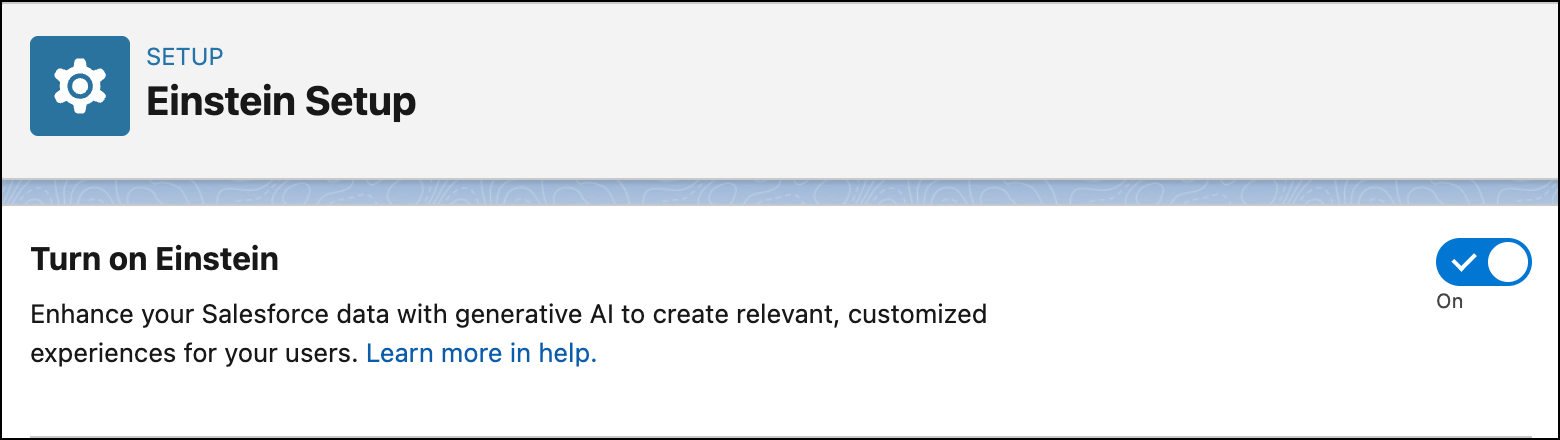
In setup, search for and select Einstein Setup. Turn on generative
AI.
-
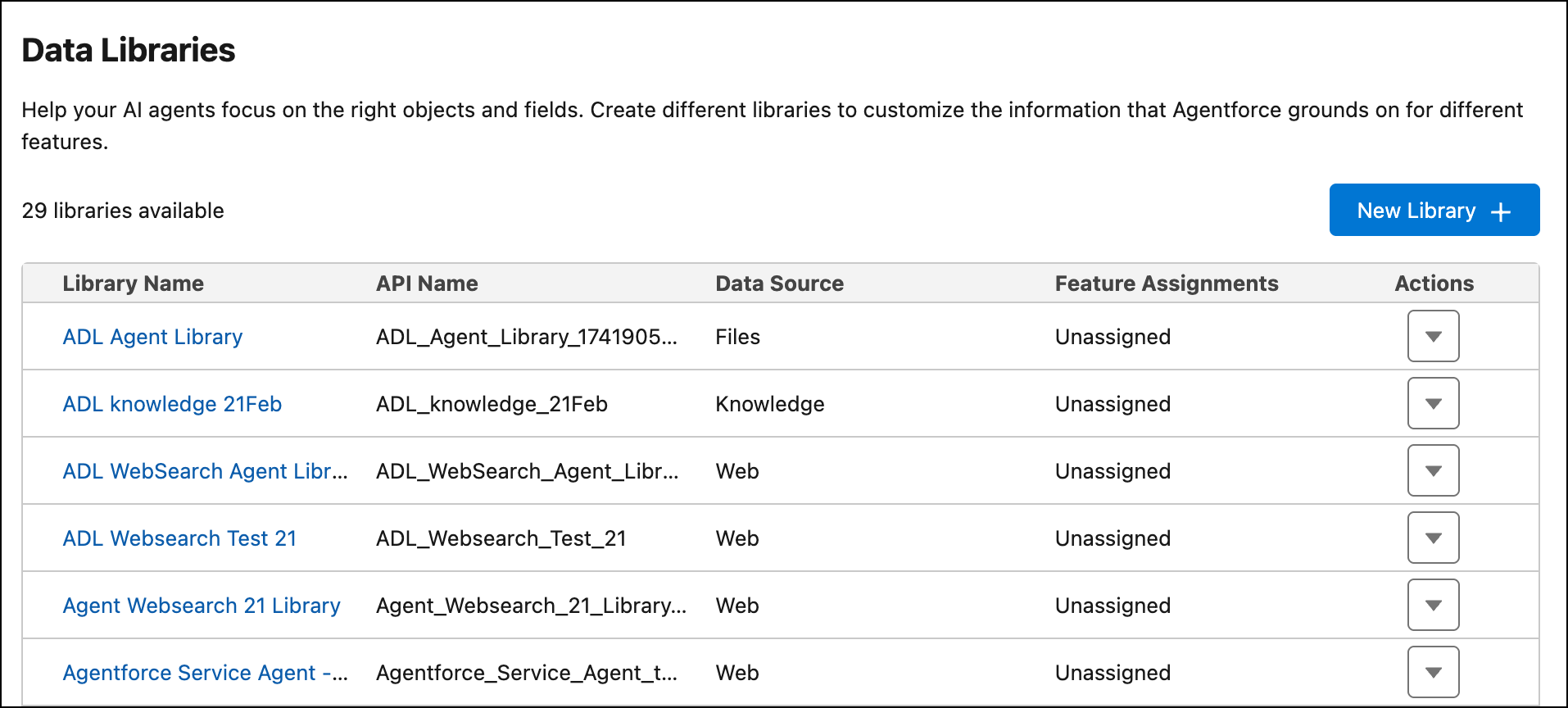
Next, in the Quick find box, search for and select Agentforce Data
Library. Check that your data libraries were copied correctly from your home org.
- For file based data libraries, files aren’t copied into sandbox orgs. Re-upload files to their respective data libraries.
-
For knowledge-based data libraries, check that your knowledge articles were copied over
correctly. In the Knowledge app, under Published Articles, you see the articles that you want
to test with your agents.
-
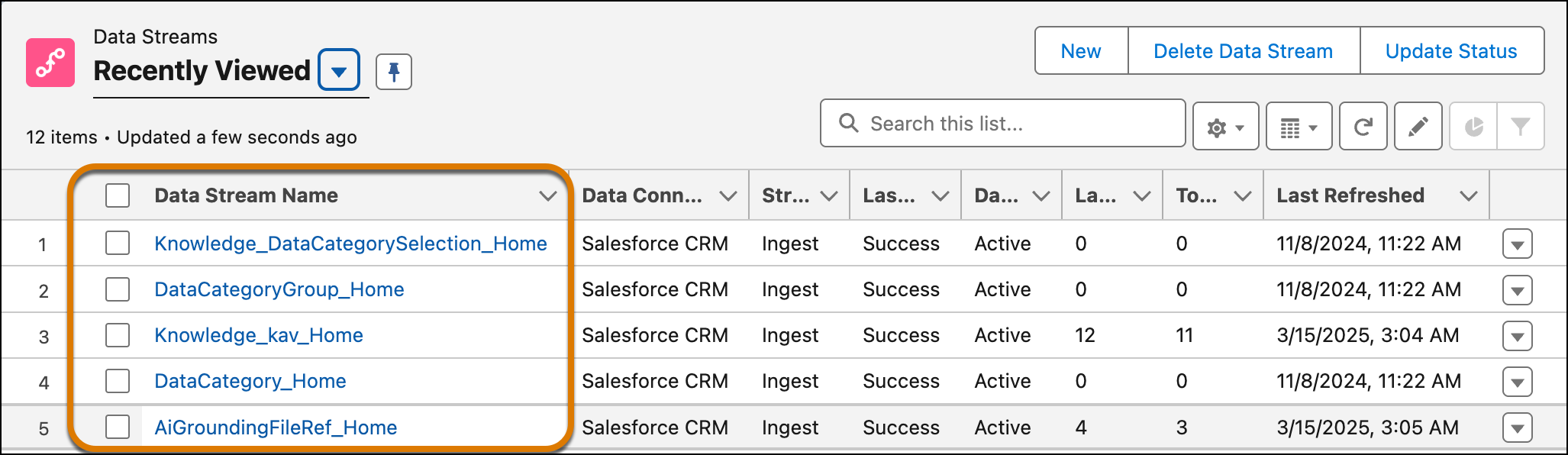
In the Data Cloud app, go to Data Streams and refresh these data streams.
- AiGroundingFileRef_Home
- DataCategory_Home
- DataCategoryGroup_Home
- Knowledge_DataCategorySelection_Home
- Knowledge_kav_Home
- To ensure that retrievers are working in your sandbox, for files go to AI Models (formerly Einstein Studio) and deactivate then reactivate the retriever used by the data library. For knowledge, update a content field in the data library knowledge setup then save and revert it. This updates the retriever version and syncs the metadata.
-
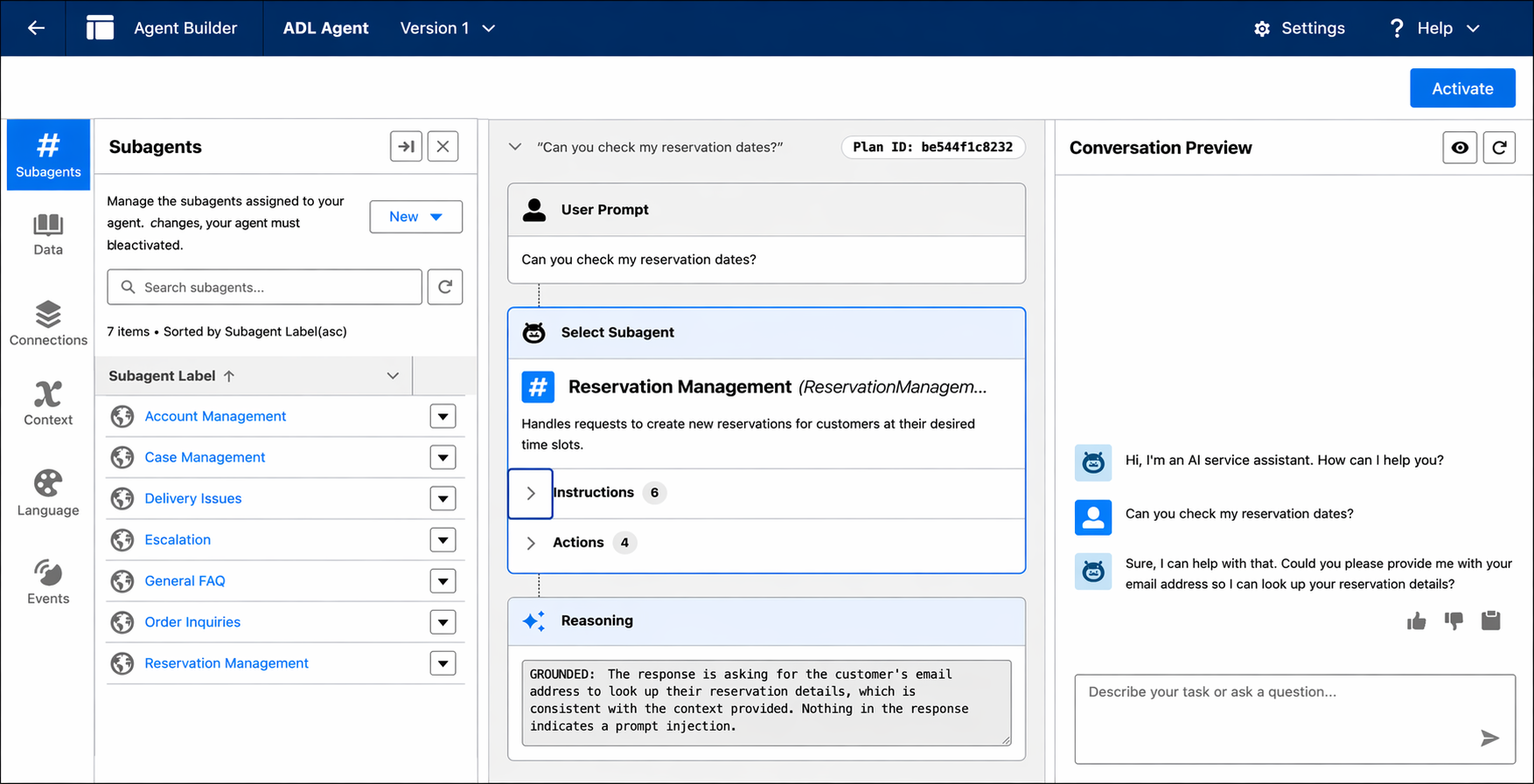
To test your data libraries with agents, in the Quick find box, search for and select
Agentforce Agents. Select the agent that you want to test, and open it
in Agentbuilder. From Agentbuilder you can query the agent and test how data from your libraries appears in large language model (LLM) responses.

Did this article solve your issue?
Let us know so we can improve!
