
You are here:
Configure Inbound Call Transfers Using PSTN
To illustrate how to configure inbound call transfers that happen via PSTN, this page describes how to accomplish these tasks using Amazon Connect.

Tip If Salesforce Voice with Telephony Providers or Bring Your Own Channel for CCaaS is completely set up, use the
createVoiceCall method in the Amazon Connect Lambda function or the createVoiceCall REST API to create a VoiceCall record.
-
In Amazon Connect, create an Amazon Connect inbound flow. To quickly create an inbound
flow, make a copy of the Sample SCV Inbound Flow.
An inbound flow handles incoming calls to your organization’s Amazon Connect instance and routes the calls to their correct destination, such as a rep, a queue, or even an Agentforce agent. For information about how Voice with Telephony Providers uses these flows and to see sample flows, see Amazon Connect Flows and Sample Flows.
-
To create a VoiceCall record in Salesforce, add an AWS Lambda Function block to the flow
and call the createVoiceCall method.
The Sample SCV Inbound Flow contains the AWS Lambda Function block already.
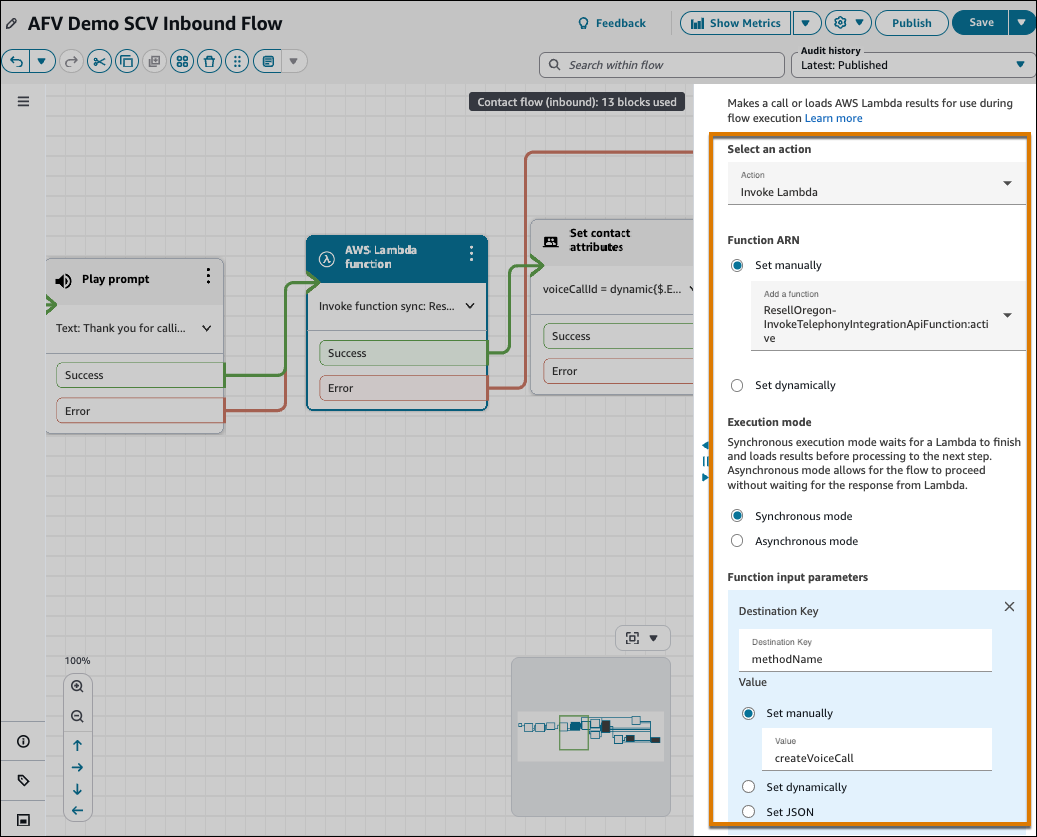
- Click Save.
-
To transfer inbound calls to the procured phone number, add a Transfer to Phone Number
block to the flow.
Add the Transfer to Phone Number block after you create the VoiceCall record and set the VoiceCall ID for the record.
-
In the Transfer To field, enter the procured phone number.
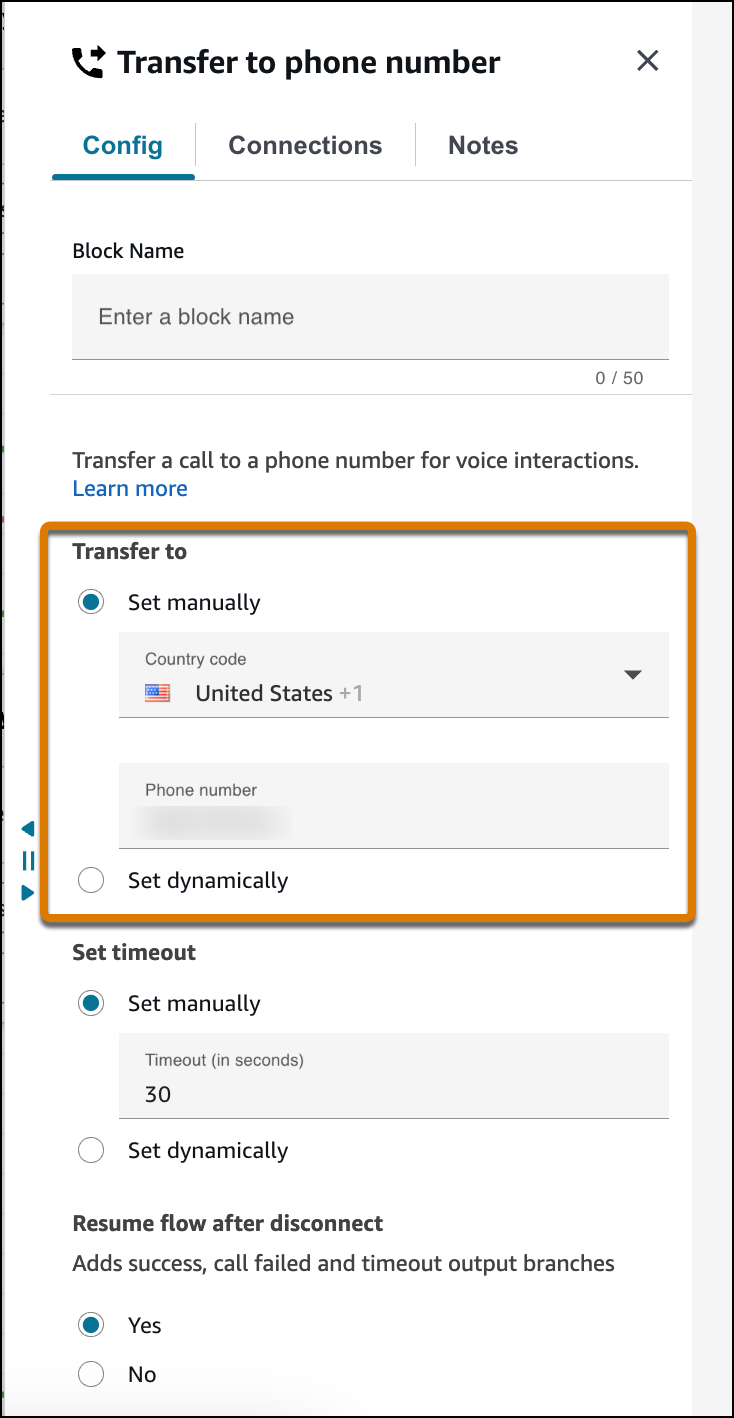
- Click Save.
-
Before the Transfer to Phone Number block, add a Play Prompt block to notify the customer
that they are being transferred to an agent.
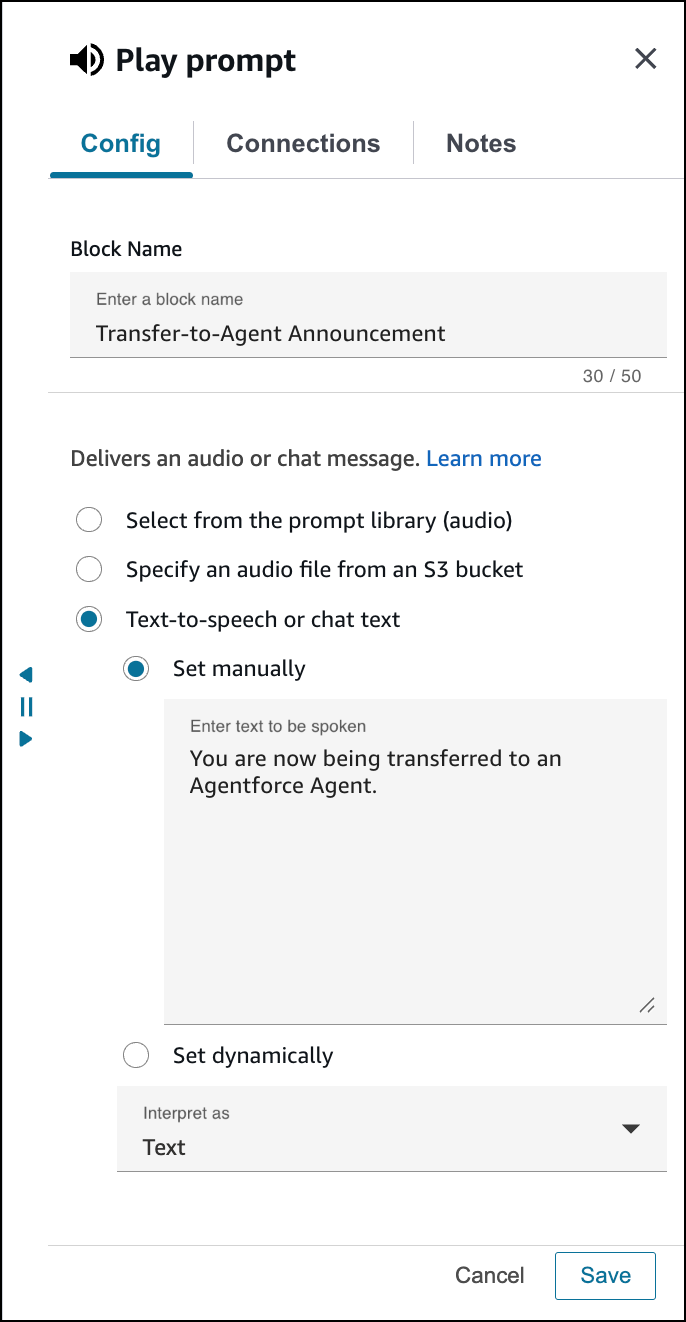
- Click Save.
-
Connect the inputs and outputs of the new blocks that you added to the flow.
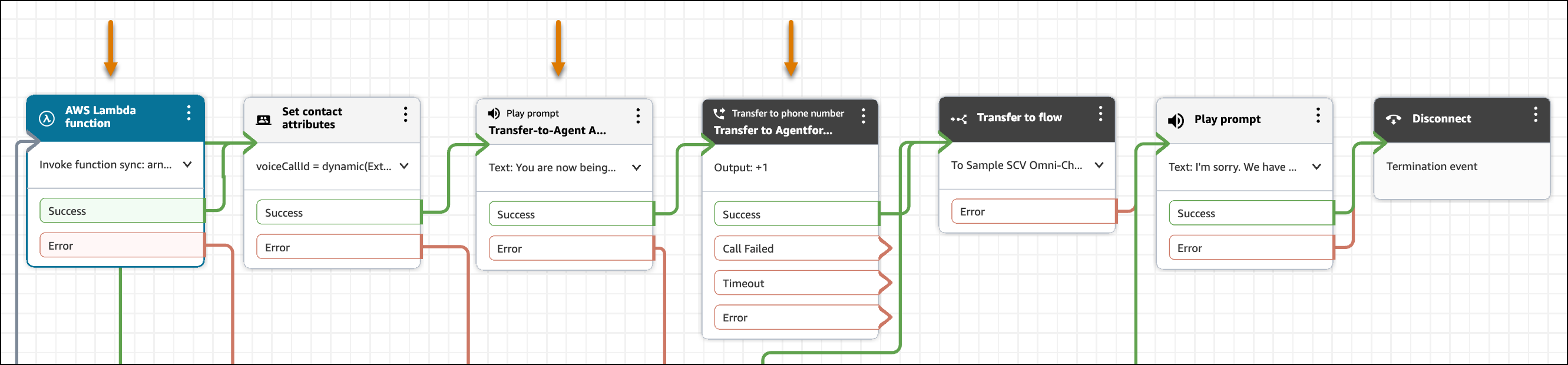
- Save and publish the Amazon Connect flow.
-
To test that the call is transferred to the voice-enabled agent, call the inbound call
phone number.
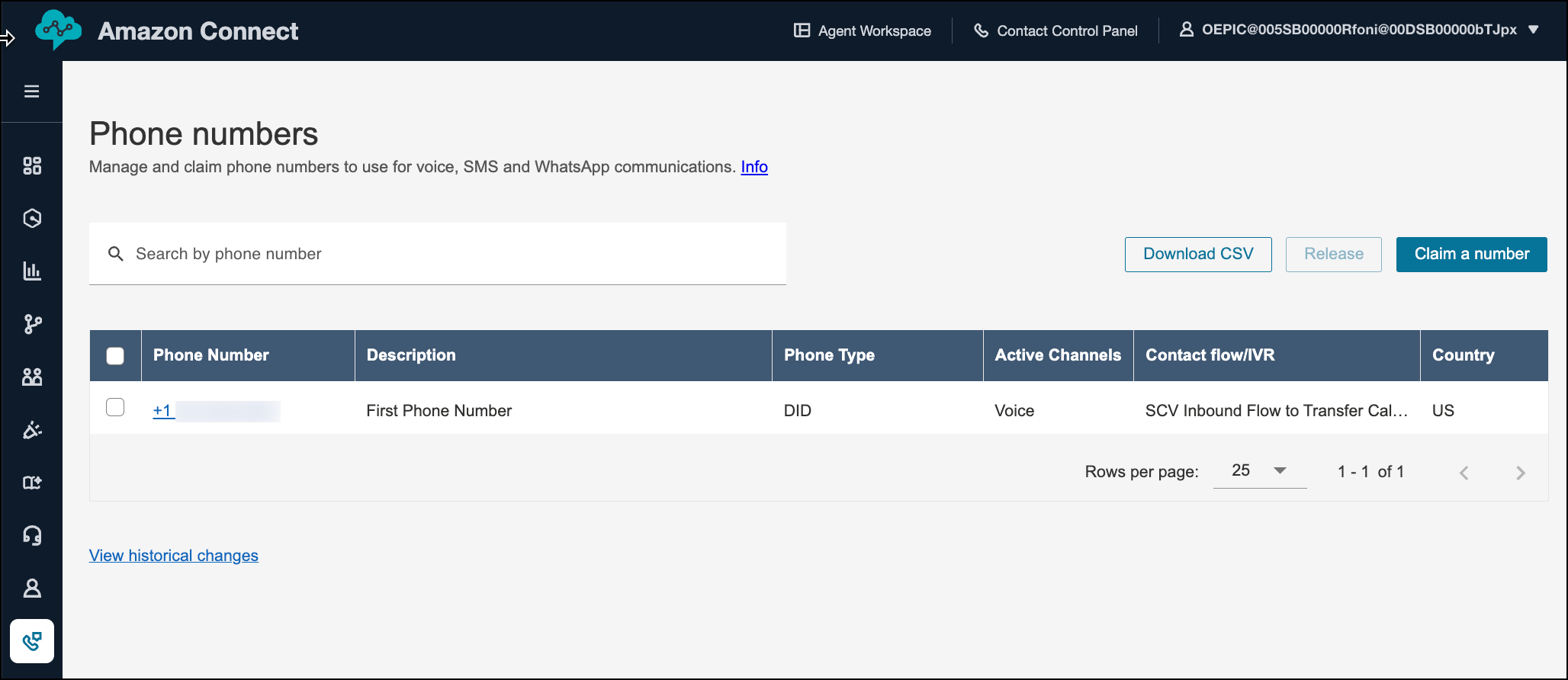
You can find the phone number in the Phone Numbers page in Amazon Connect.
Next, it’s time to configure the telephony system to handle call escalations from the agent to a rep.
Did this article solve your issue?
Let us know so we can improve!
