You are here:
Equivalent Fields in Dashboard Filters
Fields that you select for a dashboard filter often have equivalent fields, which are derived from the same field on the underlying Salesforce object.
Required Editions
| Available in: both Salesforce Classic and Lightning Experience |
| Available in: Essentials, Group (View Only), Professional, Enterprise, Performance, Unlimited, and Developer Editions |
For example, equivalent fields for the Account Name field in the Account object include
- Contact Account Name and Parent Account in the Cases object
- Parent Account and Primary Partner in the Opportunities object
Equivalent fields add flexibility to your filtering options. You can filter on fields that are similar but not the same, and you can apply different equivalent field filters to individual widgets. In Salesforce Classic, widgets are called components.
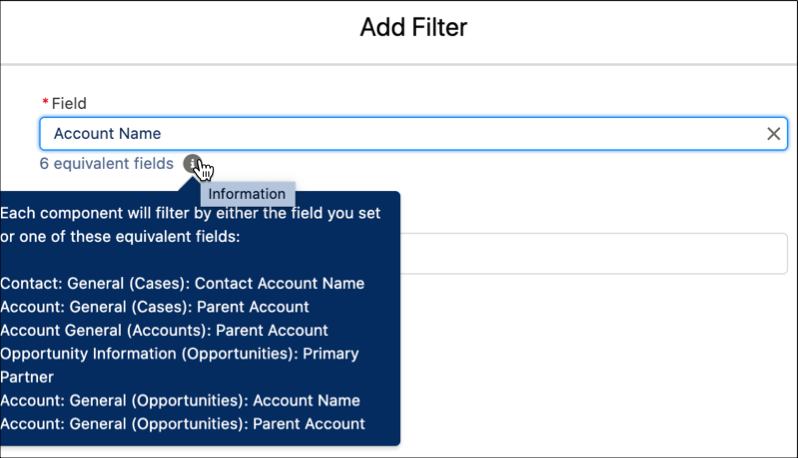
When defining a filter, if the field you select has equivalent fields, hover over ( ) to see them.
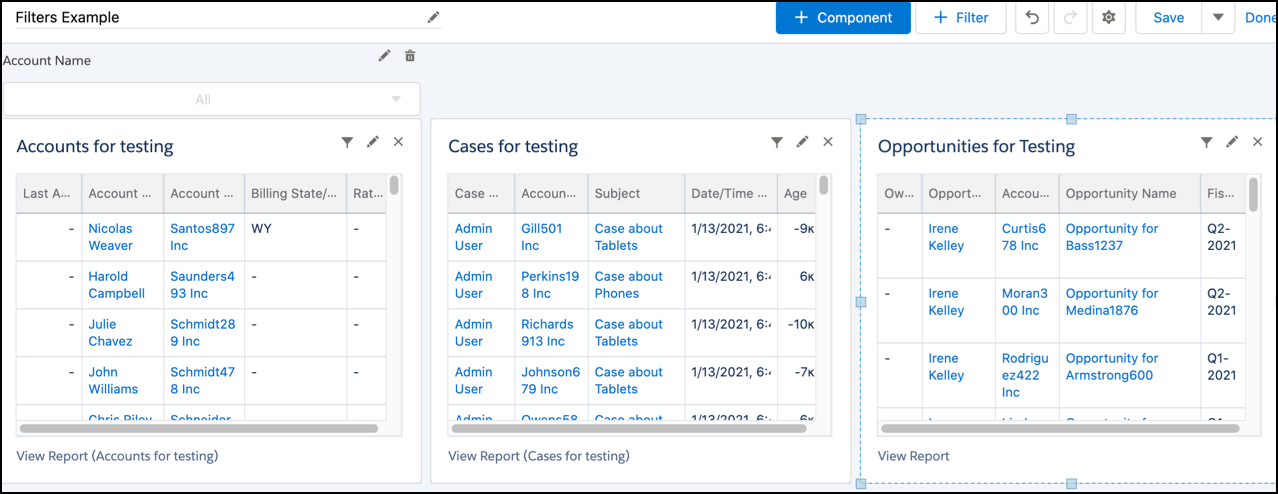
The default equivalent field that’s selected for the filter match is determined automatically for each component. But you can change the default field for individual widgets as needed. For example, this dashboard has one widget based on the Accounts object, one based on the Cases object, and one based on the Opportunities object. An Account Name filter was added.
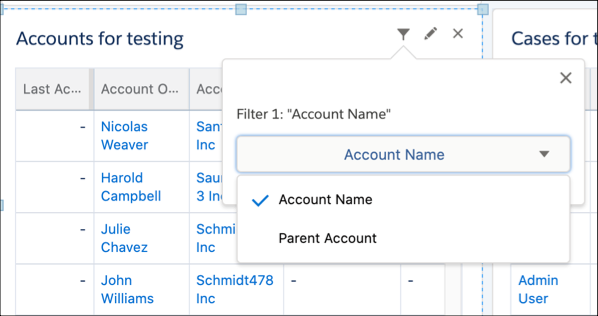
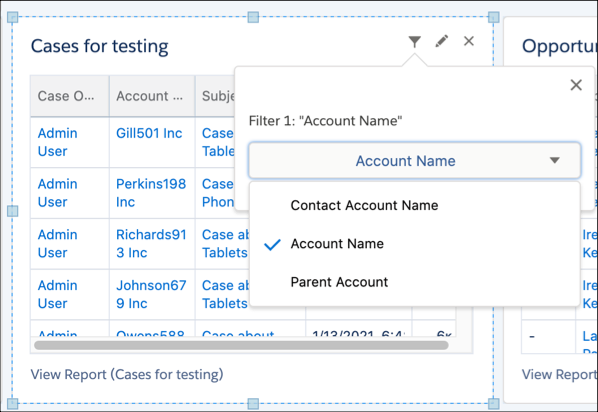
To see which equivalent field is selected for the match in the widget, click  .
.
For the widget based on the Accounts object, the default field for the Account Name filter is Account Name. If you change it to Parent Account, then when a user applies the Account Name filter on the dashboard, this widget is filtered by Parent Account.
For the widget based on the Cases object, Account Name is the default field, but you can change it to Parent Account or Contact Account Name.
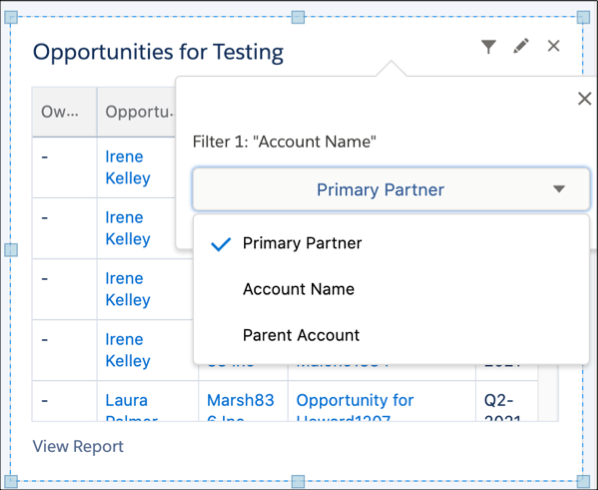
For the widget based on Opportunities, Primary Partner is the default field, but you can change it to Account Name or Parent Account.