You are here:
Write a Row-Level Formula
Writing a row-level formula adds a row-level formula column to your report that makes calculations on every report row. Write row-level formulas directly in the Lightning report builder.
Required Editions
| Available in: Lightning Experience |
| Available in: Essentials, Group, Professional, Enterprise, Performance, Unlimited, and Developer Editions |
| Available in: Enhanced Folder Sharing |
| User Permissions Needed | |
|---|---|
| To create, edit, and delete formulas in private reports: |
|
| To create, edit, and delete formulas in public and private reports: |
|
Here's how to add a row-level formula to a report.
- Create or edit a report.
-
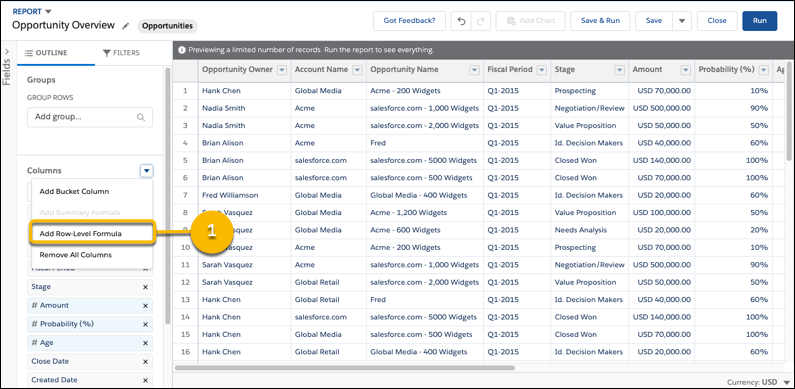
From the Columns section of the Outline pane, click
 | Add Row-Level Formula.
-
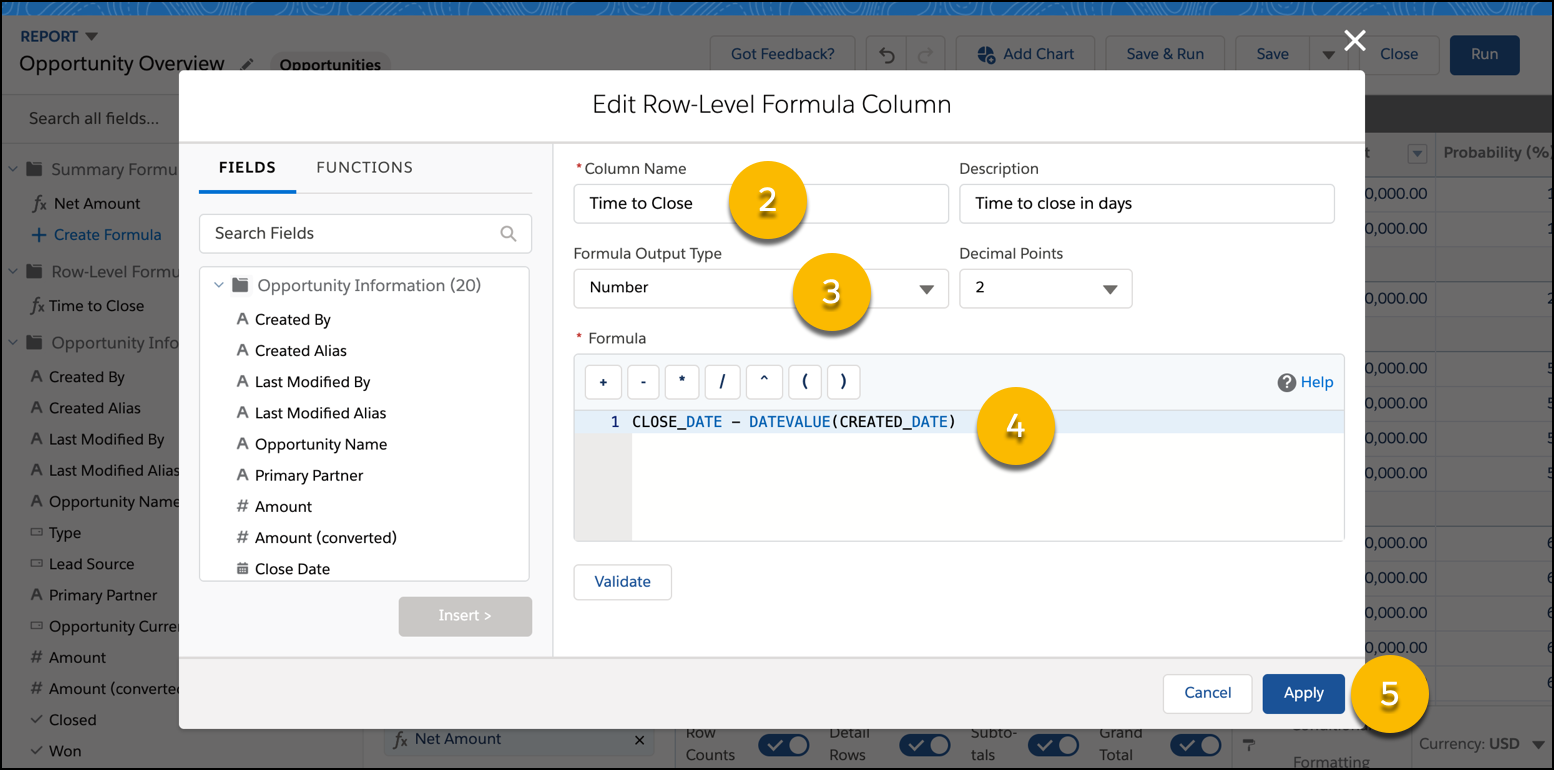
From the Edit Row-Level Formula Column window, enter a Column Name
(2), choose a Formula Output Type (3), and write a
Formula (4). Optionally, enter a Description
and set the number of Decimal Points.
To test your formula for errors, click Validate. If necessary, resolve any errors. Then, click Apply (5).
 Tip For a little row-level formula inspiration, see Examples: Evaluate Each Record in Reports with Row-Level Formulas in Salesforce Help.
To learn more about writing formulas, see Formula Operators and Functions by Context in Salesforce Help.
-
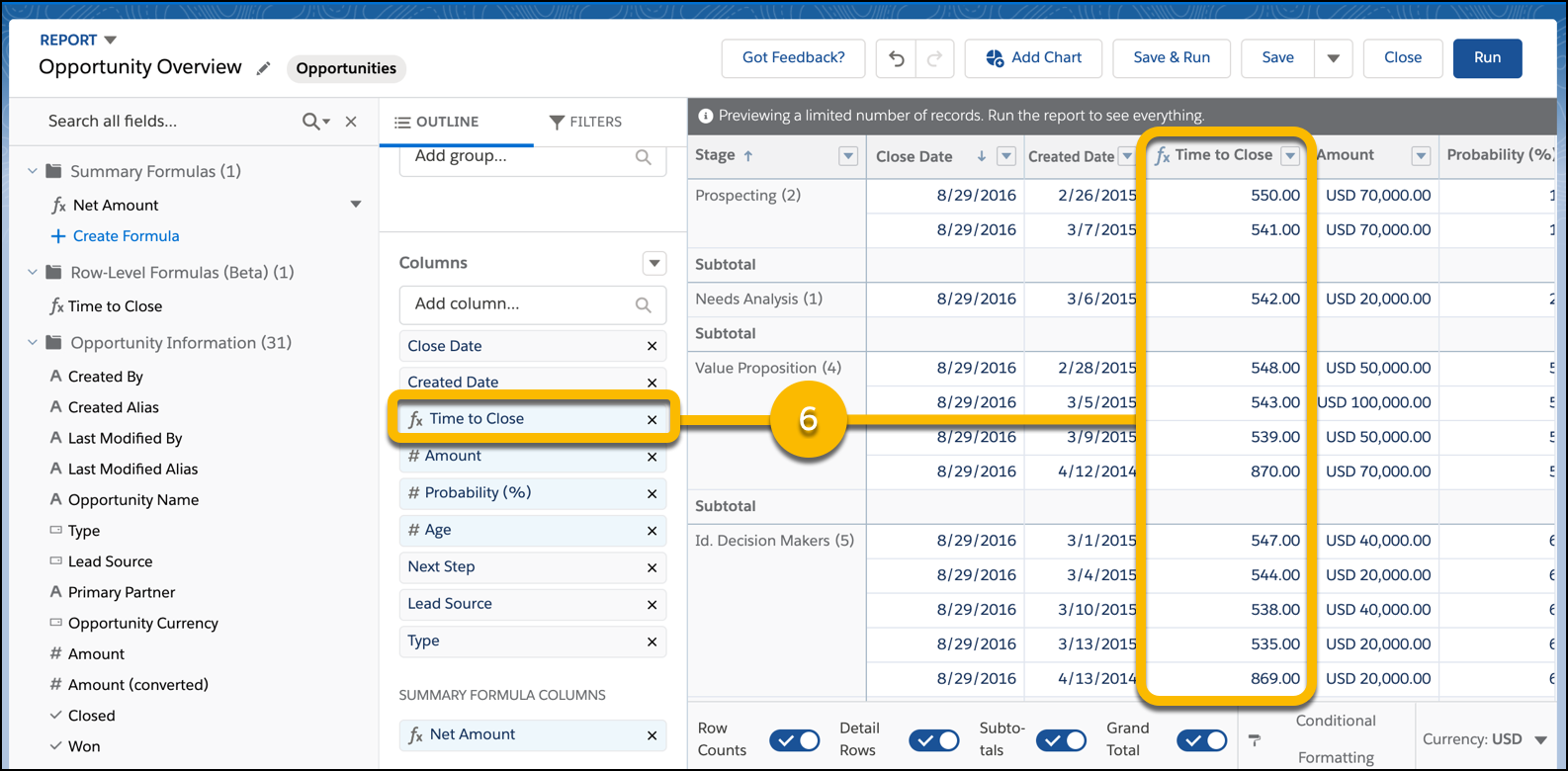
The row-level formula appears as a column on the report (6).
- To save and run the report, click Save & Run.

Did this article solve your issue?
Let us know so we can improve!
