Turn Automatic Updates to the Report Preview On or Off
Edit reports faster by turning off automatic preview updates. When off, you can make
multiple edits without waiting for the preview to refresh after each edit. When you’re ready
to preview data, manually refresh the report preview. Or, see sample records returned after
each edit by keeping automatic previews on.
Required Editions
Available in: Lightning Experience
Available in: Essentials,
Group, Professional,
Enterprise, Performance,
Unlimited, and Developer
Editions
User
Permissions Needed
To turn automatic updates to the report preview on or off while
editing a report saved in a private folder:
Create and Customize Reports
To turn automatic updates to the report preview on or off while
editing a report saved in a private or public folder:
Report Builder OR Report Builder (Lightning Experience)
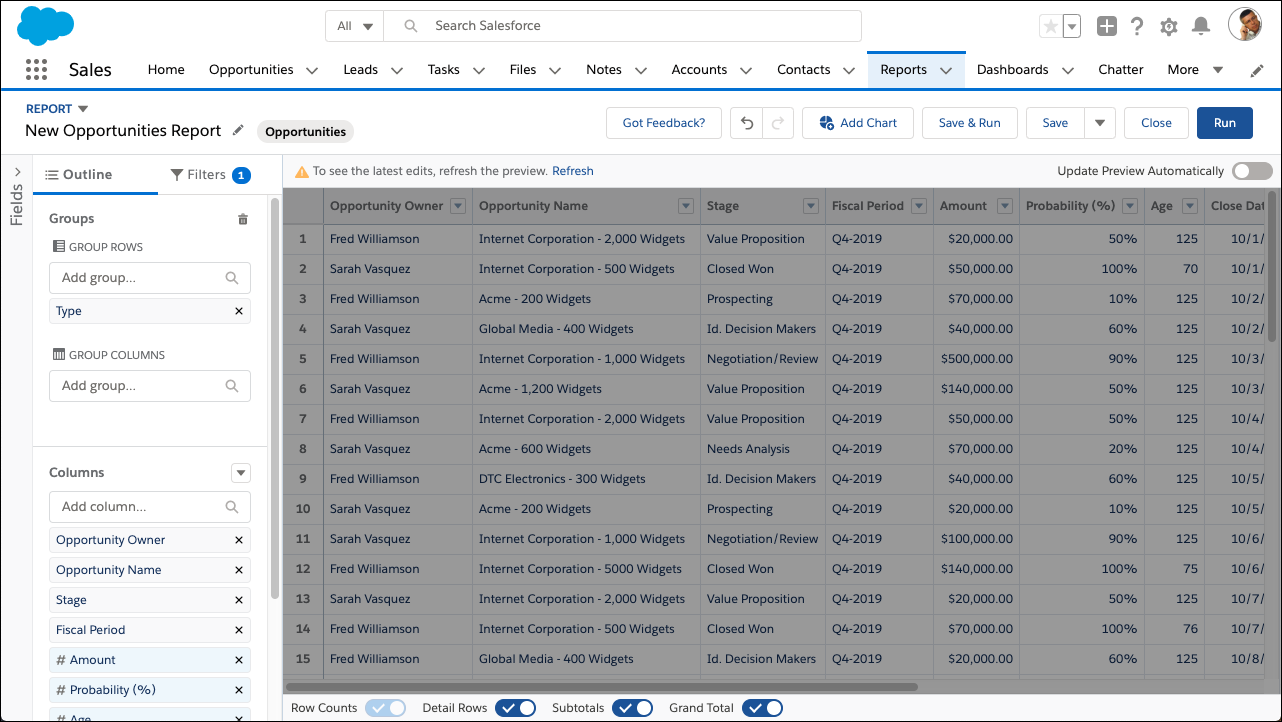
To turn automatic preview updates on or off flip the Update Preview
Automatically switch on or off.
Edit or create a report.
Click Update Preview Automatically. The switch switches
on or off.
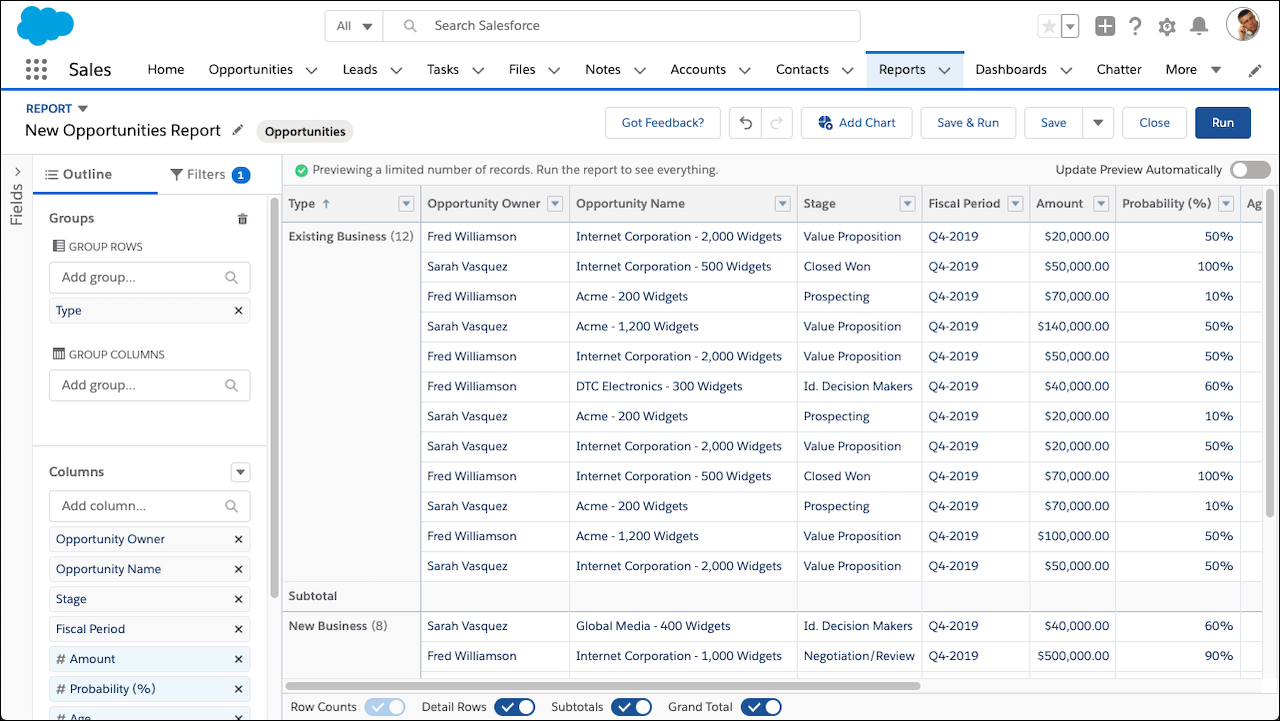
When on, the report preview updates automatically after each edit you make to
the report.
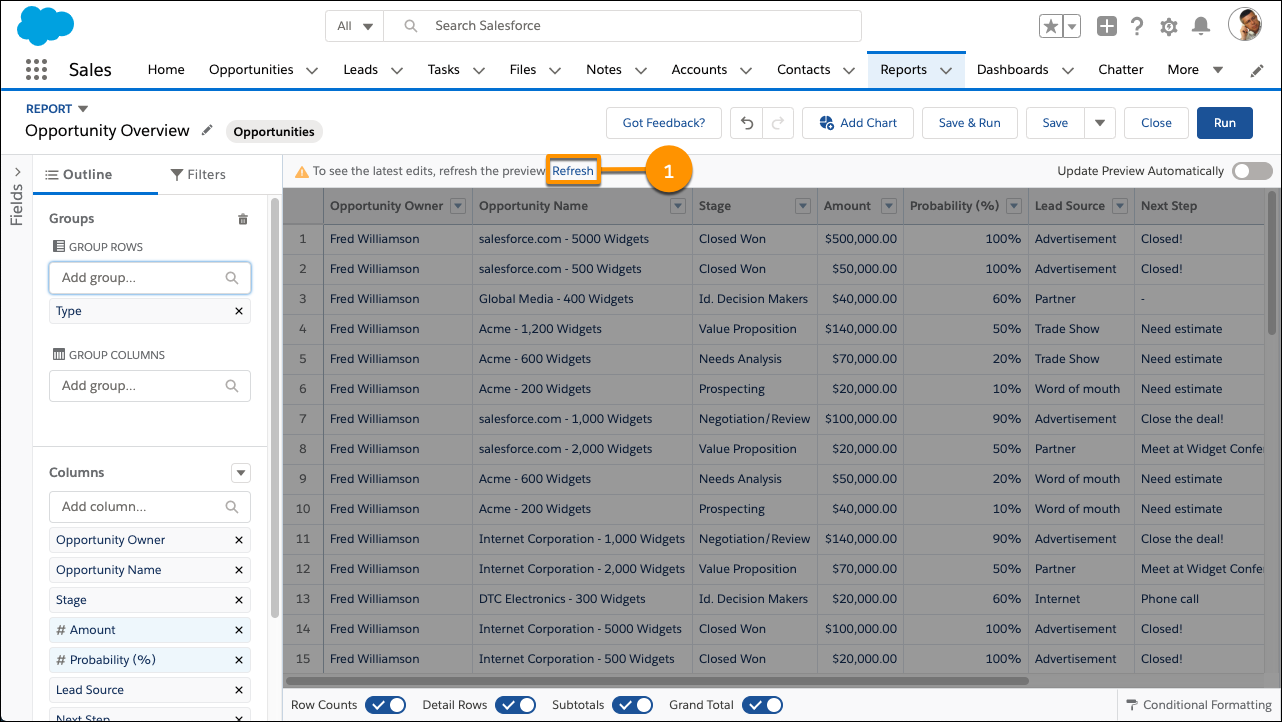
When off, a message tells you whether the preview shows your most recent
edits and provides the option to refresh the preview. When hiding recent
edits, the preview turns gray.
To refresh out-of-date data, click Refresh (1).
The preview reloads to show your edits.
The Update Preview Automatically switch doesn’t affect the
report run page.
Did this article solve your issue?
Let us know so we can improve!
Loading
Salesforce Help | Article
Cookie Consent Manager
Cookie Consent Manager
General Information
Required Cookies
Functional Cookies
Advertising Cookies
General Information
We use three kinds of cookies on our websites: required, functional, and advertising. You can choose whether functional and advertising cookies apply. Click on the different cookie categories to find out more about each category and to change the default settings.
Privacy Statement
Required Cookies
Always Active
Required cookies are necessary for basic website functionality. Some examples include: session cookies needed to transmit the website, authentication cookies, and security cookies.
Functional Cookies
Functional cookies enhance functions, performance, and services on the website. Some examples include: cookies used to analyze site traffic, cookies used for market research, and cookies used to display advertising that is not directed to a particular individual.
Advertising Cookies
Advertising cookies track activity across websites in order to understand a viewer’s interests, and direct them specific marketing. Some examples include: cookies used for remarketing, or interest-based advertising.