To organize campaigns and link them together, you can associate them with parent and
child relationships in a campaign hierarchy. When you run reports, metrics from the child
campaigns roll up to the parent.
Required Editions
Available in: Salesforce Classic and Lightning
Experience
Available in: Salesforce Professional, Enterprise,
Performance, Unlimited, and Developer Editions
User Permissions Needed
To view campaigns:
Read on campaigns
To view campaign hierarchies:
Read on campaigns
AND
Read on the Parent Campaign field on
campaigns
To add, edit, or delete hierarchy columns:
Modify All Data
You can create a robust hierarchy up to five levels deep.
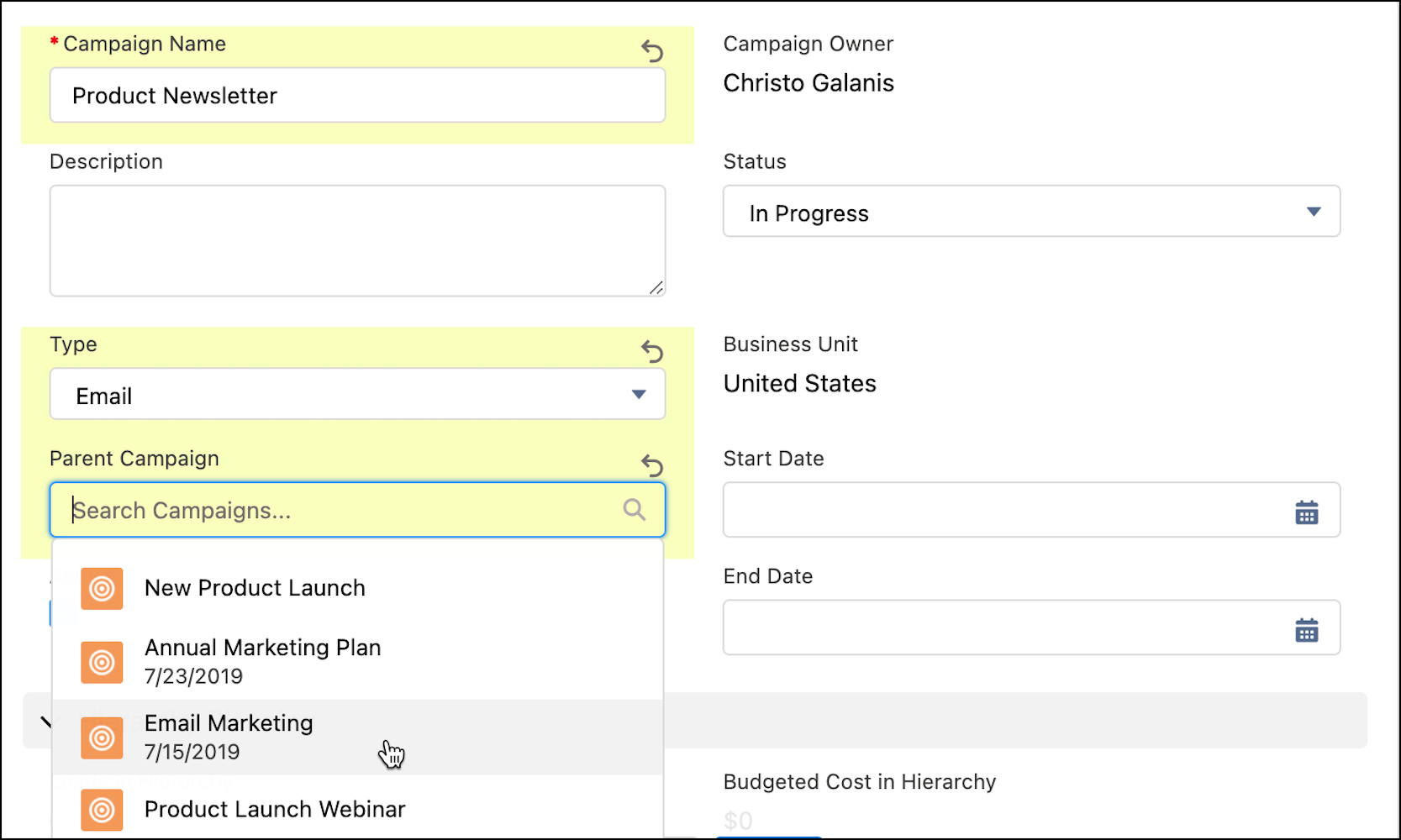
Create or open the campaign record of a campaign that you want to use as a child.
In the Parent Campaign field, select the campaign to use as the parent.
To see where in the hierarchy a campaign appears, open the campaign record and click
View Campaign Hierarchy.
Example
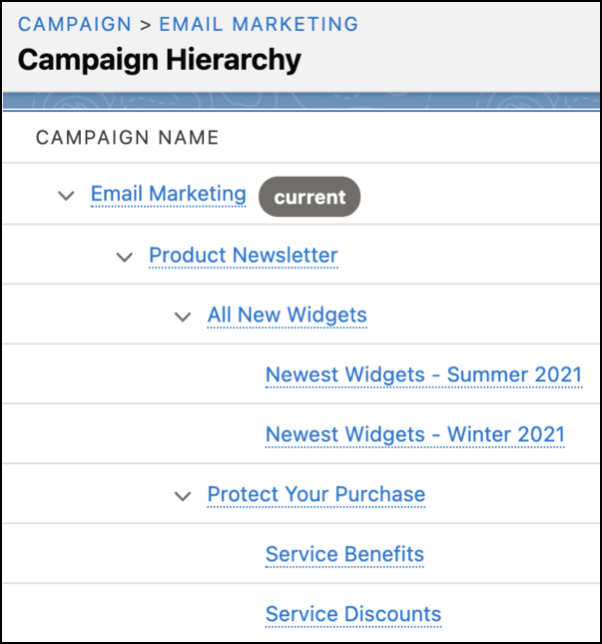
Christo wants to track his team’s email marketing efforts, so he creates the top-level
campaign called Email Marketing. To organize his product communications, he creates several
campaigns to use as parents: Product Newsletter, All New Widgets, and Protect Your Purchase. He
also creates quarterly campaigns for new products and separate campaigns to promote service
contracts. Each time he creates a new quarterly campaign, he adds the correct parent
campaign.
For his campaign hierarchy, he makes Product Newsletter the parent campaign for
All New Widgets and Protect Your Purchase. When he’s done, his hierarchy looks like this.
We use three kinds of cookies on our websites: required, functional, and advertising. You can choose whether functional and advertising cookies apply. Click on the different cookie categories to find out more about each category and to change the default settings.
Privacy Statement
Required Cookies
Always Active
Required cookies are necessary for basic website functionality. Some examples include: session cookies needed to transmit the website, authentication cookies, and security cookies.
Functional Cookies
Functional cookies enhance functions, performance, and services on the website. Some examples include: cookies used to analyze site traffic, cookies used for market research, and cookies used to display advertising that is not directed to a particular individual.
Advertising Cookies
Advertising cookies track activity across websites in order to understand a viewer’s interests, and direct them specific marketing. Some examples include: cookies used for remarketing, or interest-based advertising.