
You are here:
Get Predictions in APEX
Use Apex code to get predictions, top factors, and prescriptions from a no-code model in Model Builder.
Invocable Action
To use a predictive model with Apex, create an invocable action with this method. The method creates an invocable action that provides input data to a predictive model. It triggers the model request and processes the returned output, including predictions, top factors, and prescriptions (recommended actions).
REST Request
As a model is activated, an invocable action is automatically created and it can be used in Flow or Apex. When using this invocable action in Apex, you may need to get the input parameters using this REST Endpoint.
GET /services/data/v63.0/actions/custom/cdpMlPrediction/{ModelIdOrName}
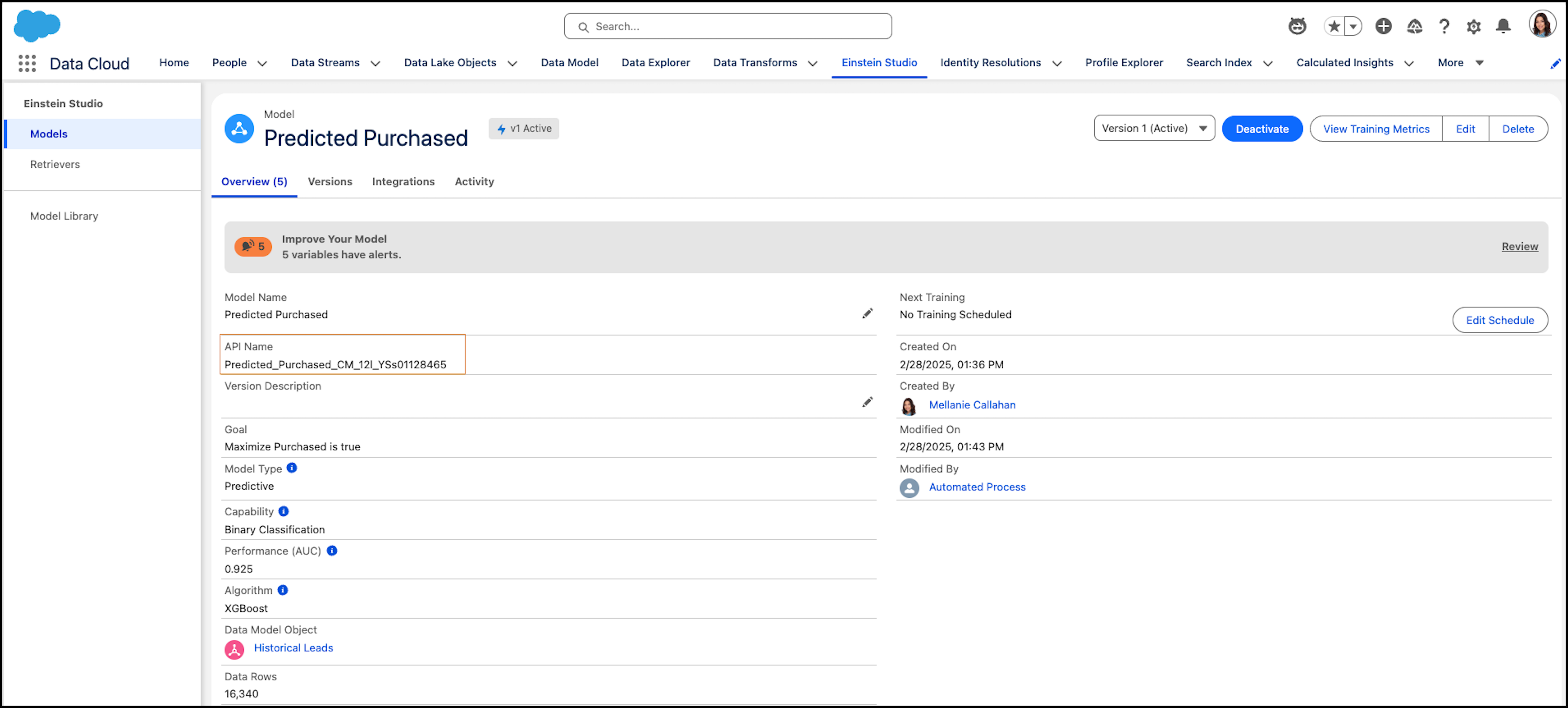
Let's look at how to use a REST request for a 'Predicted Purchased' model.
GET /services/data/v63.0/actions/custom/cdpMlPrediction/Predicted_Purchased_CM_12l_YSs01128465The request retrieves metadata about the invocable action such as the model input parameters.
{
"inputs" : [
{
    "label" : "Top Predictors",
    "name" : "maxTopFactors",
    "type" : "INTEGER"
  },
{
    "label" : "Top Prescriptions",
    "name" :  "maxPrescriptions",
    "type" : "INTEGER"
  },
{
    "label" : "Lead Source",
    "name" : "param_Lead_Source_c__c",
    "type" : "STRING"
  },
{
    "label" : "Industry",
    "name" : "param_Industry_c__c",
    "type" : "STRING"
  },
{
    "label" : "Title",
    "name" : "param_Title_c__c",
    "type" : "STRING"
  },
{
    "label" : "Response Time From Assignment",
    "name" : "param_Response_Time_From_Assignment_c__c",
    "type" : "DOUBLE"
  },
{
    "label" : "No. of Employees",
    "name" : "param_No_of_Employees_c__c",
    "type" : "DOUBLE"
  },
{
    "label" : "Response Time from Creation",
    "name" : "param_Response_Time_from_Creation_c__c",
    "type" : "DOUBLE"
  } ]
}
Apex for Predictions
You can then use Apex code to invoke the 'Predicted Purchased' model to provide predictions, top factors, and prescriptions.
Invocable.Action action = Invocable.Action.createCustomAction('cdpMlPrediction', 'Predicted_Purchased_CM_12l_YSs01128465');
        action.setInvocationParameter('param_Industry_c__c', 'High Tech');
        action.setInvocationParameter('param_No_of_Employees_c__c', 100);
        action.setInvocationParameter('param_Lead_Source_c__c', 'Chat');
        action.setInvocationParameter('param_Response_Time_from_Creation_c__c', 100);
        action.setInvocationParameter('param_Response_Time_From_Assignment_c__c', 300);
        action.setInvocationParameter('maxTopFactors', 3);
        action.setInvocationParameter('maxPrescriptions', 3);
        List<Invocable.Action.Result> results = action.invoke();
        if (results.size() > 0 && results[0].isSuccess()) {
        System.debug('Prediction =' + results[0].getOutputParameters().get('prediction')); //output will be in the same data type as the model output
        System.debug('Top Factors =' + results[0].getOutputParameters().get('factors')); //output is a custom APEX Type ConnectAPI.CdpMlPredictionContribution
        System.debug('Prescriptions =' + results[0].getOutputParameters().get('prescriptions')); //output is a custom APEX Type ConnectAPI.CdpMlPredictionContribution
        }
