Loading
Feature degradation | Gmail Email delivery failureRead More
About Salesforce Data 360
Table of Contents
Select Filters

          No results
          No results
          Here are some search tips

          Check the spelling of your keywords.
          Use more general search terms.
          Select fewer filters to broaden your search.

          Search all of Salesforce Help
          Use Real-Time Predictions to Drive Personalized Recommendations

          Use Real-Time Predictions to Drive Personalized Recommendations

          Predictive models in AI Models (formerly Einstein Studio) can generate real-time predictions to inform personalized recommendations in Salesforce Personalization. The integration enables the delivery of customized experiences, which can boost engagement. Predict the customer lifetime value annual spend, or likeliood to purchase and use your model's predictions in a Personalization Decision targeting rule to serve up different content recommendation strategies.
          Required Editions

          Available in: All Editions supported by Data 360. See Data 360 edition availability.

          For editions and permissions needed to use Salesforce Personalization targeting rules, see Create a Targeting Rules

          USER PERMISSIONS NEEDED
          Allow users to manage models in AI Models Enables you to create, update, and delete models in AI Models.
          PERMISSION SETS
          Data Cloud Architect Admin-level access to all AI Models features, including the ability to create, update, delete, and activate models.
          Data Cloud User Restricted access to use a model, including getting predictions and improvements derived from a model.

          When using a predictive model in AI Models in Salesforce Personalization, consider the following:

          • Personalization maps are only supported for models created from scratch. Connected models aren’t supported.
          • You can map models built from scratch to a real-time profile data graph.
          • You can map direct attributes and calculated insights without dimensions to a model created from scratch. Calculated insights must have a number data type.

          To set up a model to provide personalized recommendations in Salesforce Personalization, follow these steps.

          Before you begin, you must first create a model from scratch in AI Models.

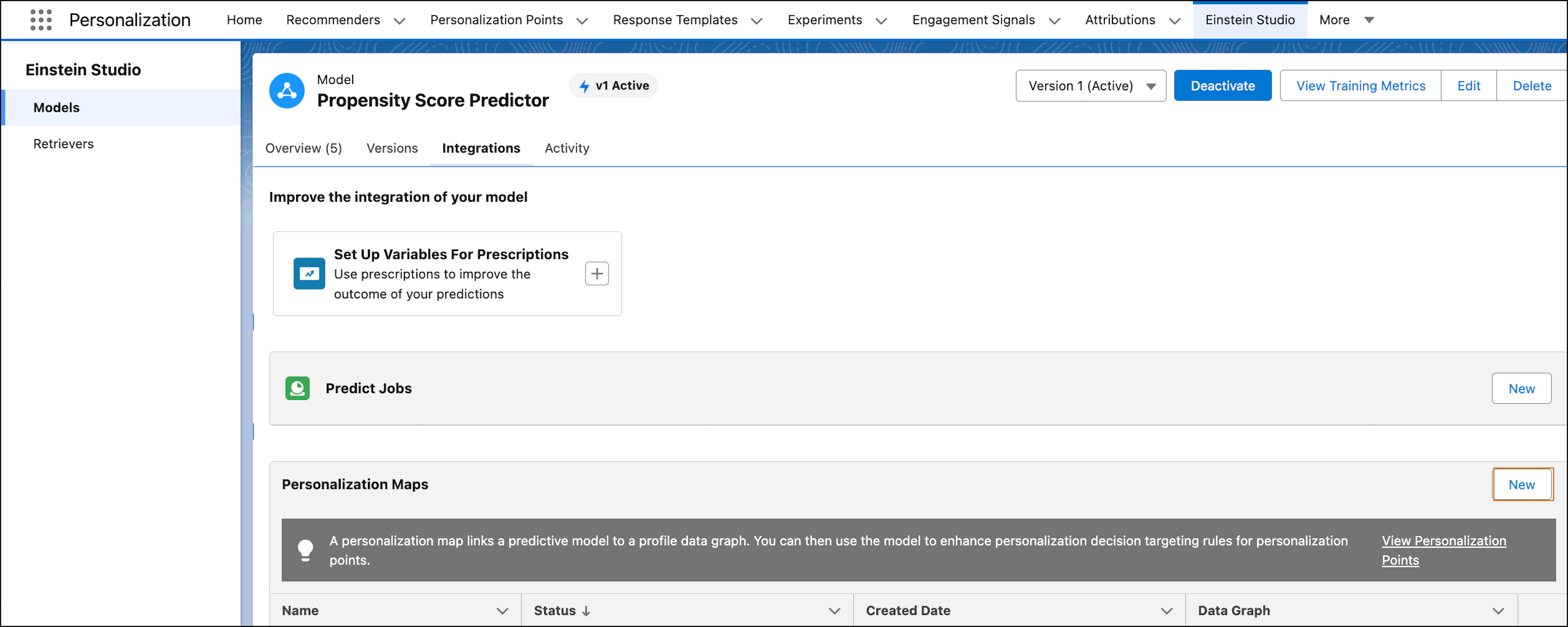
          1. In AI Models, from the predictive models tab, click your model. The model must be activated so it can provide predictions.
          2. From the model details, click the Integrations tab.
          3. To create a new personalization map, click New.
            Integrations tab in the model details where you can manage personalization maps.
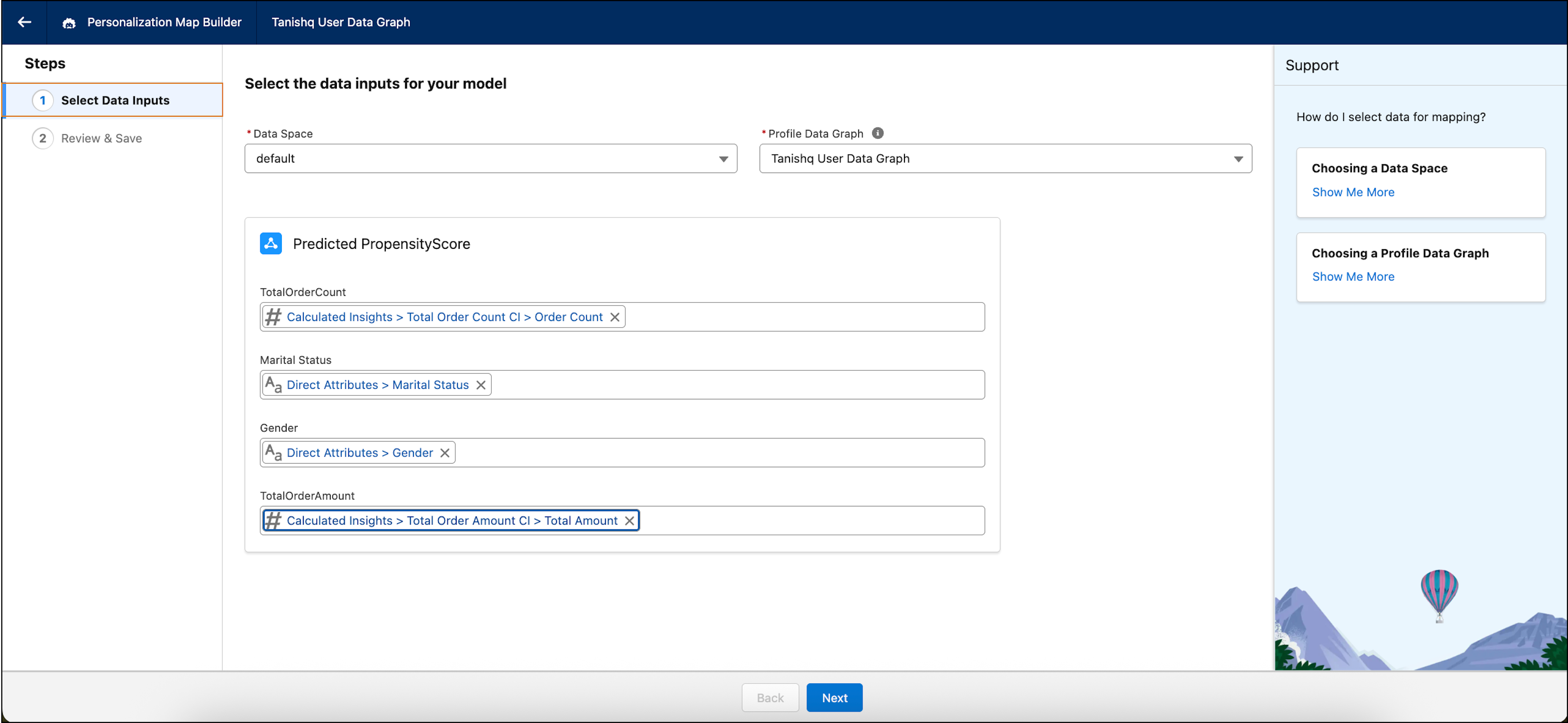
          4. Select a data space and profile data graph.
            In the Personalization Map Builder, you select a data space, data graph and data to use.
          5. Identify the fields in the data graph map you want to use to generate the personalized prediction.
          6. Click Next.
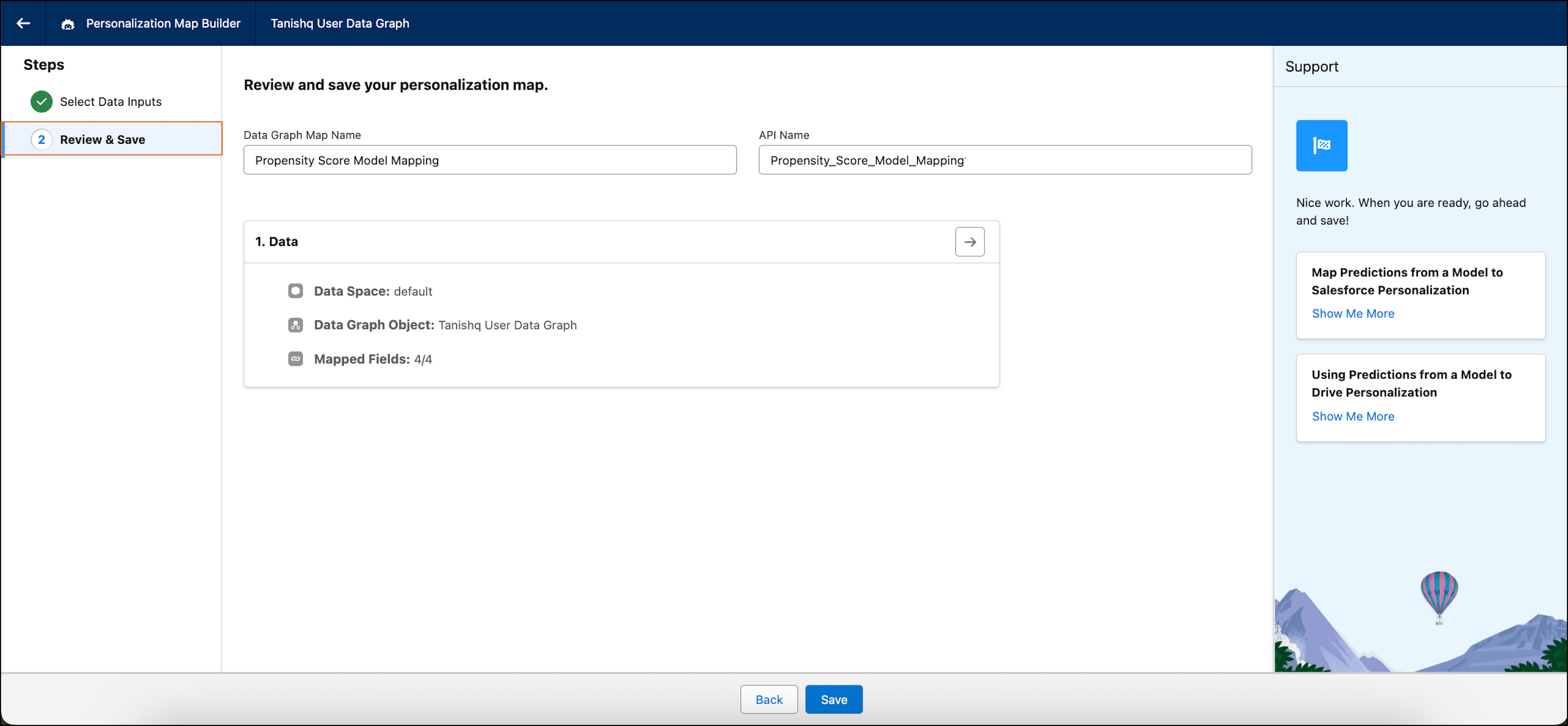
          7. Review the mapping.
            In Personalization Map Builder, review and save your data settings once you're ready to create a map.
          8. Save your settings.

          After linking your model with a real-time profile data graph, you can use the model in Salesforce Personalization targeting rules to get personalized recommendations.

           
          Loading
          Salesforce Help | Article