
You are here:
Model Lineage in AI Models
Model lineage provides a traceable history of an AI model's lifecycle, from training data, versioning, deployment, and its use with live data. Data 360 integrates this capability in AI Models (formerly Einstein Studio) and Governance.
In AI Models, you can see a predictive model's downstream visibility on its details page and in the Integrations tab. This view is vital for creating auditable, reproducible, and trustworthy assets because it clearly details the model's usage, dependencies, and integrations. While the model details show some metadata at the top of the page, the integrations are inference channels used by a model through its lifecycle.
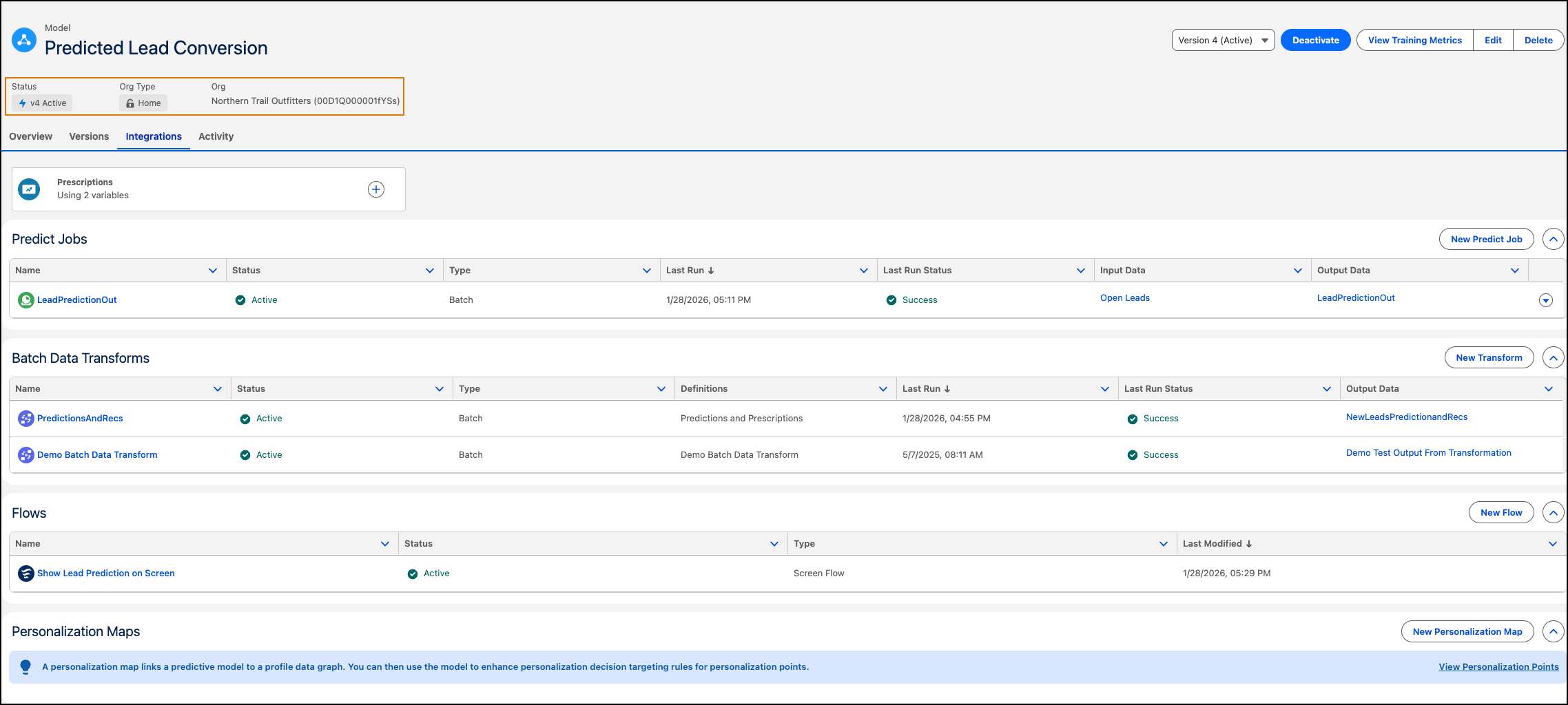
Metadata
Each integration shows the model status (active or inactive), type, last run date, run status, and data model objects (DMOs).
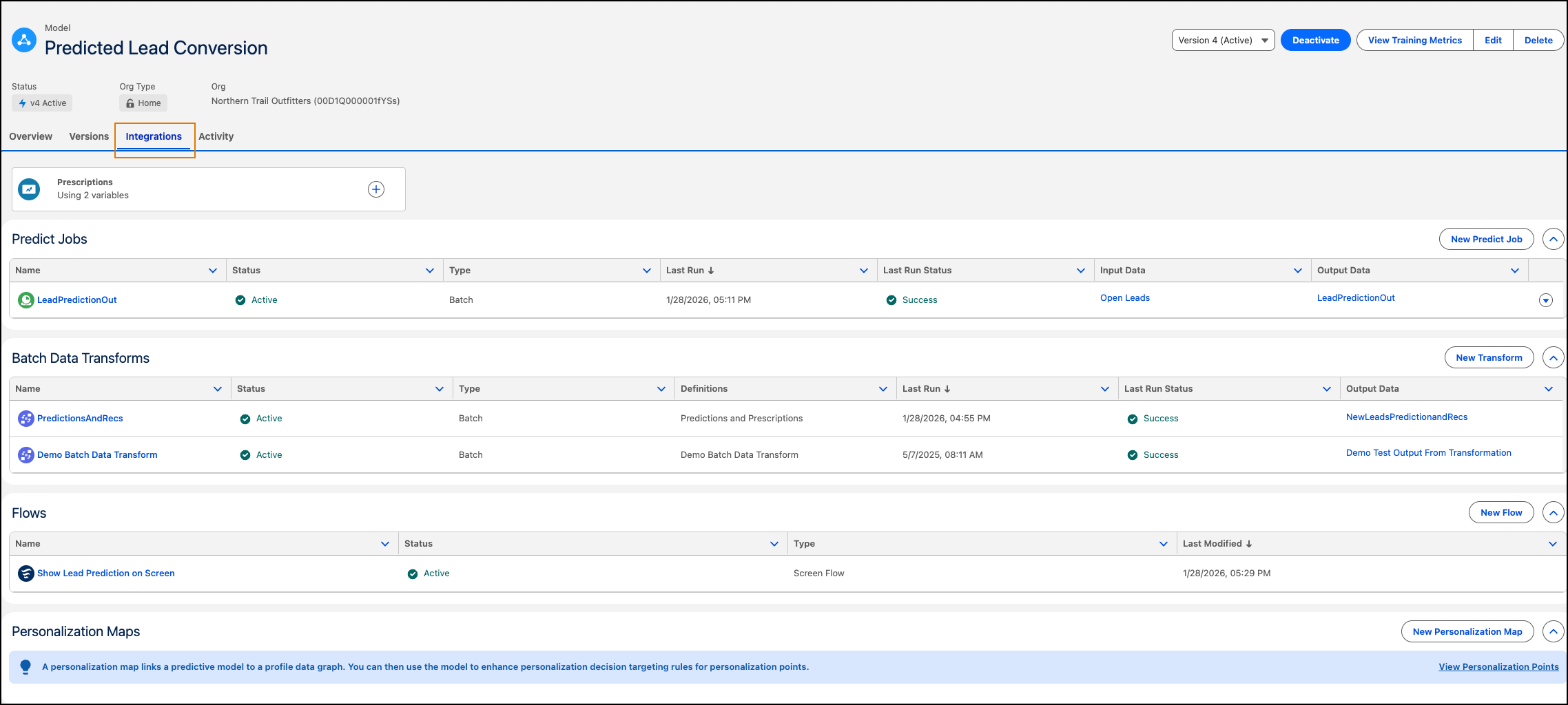
You can view these inference channels in the Integrations tab.
- Batch Data Transforms: Data transforms that use the AI node for inferences.
- Flows: Flows that reference the model by using Data 360 actions.
- Predict jobs: Streaming or batch jobs used for inferences.
- Personalization Maps: Predictions from models used in Salesforce Personalization targeting rules to refine personalization decisions.
Insights from these integrations provide:
Operational Efficiency
The list view consolidates this information in one single location and it drastically reduces investigation time.
Impact Analysis
Before retraining or deleting a model, you can immediately see which business processes (such as a specific flow or transform) the change impacts.
Direct Navigation
The view provides access to each integration for quick edits or troubleshooting.
