
You are here:
Update Node: Swap Column Values
You can swap column values with data from another data source when key pairs match with the update node. For example, to update selected account names after a series of recent acquisitions and mergers, replace the name from an uploaded spreadsheet based on matching account IDs. To minimize processing time, change column values with matching key pairs instead of every value in the column.
- In a batch data transform that already has at least one input node, select Add
Node
 between
two nodes or at the end of the data transform. To show the Add Node button between two nodes,
hover the cursor on the connecting line.
between
two nodes or at the end of the data transform. To show the Add Node button between two nodes,
hover the cursor on the connecting line. - In the Add Node dialog, select Update.
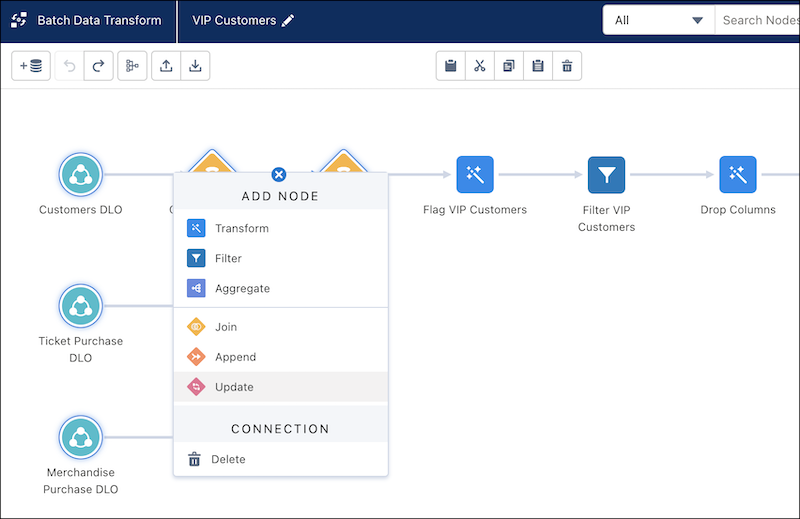
- Choose the data source containing the update data. Alternatively, if the original and
update data are already added as input nodes, drag Add Node () from one to
the other and click Update. The two inputs are used as the source and
update location.
- Choose which key pair values must match between the original and update data.
- Choose the columns to update. If all key pairs match for a row, the column value is updated.
- Click Apply. When the batch data transform runs, the update node contains the original data with updated column values.
- Save the data transform.
Did this article solve your issue?
Let us know so we can improve!
