Use Data 360 Data Spaces to Organize Data in Tableau
Use data spaces to segregate your data, metadata, and processes into categories, such as
brand, region, or department. Set up permissions so that users can see and work on data only in
the context of their brand or region.
Required Editions
Available in: Tableau Desktop, Tableau Prep, and Tableau Cloud
To access data spaces requires:
The Salesforce Data Cloud connector to connect Tableau and Data 360
Tableau version 2023.2 or Tableau Cloud
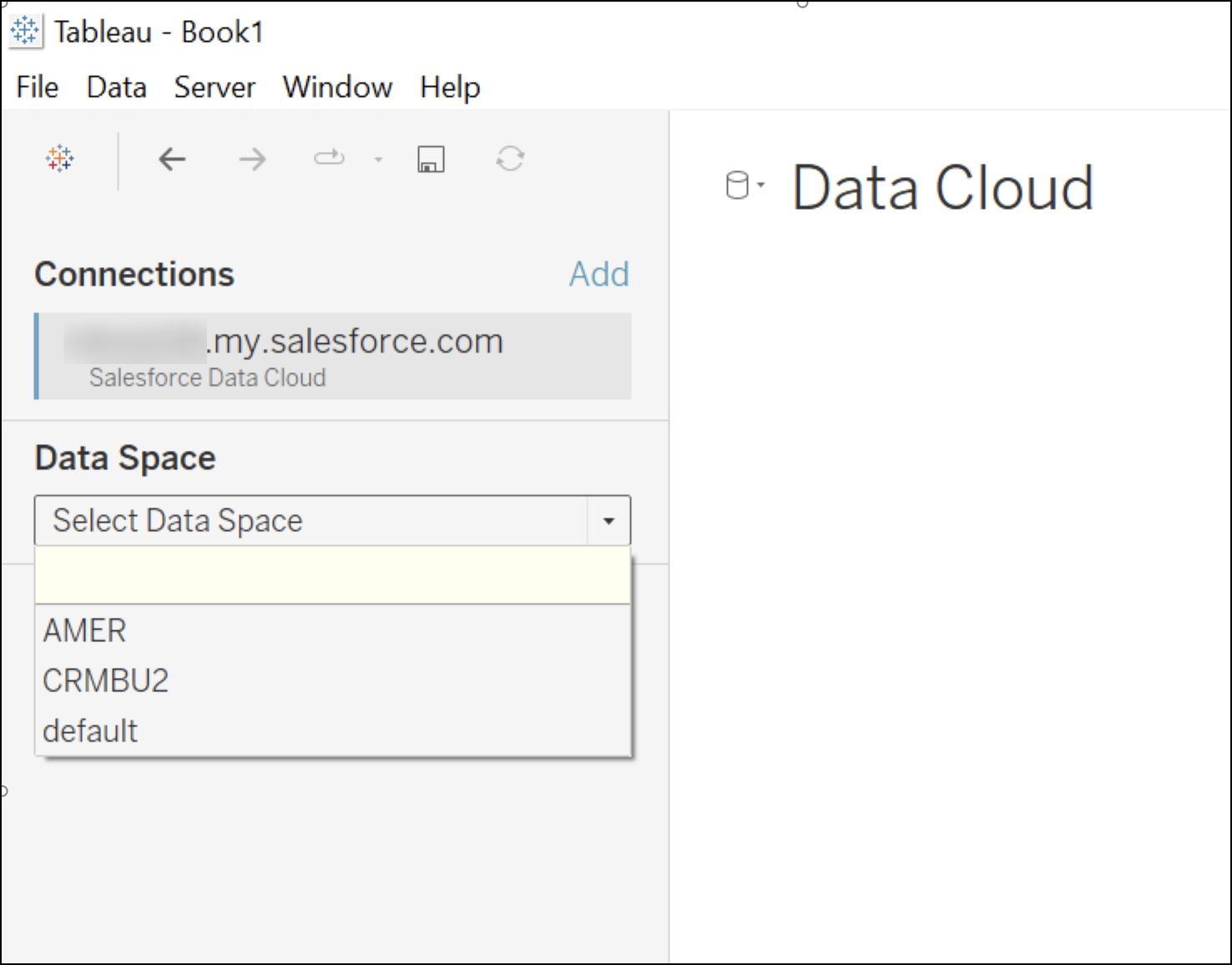
The Data Spaces available in Tableau are based on the OAuth login that is used to
connect to the Data 360. For example, if a user John Doe is assigned to data
space AMER in Data 360, then John Doe would see only Data Space AMER in the
dropdown in Tableau UI. If you're using the Customer Data Platform connector to connect Tableau
and Data 360 you see a default data space. A default data space includes all
the data lake objects, data model objects, and calculated insights available in Data 360.
Log in to Tableau.
Select the Salesforce Data Cloud connector.
Authenticate with Data 360.
If you’re already logged in to Data 360, you’re automatically
authenticated using the browser mode.
From the Data Space dropdown, select the applicable data space or choose the default data
space.
A list of tables that use the selected data space appears.
We use three kinds of cookies on our websites: required, functional, and advertising. You can choose whether functional and advertising cookies apply. Click on the different cookie categories to find out more about each category and to change the default settings.
Privacy Statement
Required Cookies
Always Active
Required cookies are necessary for basic website functionality. Some examples include: session cookies needed to transmit the website, authentication cookies, and security cookies.
Functional Cookies
Functional cookies enhance functions, performance, and services on the website. Some examples include: cookies used to analyze site traffic, cookies used for market research, and cookies used to display advertising that is not directed to a particular individual.
Advertising Cookies
Advertising cookies track activity across websites in order to understand a viewer’s interests, and direct them specific marketing. Some examples include: cookies used for remarketing, or interest-based advertising.