
You are here:
Identity Resolution Match Rule Terminology
Understand the roles that match rules, match criteria, and match methods play in identity resolution rulesets. Adding, adjusting, and removing match rules, match criteria, and match methods can change the consolidation rate of the overall ruleset.
- Match Rules
-
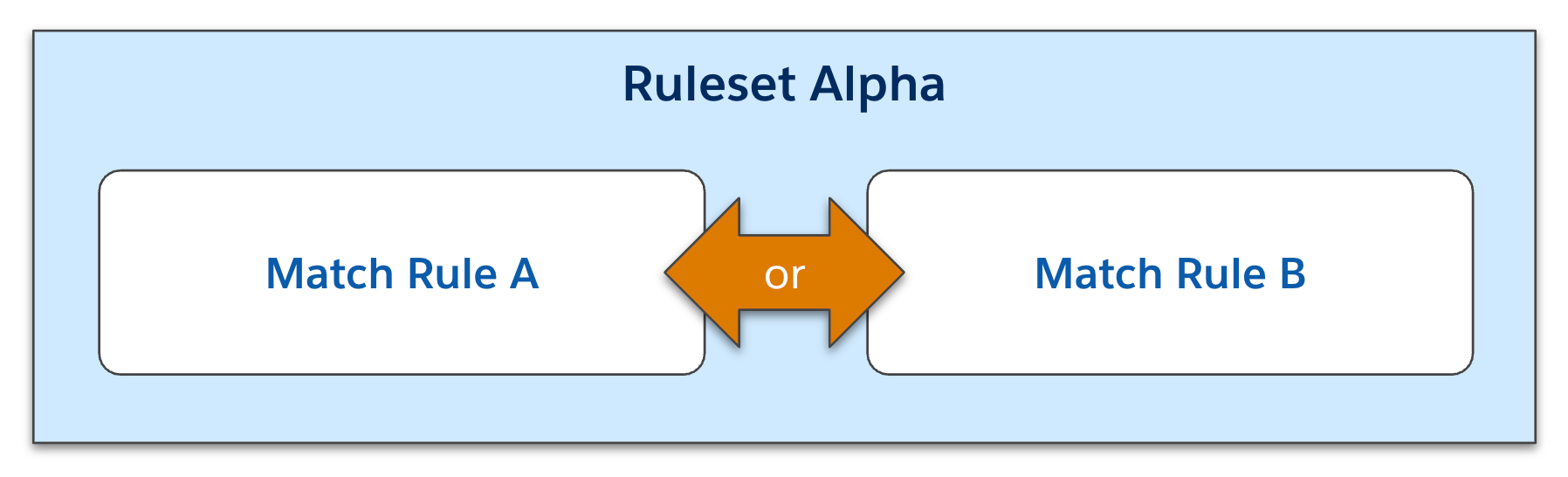
Each match rule is an opportunity for records to be matched. Records must match the criteria of only one match rule to get matched by the ruleset. The more match rules you create, the more opportunities you give your records to be matched. Adding more rules to a ruleset raises the ruleset’s consolidation rate.
- Match Criteria
-
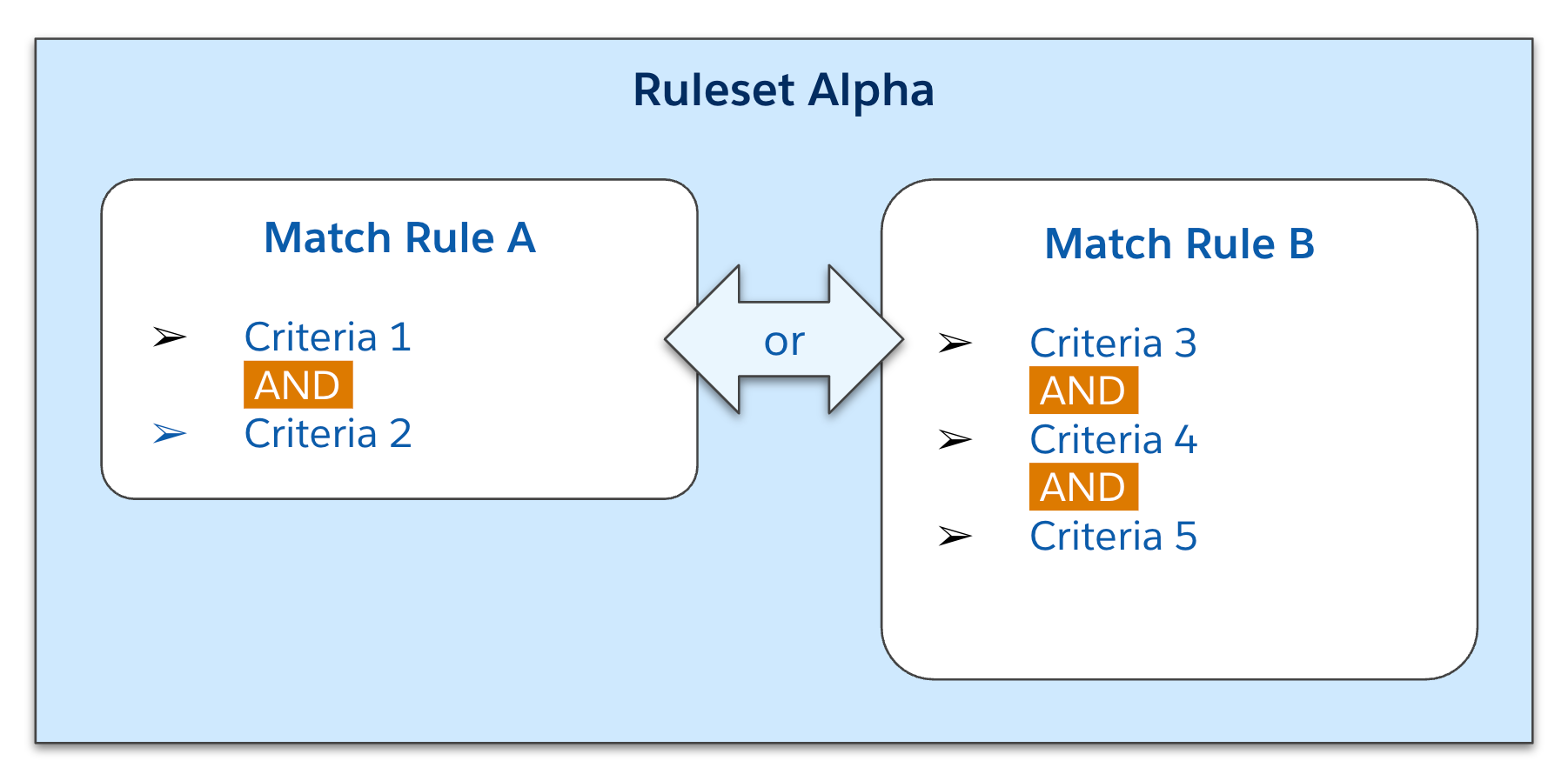
Within each match rule, the criteria determine how precise a particular match rule is. Any two records must match all criteria within a match rule to be matched. The more criteria you include, the harder it is for any two records to match. Adding more criteria to a match rule lowers the ruleset’s consolidation rate.
- Match Methods
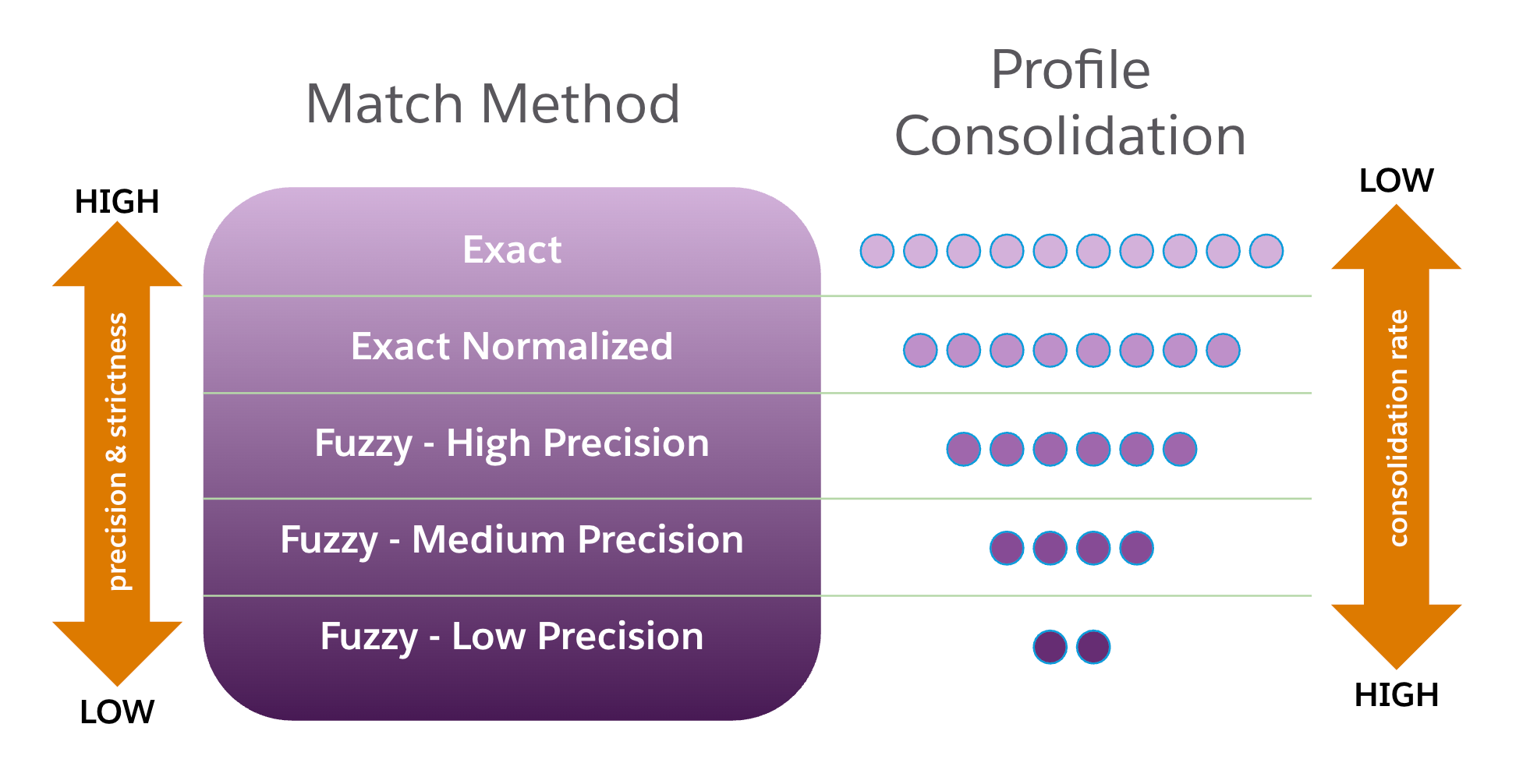
- Match methods are different ways identity resolution can transform data before trying to
match it. You can select from up to five match methods, but not all methods are available
for all objects and fields. Match methods that make criteria more stringent, such as Exact
or Exact Normalized, can lower consolidation rates, while match methods that are more
permissive, such as Fuzzy Match - Low Precision, can raise consolidation rates.
When a ruleset is being run for real-time matching, all match criteria except phone numbers and email addresses are run using the Exact match method regardless of what scheduled match method you selected when you set up your ruleset. In real-time matching, phone numbers and email addresses are run using Exact Normalized matching unless you speciyfied Exact matching as the scheduled match method.
